6 Handling Selftest
© Nortec Electronics 2018 23
6.2 Selftest
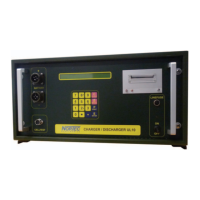
Power I – O: switch on I “In operation”
The display is illuminated.
After switching on the supply voltage on the display for 2 seconds you will see the following:
Copyright of the manufacturer
Device type
Software version
Software date
Test status
Battery charger and tester UL60
Software UL60 V1.39 16.11.17 TEST OK
Simultaneously a signal announces that the device is ready for use.
In case the result of the selftest is a failure within the device the following information is shown on
the display:
This message is always in English language.
FAILURE : EQUIPMENT
KEYBORD


 To Next Page