6 Handling Remote monitoring
© Nortec Electronics 2018 27
Adjust Ethernet
IP-address
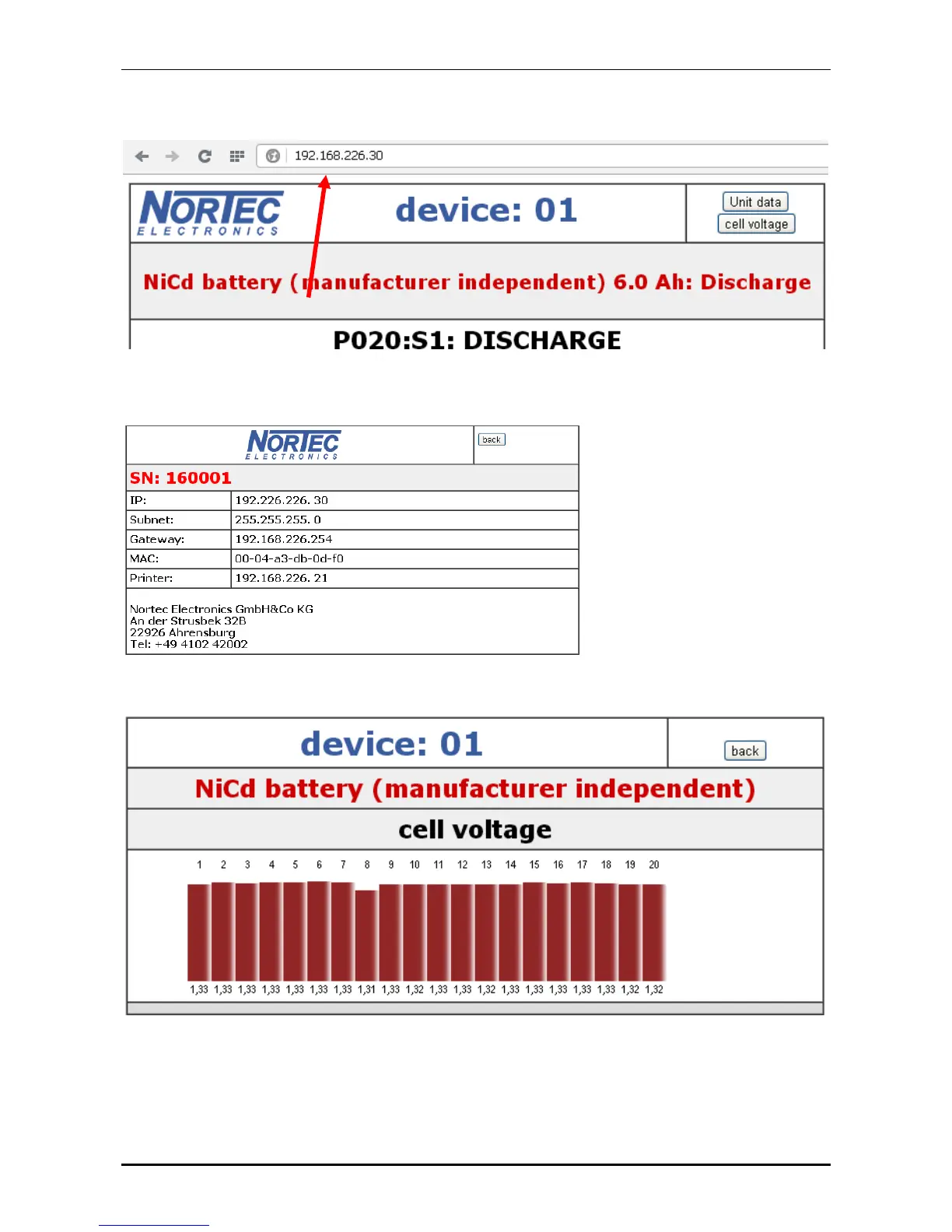
, (see page 34) the data can be monitored from every browser. You
just need to enter the IP-address of the UL60 in the address field.
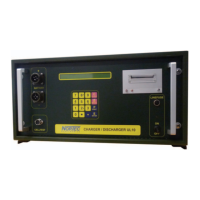
Under „device data“ you can see the data for the UL60:
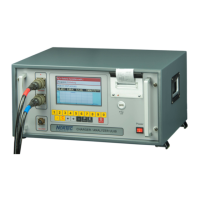
Using NiCd batteries the measurements for the single cells can be shown as well:
After finishing the battery treatments, you can download the 2 data files to be secured on a USB
flash drive.


 To Next Page