Page 92 951/952 Operator’s Manual Rev. B
Chapter 6 - Creating Waypoints
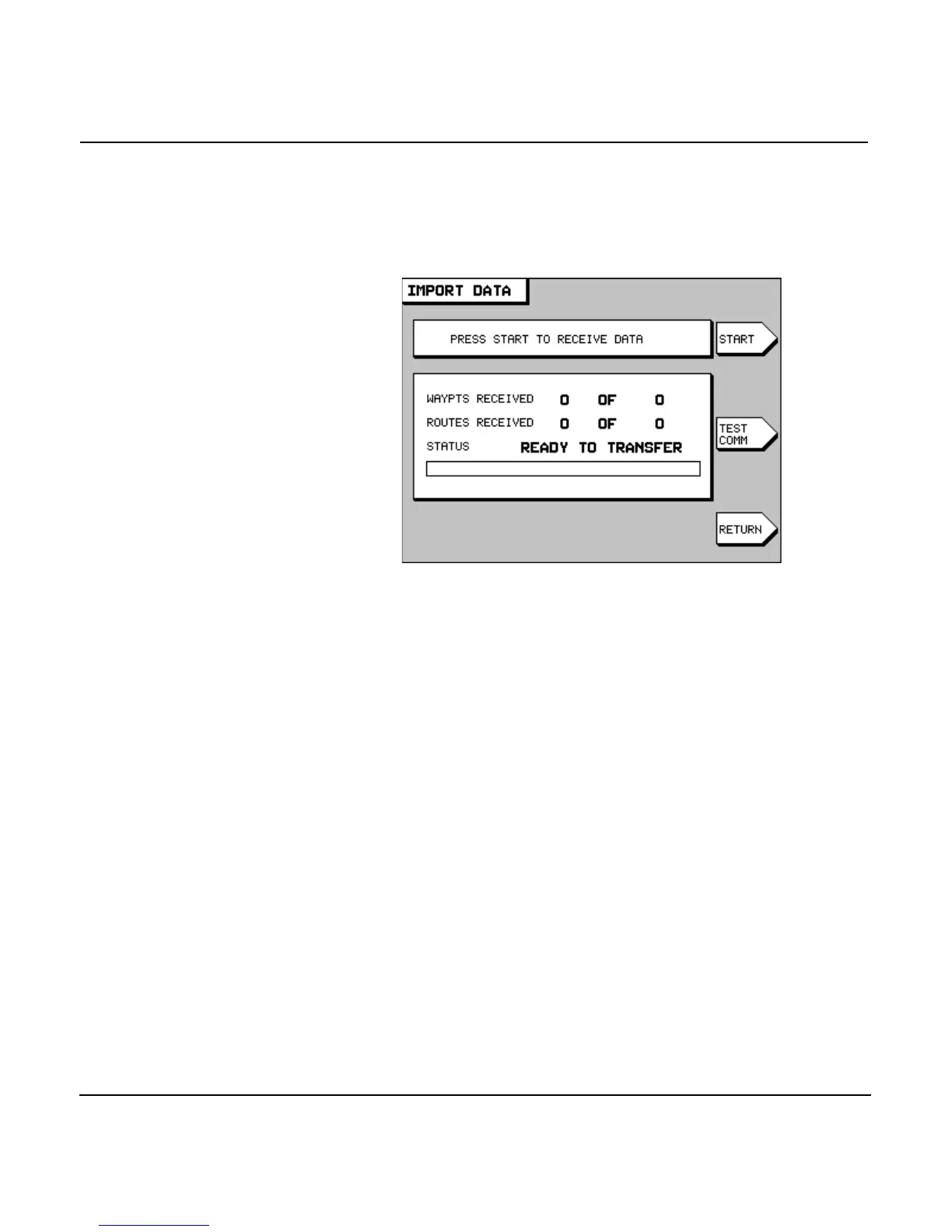
4. Press the menu key to display the IMPORT
DATA screen. The status bar in the center of the screen
displays the message READY TO TRANSFER to show that
the transfer is ready to start.
5. Before transferring, you can check the communication
link between the two units by pressing the
key. The status bar should display the message REMOTE
LINK OK.
6. To move waypoints and routes into this master unit from
the other unit, press the key. The status bar dis-
plays the message TRANSFERRING and updates every sec-
ond with the number of waypoints and routes already
received against the total quantity to be received. The
progress bar, located below the status bar, graphically dis-
plays the percentage completed.
If there is a problem with the transfer process, the follow-
ing messages may appear:
•
If the other unit is off-line, the master unit displays the
dialog-box message COULDN’T GET REMOTE WAYPT/
ROUTE COUNT and the status-bar message COMMUNICA-
TION ERROR.
•
If the other unit doesn’t contain any waypoints and
routes, the master unit displays the dialog-box message



 To Next Page