2-14
Installing and Setting up the Machine > Touch Panel
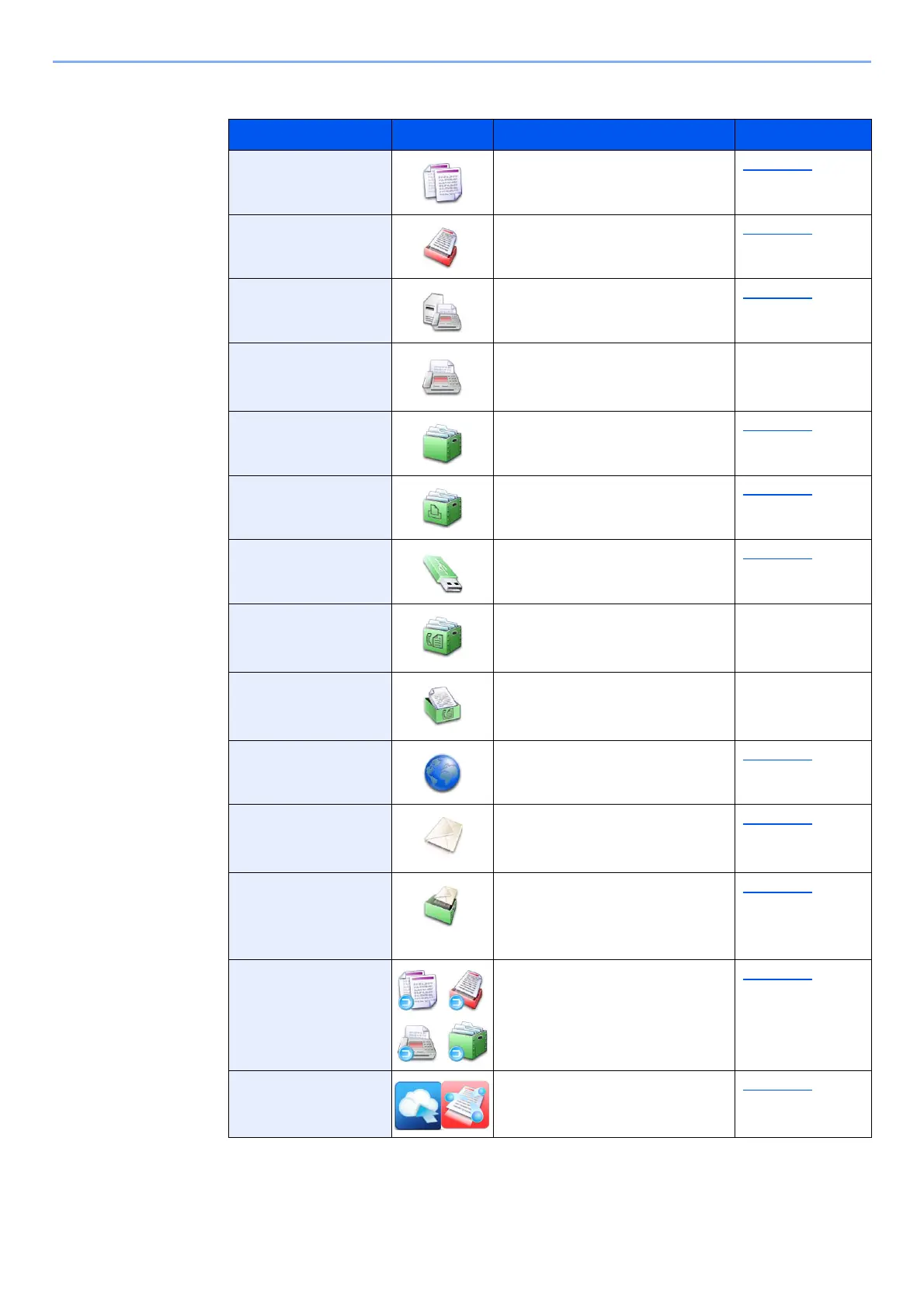
Available Functions to Display on Desktop
Function Icon Description Reference page
Copy
*1
*1 Selected at the time of shipment from factory.
Displays the Copy screen. page 5-18
Send
*1
Displays the Send screen. page 5-22
FAX Server Displays the FAX Server screen. page 5-40
FAX
*2
*2 Displayed only on products with the fax function installed.
Displays the FAX screen. Refer to the FAX
Operation
Guide.
Custom Box
*1
Displays the Custom Box
screen.
page 5-56
Job Box
*1
Displays the Job Box screen. page 4-18
USB Drive
*1
Displays the USB Drive screen. page 5-68
FAX Box
*2
Displays the FAX Box screen. Refer to the FAX
Operation
Guide.
FAX Memory RX
Box
*2
Displays the FAX Memory RX
Box screen.
Refer to the FAX
Operation
Guide.
Internet Browser Displays the Internet Browser
screen.
page 5-72
Send to Me
(E-mail)
*3
*3 Displayed when user login administration is enabled.
Displays the Send screen. The
E-mail address of the logged-in
user is set as the destination.
page 5-39
Send to Me from
Box (E-mail)
*3
Displays the Custom Box
screen. The E-mail address of
the logged-in user is set as the
destination.
page 5-61
Program Calls up the registered program.
The icon will change according
to the function of the program.
page 5-10
Application Name
*4
Displays the selected
applications.
page 5-13




 To Next Page