1-10Service ManualXYAA6336
1.7 INTERFACES
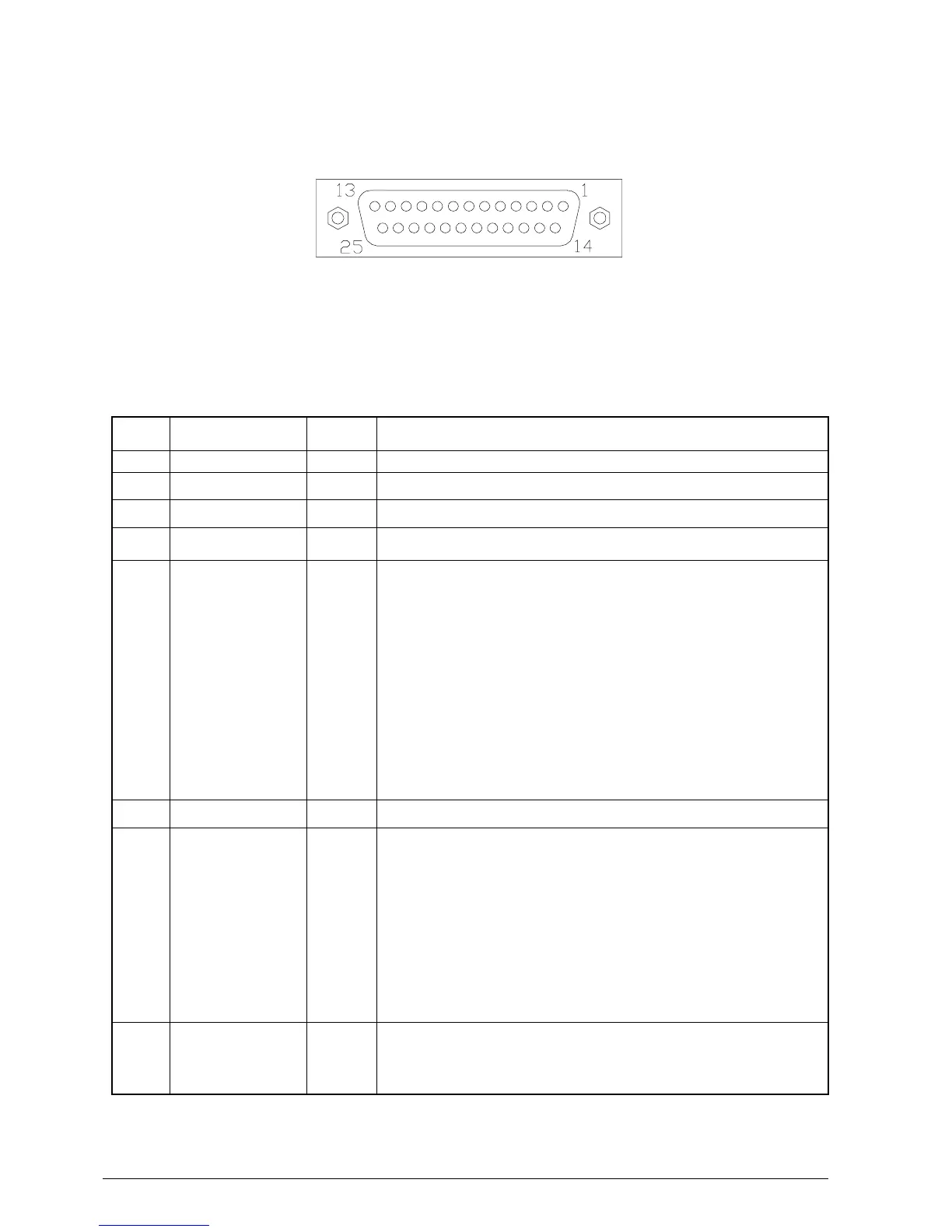
1.7.1 RS-232 Serial Interface Connector Layout
• RS232 Connector - PIN functions
Pin No Signal name Dir
1 Frame GND —-
2 TXD OUT Transmitter data
3 RXD IN Receiver data
4 RTS OUT Fix to ‘Space” level
6 DSR IN Space(+12)
the host can receive data
Mark(-12)
the host cannot receive data
When DTR/DSR control is selected, the printer
transmits data after confirming this signal.
When XON/XOFF control is selected, the printer
does not check this signal
If the signal remains Mark for more than 1msec the
printer performs a reset.
(only when selected from set-up)
7 Signal GND —
20 DTR OUT When DTR/DSR control is selected, this signal
indicates whether the printer is busy.
SPACE=OK/MARK=busy
When XON/XOFF control is selected, the signal
indicates whether the printer is connected and
ready to receive data.
SPACE=OK /MARK=busy
The signal is always SPACE except during:
HW reset, Self test, Set-UP
25 INIT IN The printer is reset when the signal remains Space
for more than 1msec
(only when selected from set-up)















 To Next Page