XYAA6336 Service Manual 5-1
5.1 OVERVIEW
This chapter is divided into two parts which describe
how to disassemble/reassemble the parts and how to
make the related adjustments.
Before proceeding with any operation, power off the
printer and unplug it from the electrical outlet.
5.2 REMOVING THE CASE
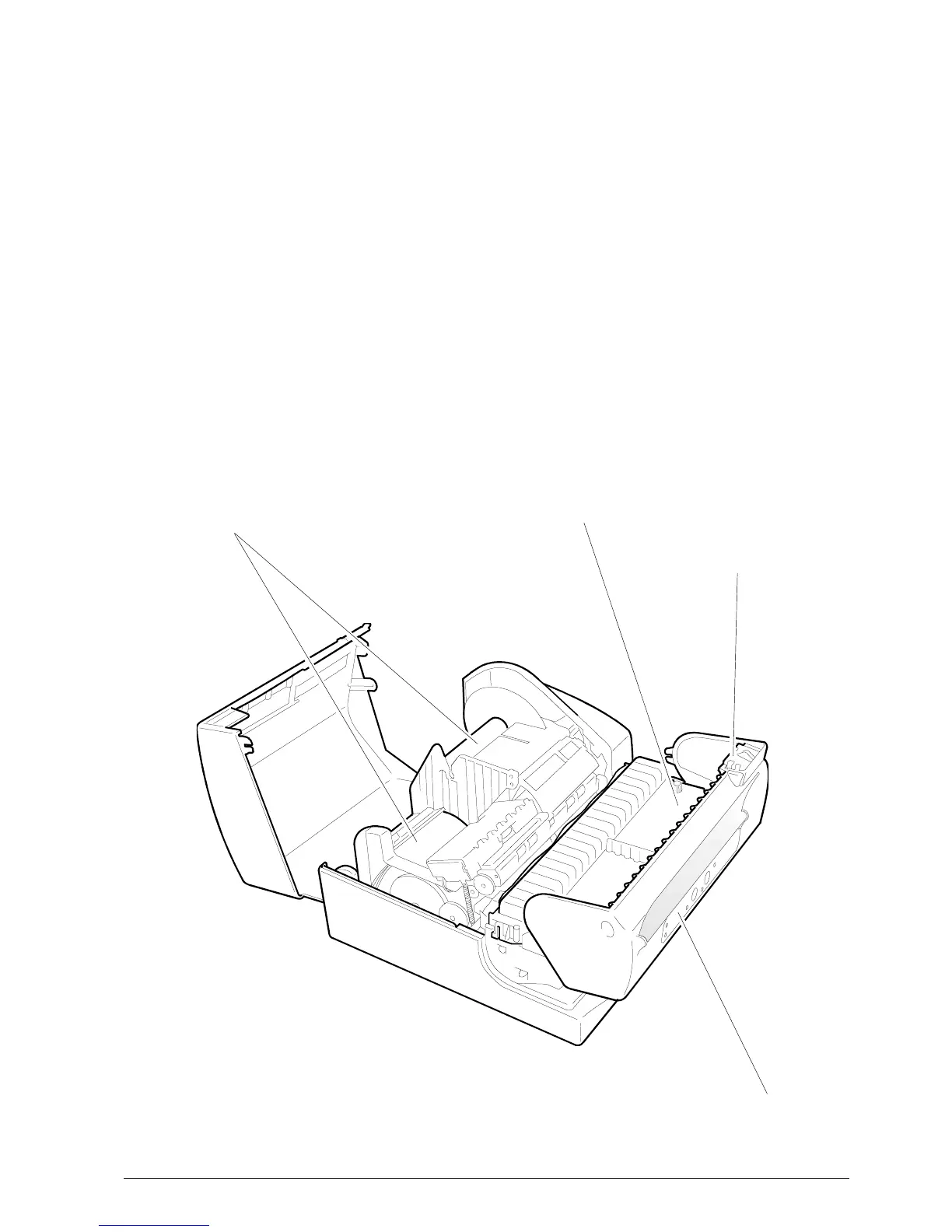
• Open the front and rear covers completely.
5. DISASSEMBLY/REASSEMBLY
PROCEDURES
• Remove the ribbon cartridge and then remove the
paper rolls by tearing them at their insertion
windows.
• Extract the console by gently pushing it upwards.
• Manually remove the Closed cover detection
microswitches.
PAPER ROLLS
RIBBON CARTRIDGE
CLOSED COVER DETECTION
MICROSWITCHES
CONSOLE
Figure 5-1















 To Next Page