3-2Service ManualXYAA6336
Ref.Ref.
Ref.Ref.
Ref.
LED Indications on the ConsoleLED Indications on the Console
LED Indications on the ConsoleLED Indications on the Console
LED Indications on the Console
Failure SignaledFailure Signaled
Failure SignaledFailure Signaled
Failure Signaled
Corrective ActionCorrective Action
Corrective ActionCorrective Action
Corrective Action
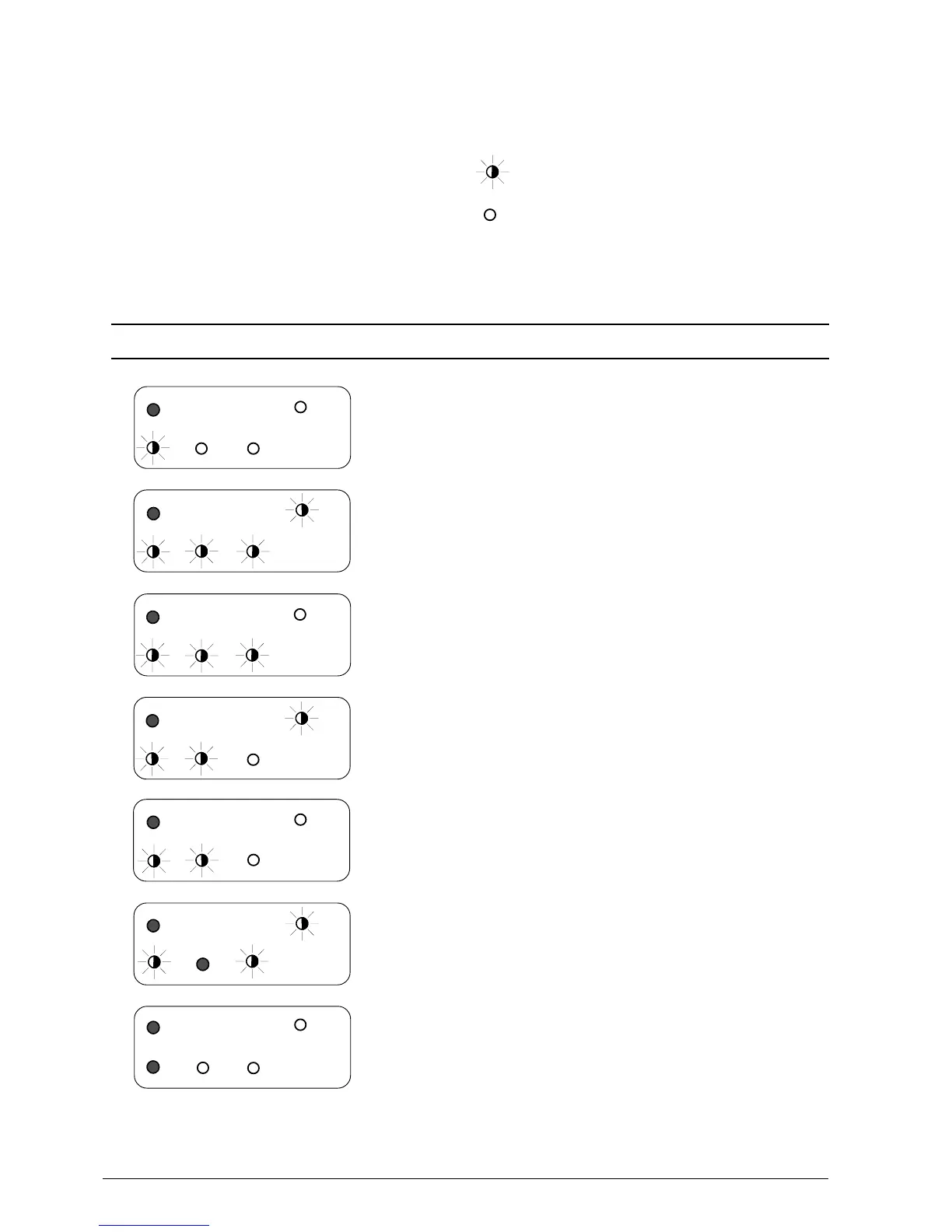
3.2 CONSOLE INDICATIONS
Different failures (errors or malfunctions) are signaled
on the console in the following ways:
• Error LED (LED 2) flashing
• Error LED (LED 2) flashing + other LEDs on
• Error LED (LED 2) on.
The following table summarizes all the possible LED
indications:
77
77
7 Follow the table shown on the following page
66
66
6 Incorrect read from EPROM of the MICR
reader adjustment value
Readjust the MICR
55
55
5 Incorrect read from EPROM of the carriage
position adjustment value
Readjust the position of the carriage
44
44
4 Incorrect read from EPROM of the photosensor
adjustment parameters
Readjust the photosensors
Press any key to load the default values
and readjust
33
33
3 Incorrect read from EPROM of the initial
SETUP values
22
22
2 Printer covers open Close the covers
11
11
1 a) Paper jam in the Slip path
b) Carriage blocked during reset
c) Faulty cutter
d) Hot print head
Remove the paper
Make sure that the carriage slides freely
Make sure that there is paper in the cutter
Wait for the head to cool down















 To Next Page