XYAA6336 Service Manual 5-21
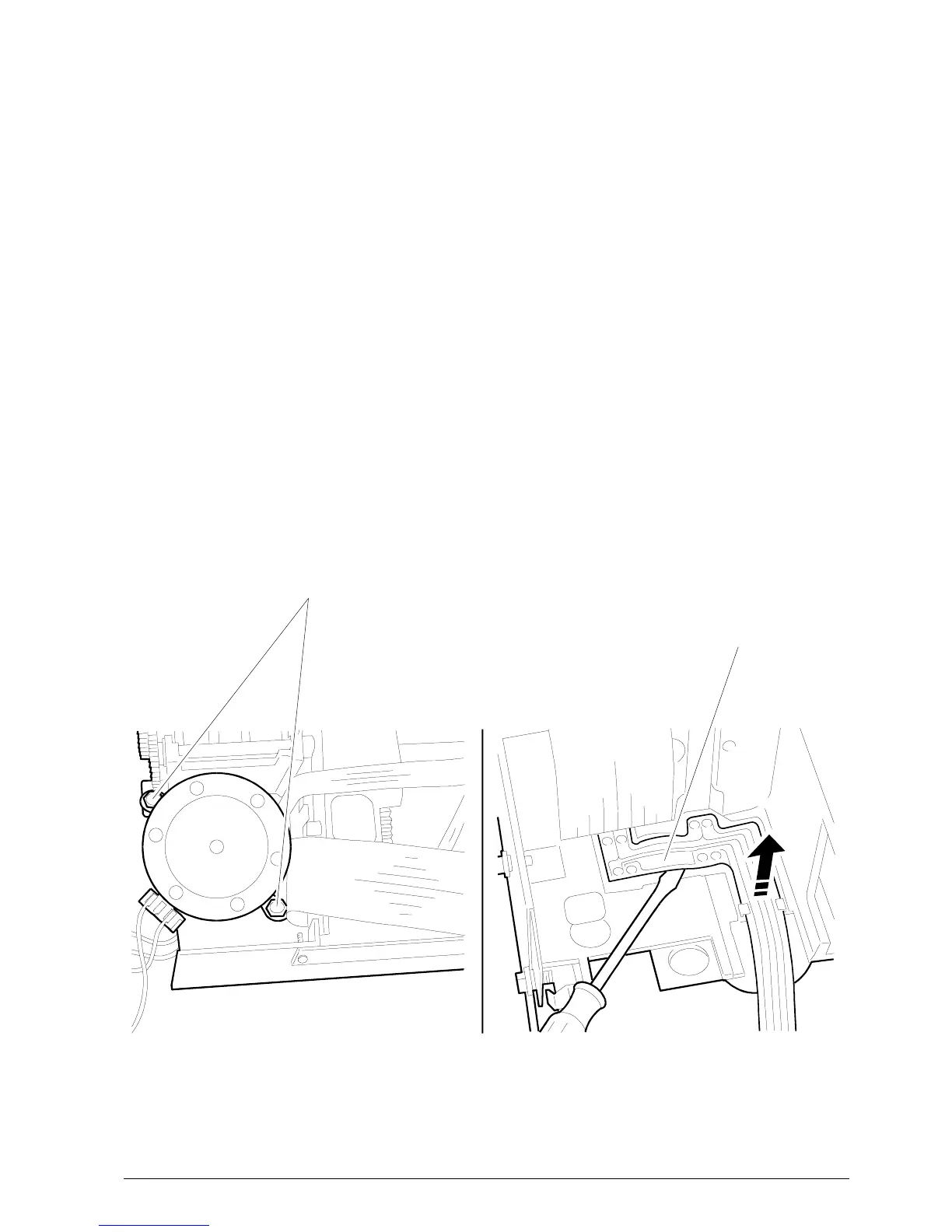
CARRIAGE MOTOR
SECURING SCREWS
Figure 5-23 Figure 5-24
PHOTOSENSORS
5.12 REMOVING THE REWIND CLUTCH
ASSEMBLY
• Remove the case (Section 5.2).
• Remove the timing belt to free the clutch assembly.
To do so rotate the pulley gear by moving the belt
sideways until it goes over the flange.
5.13 REMOVING THE DOCUMENT
DETECTION PHOTOSENSORS
• Remove the case (Section 5.2).
• Remove screws 1 and 2 (Sections 5.3 and 5-4)
and then disconnect all the connectors from the
electronic board so that the machine can be
separated from the base.
• Remove the carriage motor (Section 5.8) as shown
in Figure 5-23.
• Remove the photosensors by extracting them
from their slots with a screwdriver
(Figure 5-24).















 To Next Page