XYAA6336 Service Manual 4-1
4. SETUP AND ADJUSTMENTS
Proceed as follows to setup and/or adjust the printer:
• Open the printer's front cover.
• Press keys 1 and 2 simultaneously for more than
five seconds until an acoustic signal is sounded:
when releasing these two keys LEDs 2 (error), 3
and 4 will come on.
• Press keys 1 and 2 simultaneously again, this time
for more than 10 seconds until another acoustic
signal is sounded.
• Press key 1 one or more times until obtaining the
light pattern corresponding to the operation to be
carried out (refer to the table below indicating the
correspondence between the light pattern and the
operations to be carried out). Press key 2 to return
to the initial state (reset) if needed.
• Close the printer's top cover: the operation to be
carried out is performed or set.
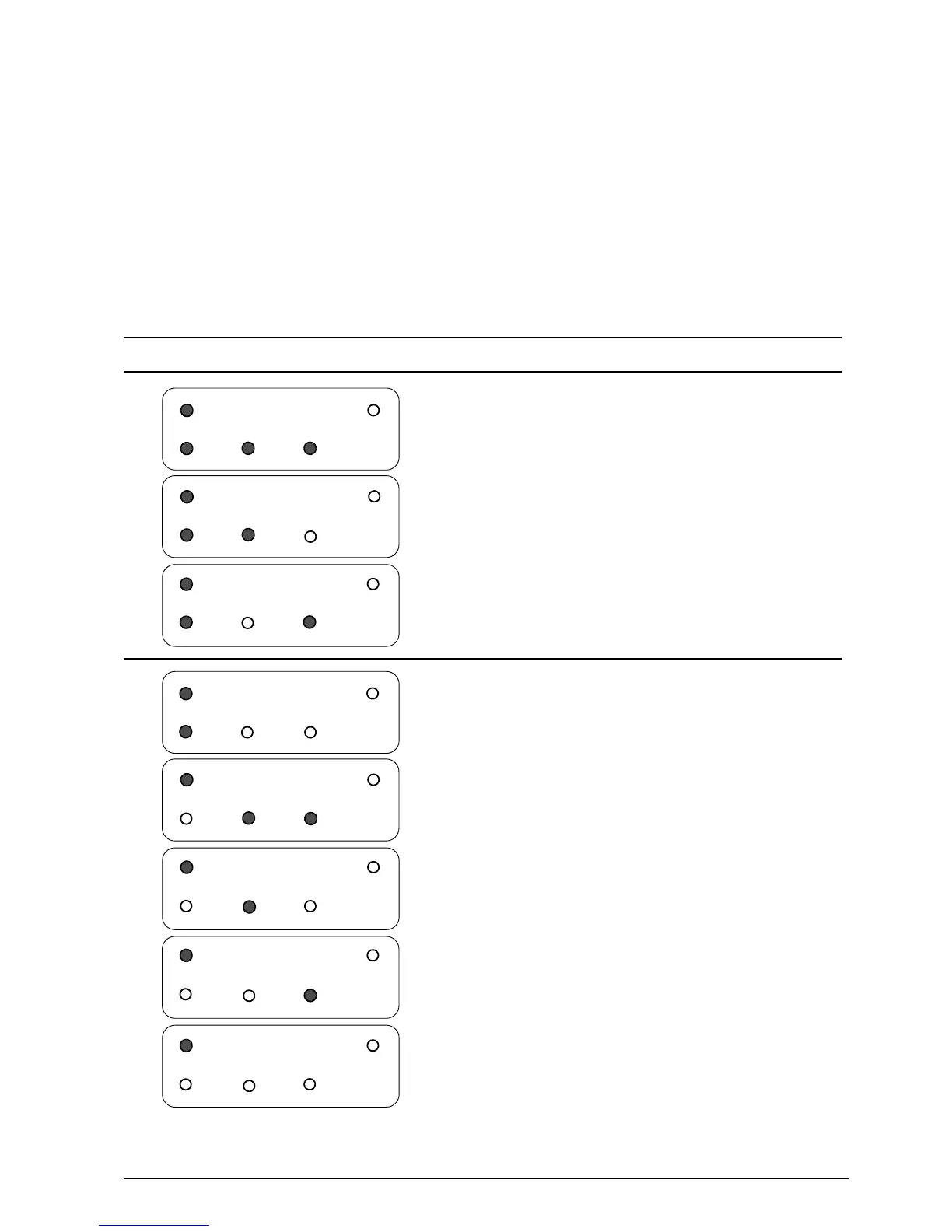
The following table shows the LED patterns
corresponding to the setup/adjustment operations to
be carried out:
Ref.Ref.
Ref.Ref.
Ref.
LED Indications on the ConsoleLED Indications on the Console
LED Indications on the ConsoleLED Indications on the Console
LED Indications on the Console
Setup/Adjustment Operation SetSetup/Adjustment Operation Set
Setup/Adjustment Operation SetSetup/Adjustment Operation Set
Setup/Adjustment Operation Set
22
22
2 Operator test
11
11
1 Initial state (Setup/adjustment mode)
33
33
3 Printer setup
44
44
4 Entrance into the Adjustment Menu
55
55
5 Auto read Micr
66
66
6 Slip test
77
77
7 Hexdump
88
88
8 Roll test















 To Next Page