6-10Service ManualXYAA6336
Error LED Receipt LED Journal LED Slip LED Error
Off Off Off Blink Carriage reset error
Otherwise:
Printer Action
1. The carriage moves to the mechanical reference
to drag the alignment roller.
2. Continuous acoustic signal.
Operator Action
1. Open the front cover.
2. Remove the cartridge.
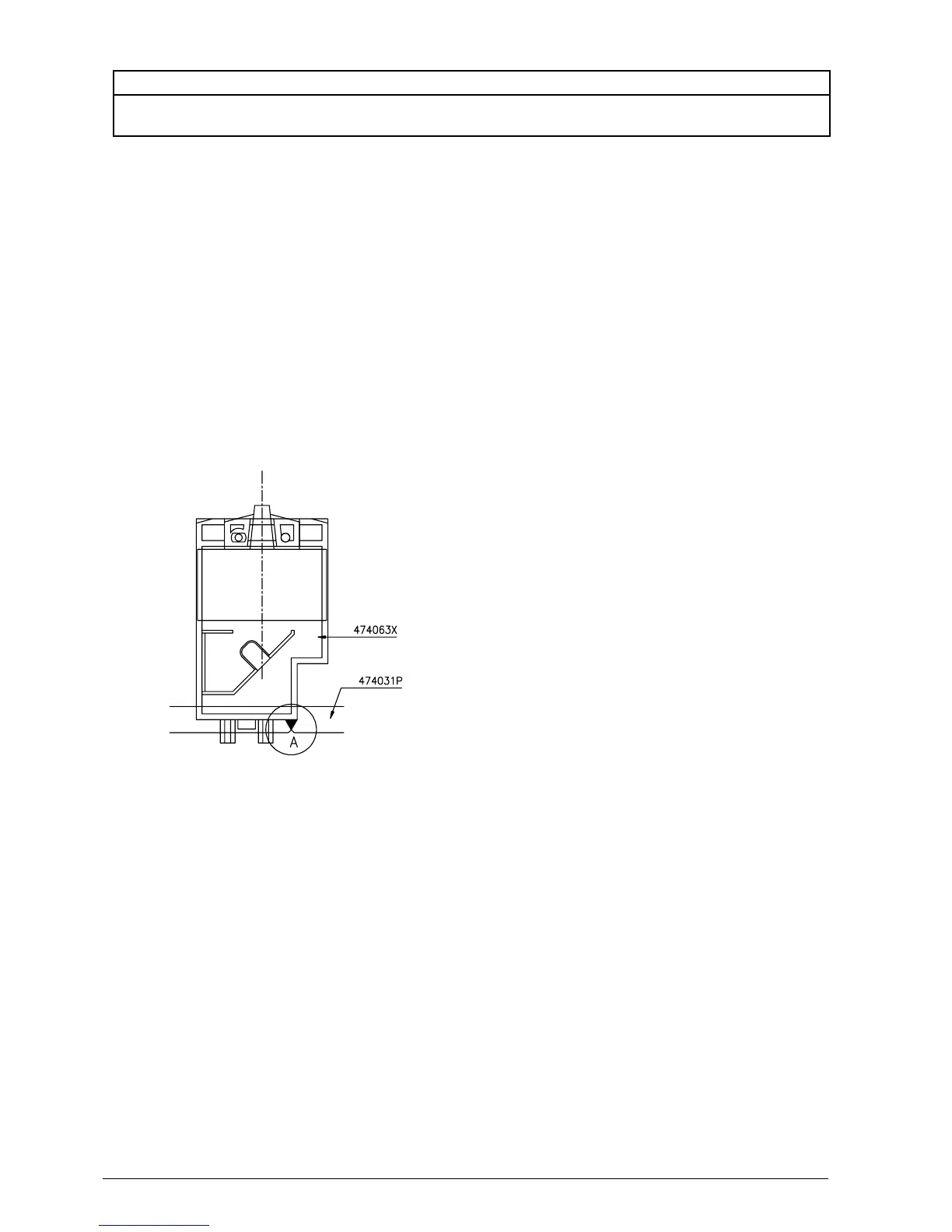
3. Make sure the triangle (indicated in “Area A” on the
right-hand side of the carriage code 474063X) is
aligned with the index mark on the head adjustment
plate code 474031P.
4. If it is not aligned:
• Press the Receipt key and move it to the left.
• Press the Journal key and move it to the right.
5. When the triangle is in the correct position, close
the front cover.
Printer Action
1. Stores the value in EEPROM.
2. Acoustic signal indicating that adjustment is com-
plete.
Repeat the operation, which cannot be considered as
a check since the carriage will always start from a
fixed position with disaligned references. The operation
must therefore be correctly completed before a check
can be made.
Operator Action
1. Open the front cover.
2. Refit the cartridge.
3. Close the cover.
Printer Action
1. Return to the Adjustment Menu of Fig. 6-6.
Figure 6-12















 To Next Page