DP23-AOU/DP28-AOU
73
Press the button.
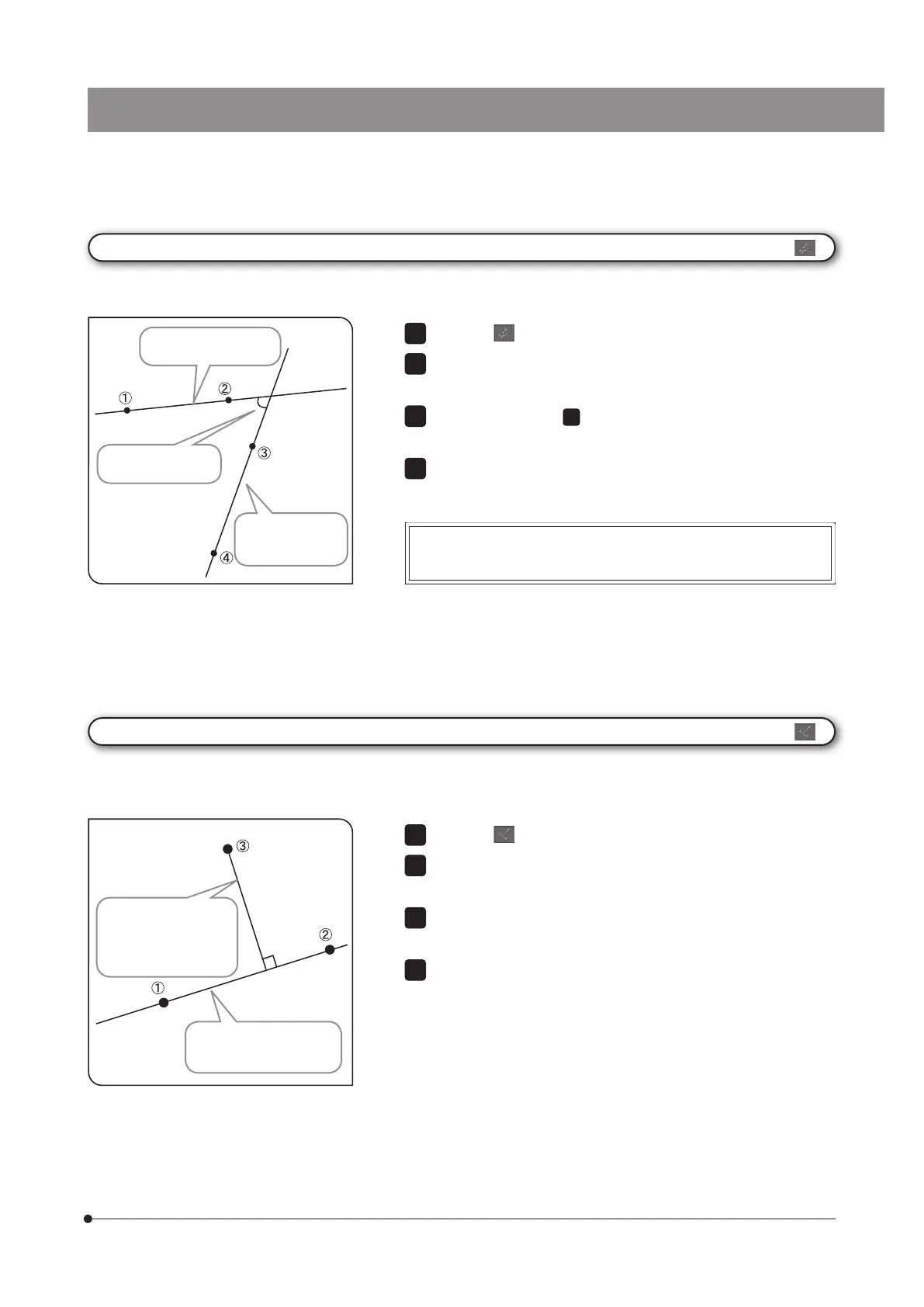
Click the mouse on 2 arbitrary points to draw the reference line (line
passing through 1 and 2 shown in the left picture).
In the same way as
2
, draw the measurement line (line passing
through 3 and 4 shown in the left picture).
You can measure another position continuously. Right-click the mouse
on the screen to finish measurement.
1
2
3
4
[4 Point Angle]
The 2 lines are drawn on the image, and you can measure the angle of the intersection between 2 lines.
The angle between
2 lines is displayed.
A line passing
through 3 and 4
is drawn.
Moving the mouse to 4 corners created by 2 lines will display the
respective angle.
Press the button.
Click the mouse on 2 arbitrary points to create the reference line (line
passing through 1 and 2 shown in the left picture).
Left-click the mouse on the position you want to measure. The
perpendicular line is drawn.
You can measure another position continuously. Right-click the mouse
on the screen to finish measurement.
2
3
[Perpendicular Line]
By creating the line on the image and specifying one point, the perpendicular line is drawn from the specified point
to the created line, and you can measure the length of the perpendicular line drawn.
A line (reference line) that
passes through 1 and 2
is drawn.
The perpendicular line
that passes through 3
and also is orthogonal
to the reference line and
its length are displayed.
A line passing through
1 and 2 is drawn.



 To Next Page