NOTE:
The new selected Mounting Position will be saved in the gripper and not in
the installation file. Therefore, if the gripper is moved to another robot, the
settings will remain the same. However, if another gripper is used in the same
robot the settings might need to be reset again.
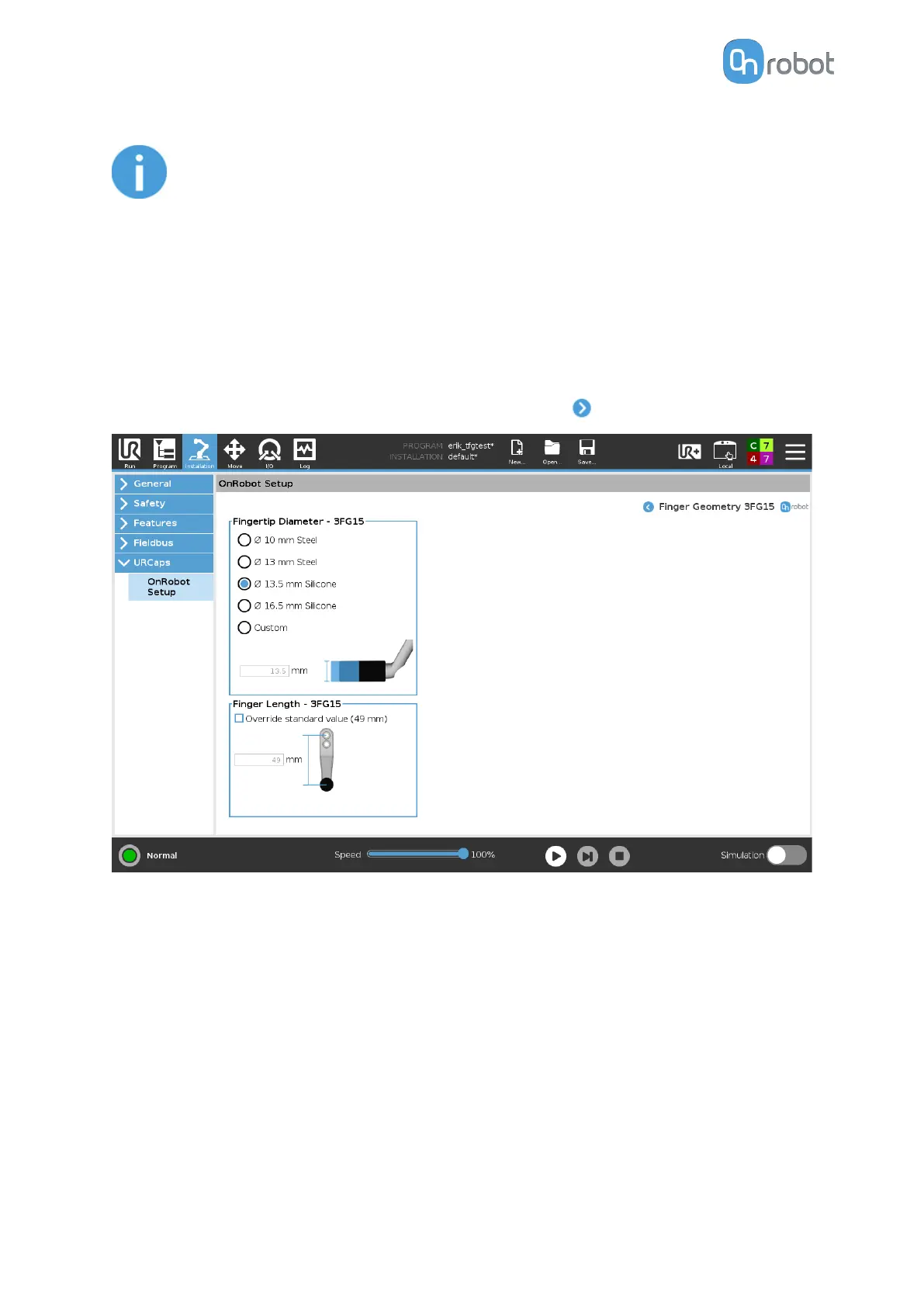
Finger Geometry
In the normal view of the panel, the selected Fingertip Diameter and Length are shown.
These two settings will, as well as the Mounting, allow to achieve dierent diameters and
forces. Find more information in section Gripping Force and
dierent Gripping Diameter. To
select a dierent Fingertip Diameter and/or Length press on .
Fingertip Diameter
The 4 dierent types that are delivered with the gripper can be selected by pressing the radio
button. If customized
fingertips are made, the custom option can be selected, and the new
diameter can be entered in the input field. The selection of a fingertip diameter will
automatically change the allowed diameter and force ranges in the commands.
Finger Length
If customized fingers are made, the Override standard value (49 mm) can be selected and
the Finger Length can be entered in the input field. This value will automatically change the
allowed diameter and force ranges in the commands.
SW INSTALLATION
41



 To Next Page