SECTION 2: GETTING STARTED
REI OSC-5000E 16
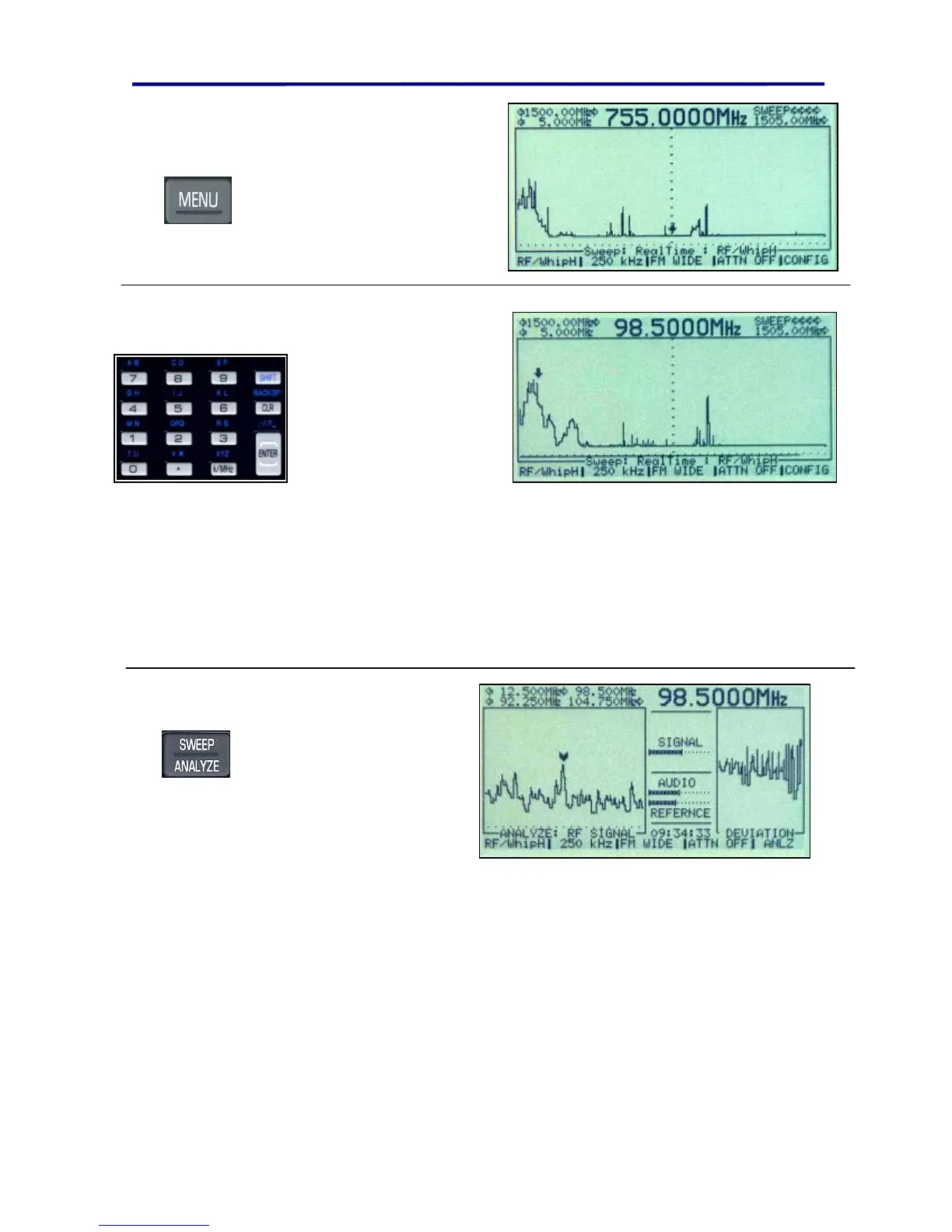
Press the MENU button
again go to the manual
mode and the default whip
Hi antenna (5 MHz to 1505
MHz).
Type in a known radio
station from the numeric
keypad. (98.5 MHz is
shown in this example;
You should use a
known station in your
area.)
Type “9”, “8”, “.”, “5”,
ENTER
In this display, notice the bottom of the spectrum display reads “Sweep: REALTIME :
RF/WhipH”. This indicates that the OSCOR is still sweeping across the frequency
spectrum, but the cursor is simply pointing to the desired signal of interest. If you turn up
the volume at this point, you will hear and see the OSCOR receiver sweeping across the
frequency spectrum.
Press SWEEP/ANALYZE
button and turn up the
volume knob to listen to
the radio station.
This button changes the OSCOR from Sweep Mode to Analyze Mode. Analyze Mode
locks the OSCOR onto the desired signal for analysis.
To go to other known signals, you can simply type in the desired frequency, and press
enter.



 To Next Page