USER'S MANUAL
General instructions for use
(Rev. 0) I-Max Touch (110-120V)
33
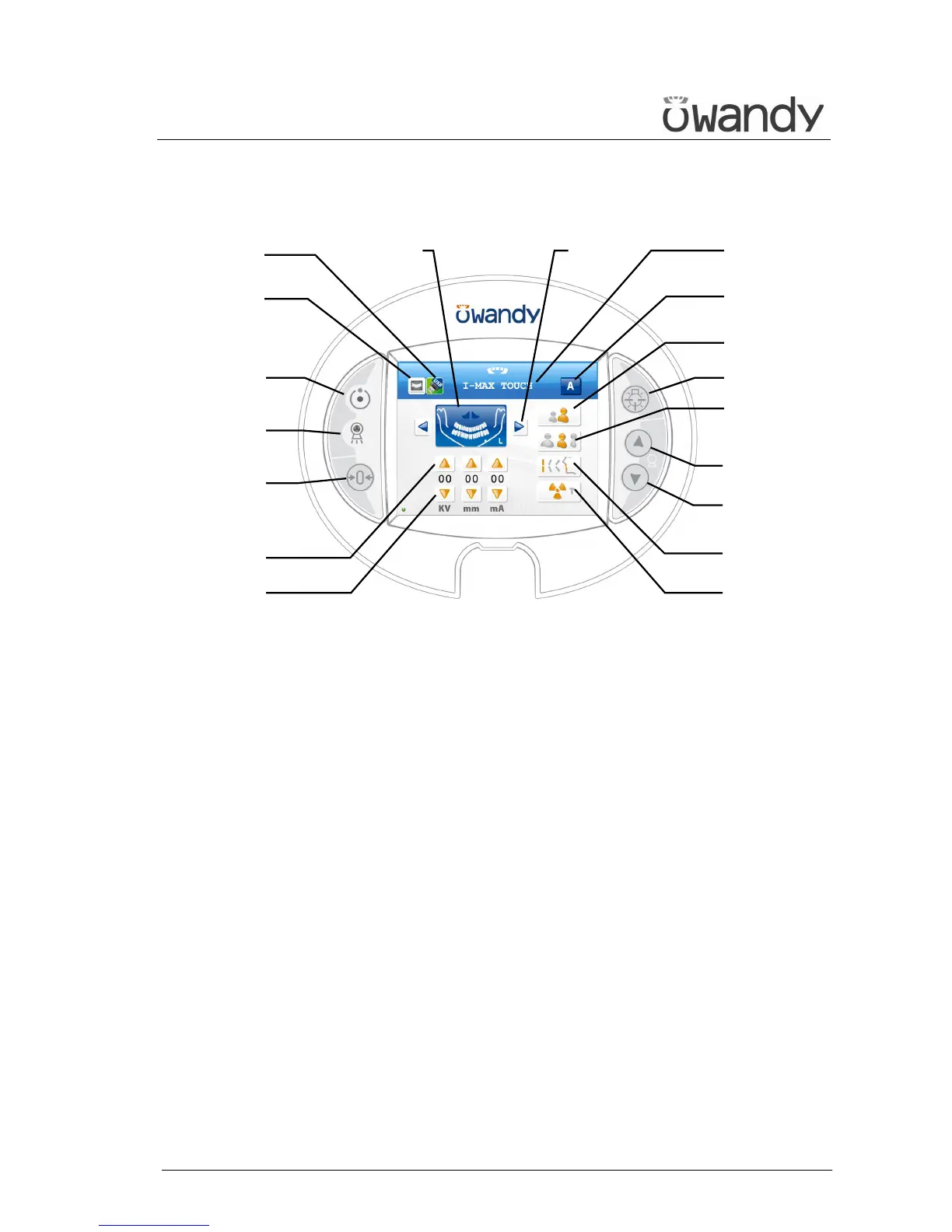
6.1.1 Key function description
Figure 7 - Control panel
LEGEND:
Messages
Display: indicates operative messages, warnings and
exposure parameters.
Signal lights
1 - Light indicating the machine is ready for X-ray
emission (green LED)
2 - Yellow LED indicating X-ray emission
Manual setting of exposure parameters
3 - kV, mA and Soft Tissue Filter increase keys
4 - kV, mA and Soft Tissue Filter decrease keys
Preparation functions
5 - Key to set Test function
6 - Key for:
> Resetting and realigning the device's axes (in
case of collision with patient or in case of
release of rays button)
> Repositioning the rotation group (to bring the
group to the initial position after the examination
and to exit from the "making an exposure")
mode
> Confirmation
Anatomic selection
7 - Patient selection key: Adult or Child
8 - Size selection key: Small, Normal, or Large
9 - Arch selection key: Protruded, Standard or
Retracted (for panoramic execution)
Examination mode
10 - Exam mode selection key
11 +12 - Type of exam selection keys (only for
panoramic mode)
13 - Mode indicator: Anatomic or Manual
Centring devices
14 - Sagittal and Frankfurt plane centring device
ON/OFF key
Column height adjustment
15 - Column up key
16 - Column down key
Other
17 - Display acquired image key
18 - USB Pen Drive key
1
2
6
10
18
17
7
8
14
3
4
9
Display11+12
13
5
16
15



 To Next Page