47
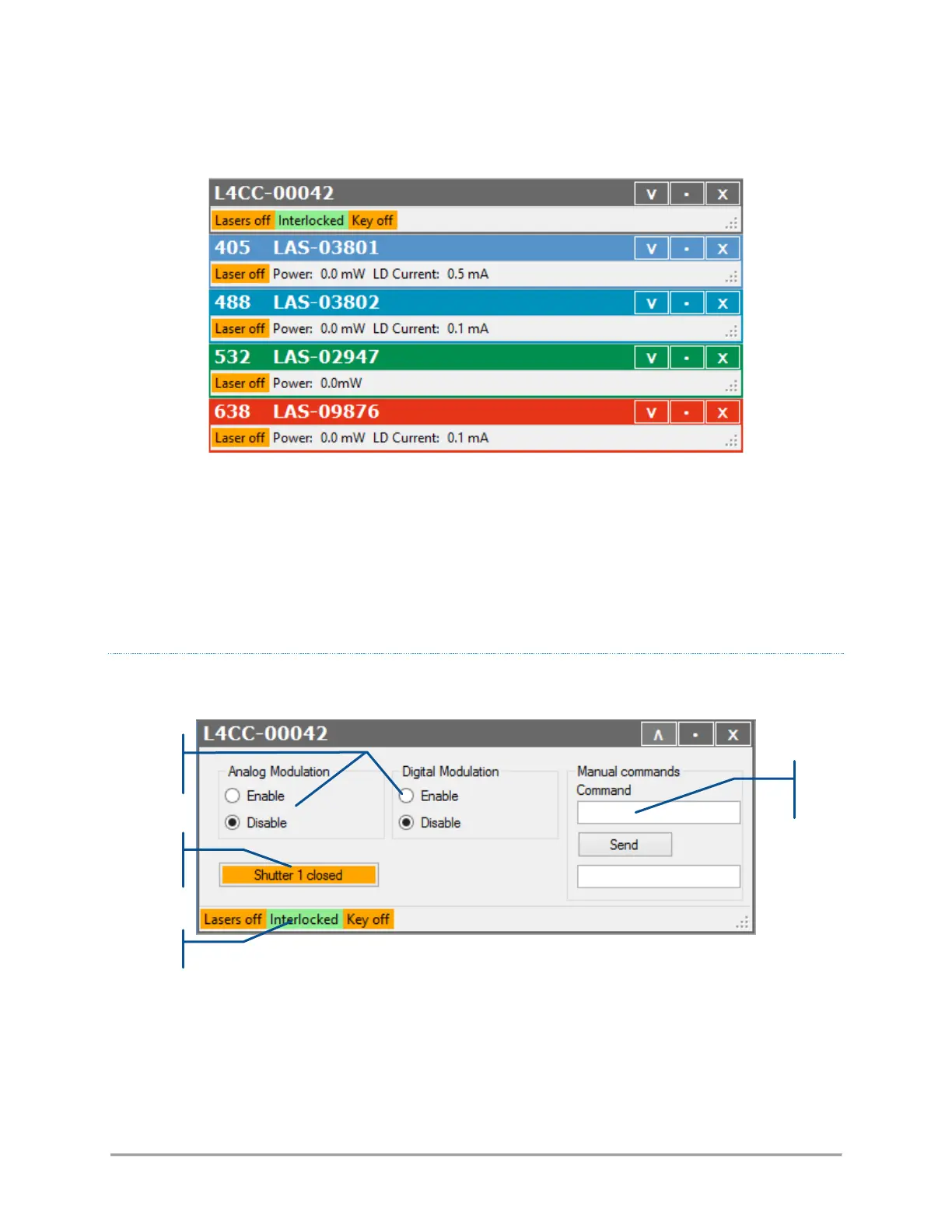
Figure 4-5: Control window for an individual LaserBoxx unit
The top window controls the combiner as a whole, while the following windows represent each laser source
individually. Each of these windows is titled with the emitted wavelength (if relevant) and the serial number
of this unit (whether it is a combiner or an individual laser).
Click on the V-shaped button on the right-hand side to expand each window.
Click on the same button (“Λ”) one more time to collapse the window.
THE COMBINER CONTROL WINDOW
When expanded, the combiner control window looks as follows:
It consists of:
- A pair of buttons to enable or disable the modulation functions (on all laser sources),
- Two text boxes to send and receive some software commands,
- A button to open or close the shutter on each output channel,
- A status bar indicating the general status of the laser sources, the status of the interlock circuit and
the status of the emission key



 To Next Page