PCS D200 Dash Logger User Guide
Page 26
Ph: 804.227.3023
10511 Old Ridge Rd. Ashland, VA 23005
v 2.0
The Custom Speed Input function is similar to the Vehicle Speed Function except the tire size and fi nal drive gear ratio
are not needed for the calculation. Instead, enter the pulses per revolution of the sensor. There are no units displayed for
this selection.
6.6 On-Board Outputs
The On-Board Outputs are two pulse-width modulated (PWM) high side (+12V) drivers each capable of driving 6 amps
continuous. The drivers contain both over-current and over-temperature protection.
6.7 PWM Outputs
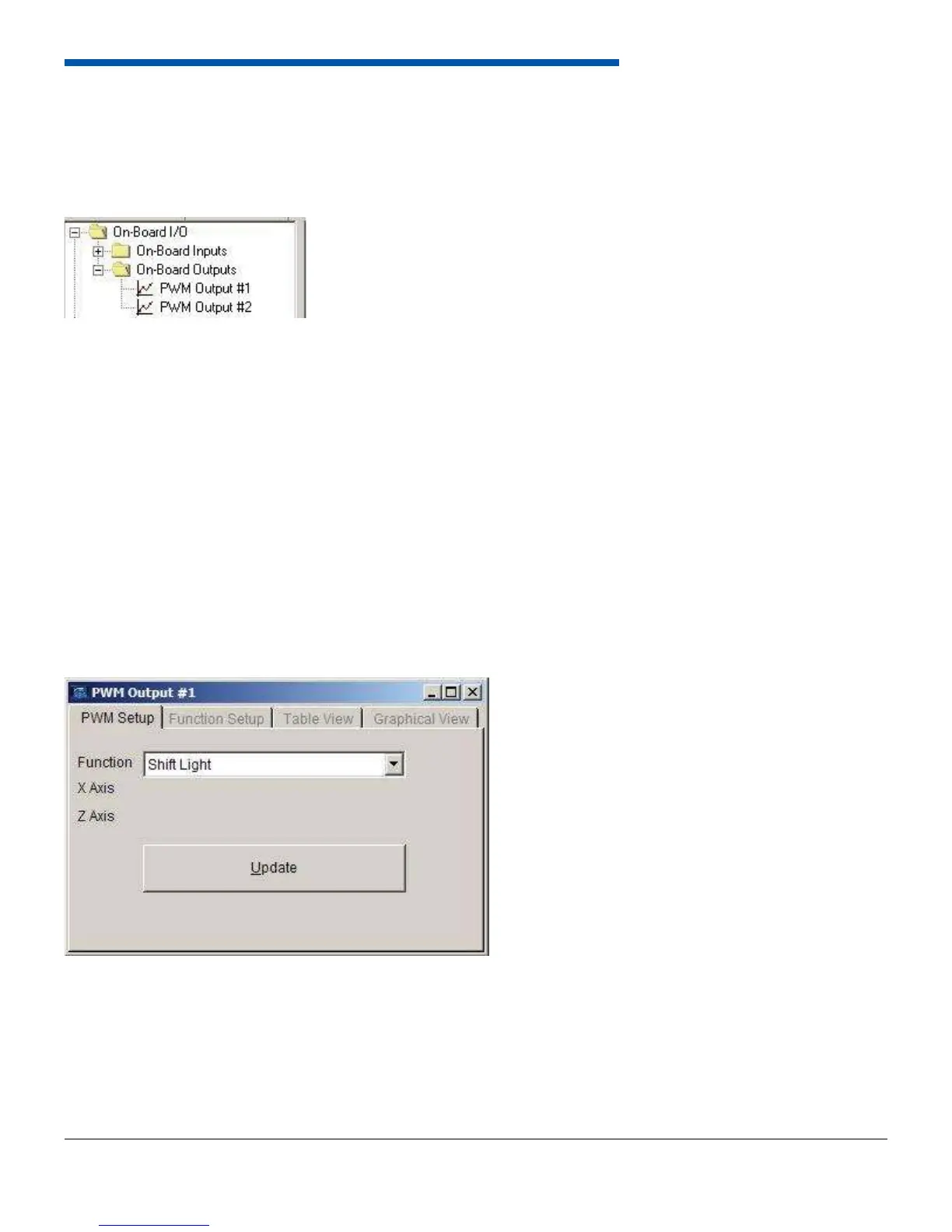
The On-Board Output forms are accessed from the tree-view or the menu bar. When opened, the form contains 4 tabs;
PWM Setup, Function Setup, Table View, and Graphical View. The PWM Setup tab is used to set the function of the PWM.
The functions are listed below.
• Shift Light
• Staged Boost Control
• Screen Override
• Output vs. Generic 16x16 Table
• Alarms
• Shock Control
• 3D Boost Control
6.7.1 Shift Light
The shift light function allows the dash to turn on a shift light at a particular RPM. To enable the shift light function, select
Shift Light from the function drop down menu and click update. The shift light is confi gured in the Basic Settings section
as described in Section 6.8.3.
6.7.2 Staged Boost Control
The multi-stage boost control allows the user to set a target boost based on a series of conditions. To enable the function,
select it from the drop down menu and click Update. Refer to the multi-stage boost control manual for more documentation.


 To Next Page