Page 33
Ph: 804.227.3023
10511 Old Ridge Rd. Ashland, VA 23005
v 2.0
Powertrain Control Solutions
The Set Displayed Data form contains a tab for each devices that has been set in the RS-232 or CAN section of the
communications menu as described in Section 6.13. Every device tab displays a checkbox for each piece of data that
can be displayed on the Dash from that device. Each entry has its abbreviated name that is used within the dash followed
by its full name. All selections on the currently displayed tab can be cleared by pressing the button on the bottom left of
the form. When fi nished making selections press the update button in order to program them to the dash.
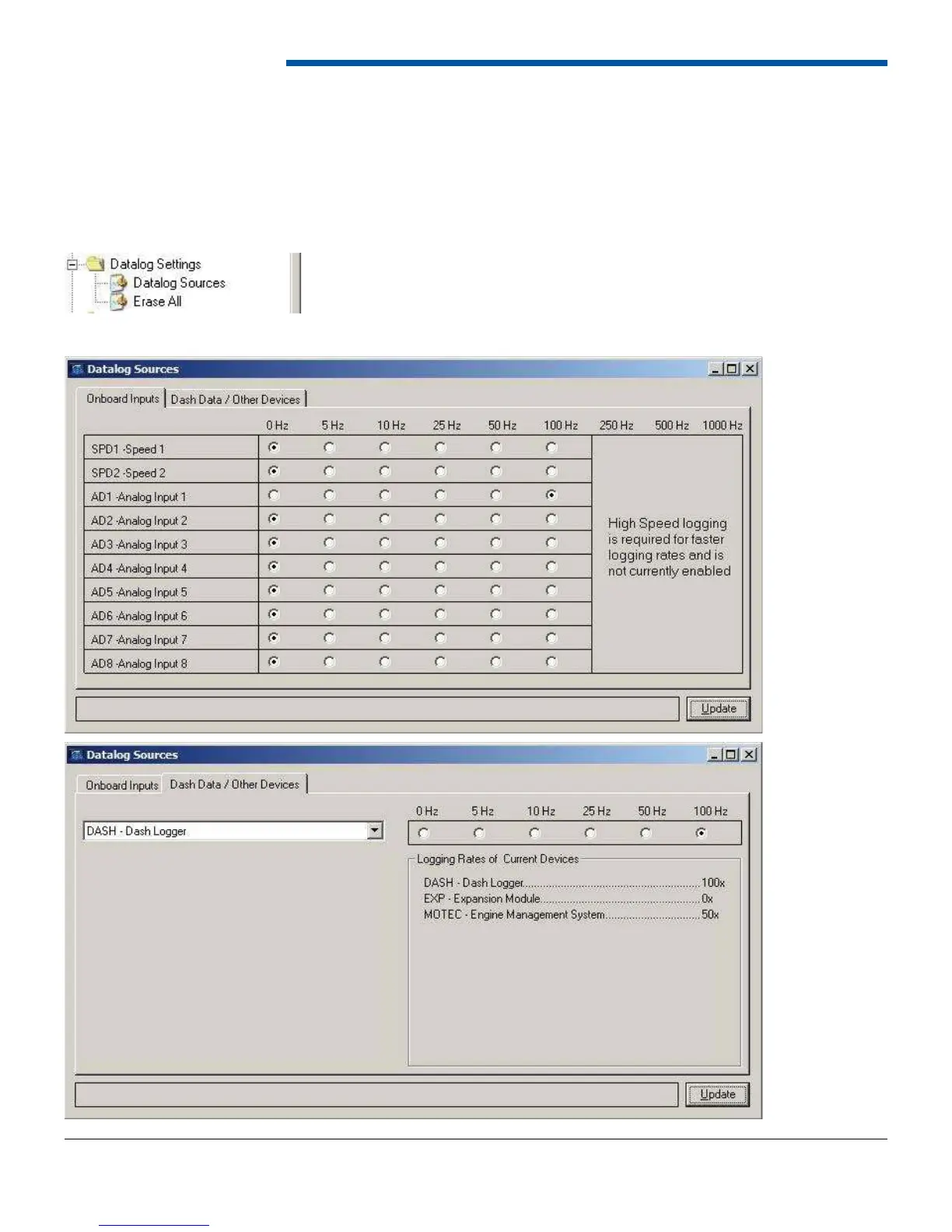
6.12 Datalog Settings
6.12.1 Datalog Sources


 To Next Page