PCS D200 Dash Logger User Guide
Page 32
Ph: 804.227.3023
10511 Old Ridge Rd. Ashland, VA 23005
v 2.0
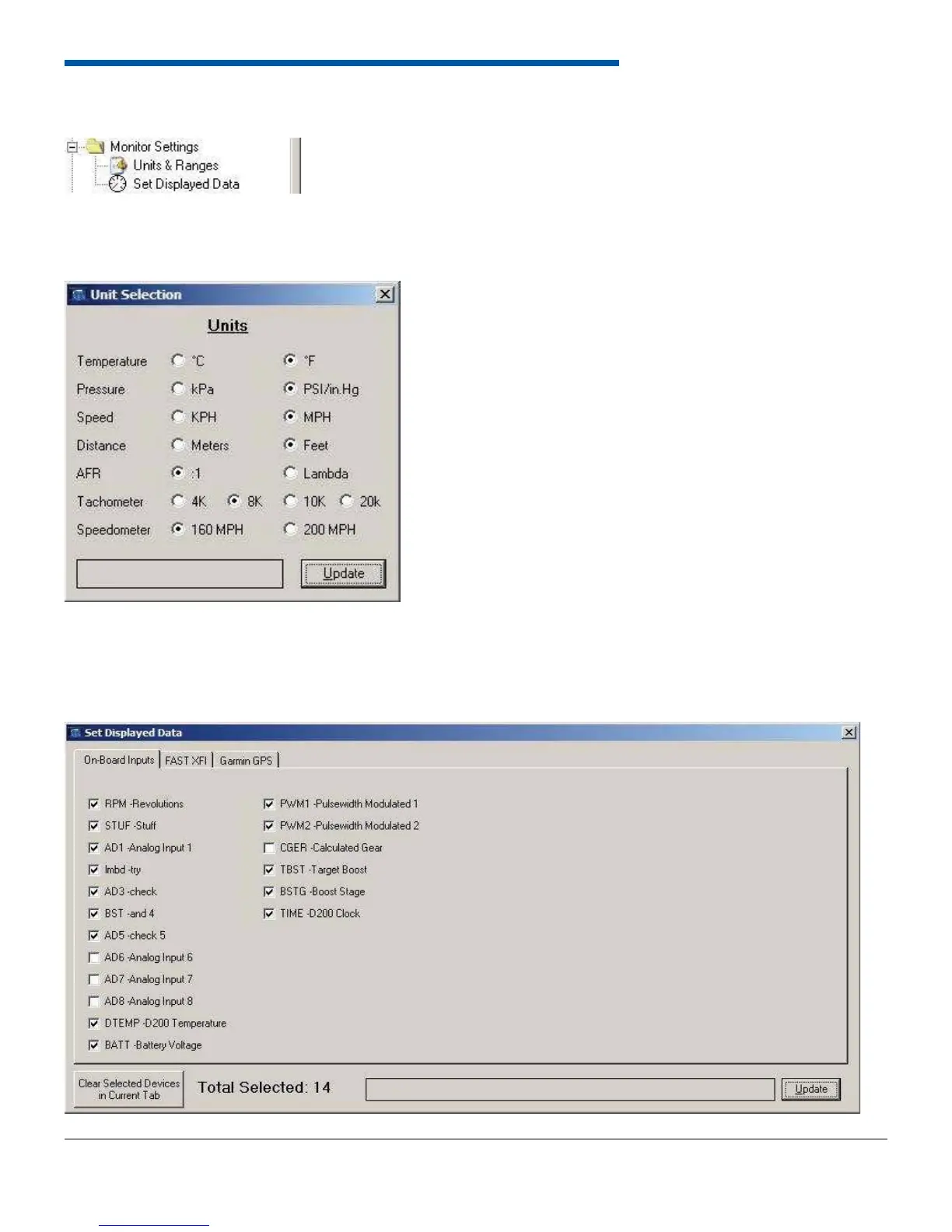
The Monitor Settings group contains the form to edit the desired units for the dash.
6.11.1 Units and Ranges
The Units and Ranges form allows the user to set the units for temperature, pressure, speed, distance, and air/fuel ratio.
To open the form select Monitor Settings from the left tree-view and then double click Units and Ranges. Click update to
send the new values to the dash.
6.11.2 Set Display Data
6.11 Monitor Settings


 To Next Page