Page 3
Ph: 804.227.3023
10511 Old Ridge Rd. Ashland, VA 23005
v 2.0
Powertrain Control Solutions
Unlike serial devices, multiple CAN devices can be placed on the same bus. The dash has two CAN buses; CAN A and
CAN B. Devices can be connected to either bus, but tuning of the PCS Transmission Controller can only be performed
from CAN A. When connecting CAN devices, the device must tee-in to the CAN high and CAN low wires. A termination
resistor must be present at both ends of the bus. PCS offers several kits for easy CAN connections.
This Help section will guide you along step-by-step through the installation and tuning processes. If for any reason
you cannot fi nd the information you’re looking for we are easily contacted through email at
support@powertraincontrolsolutions.com or by phone at 1-804-227-3023. We are available Monday through Friday from
9am to 5pm EST.
As part of our ongoing product improvement efforts, the Help fi les contained herein will continually be updated to provide
as much information as possible to make this guide an easy to follow, user friendly resource. Updates can be found on
our website at http://www.powertraincontrolsolutions.com.
2 Hardware and Wiring Installation
2.1 Location and Mounting
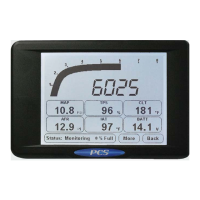
The D200 Dash Logger has two 1/4-20 bolt holes on the back. These can be used for either fl ush
mounting the D200 Dash Logger to a dash, or for using an adjustable rigid mount such as those
typically used for mounting audio/video equipment.
The D200 Dash Logger mounting location is determined by the application, but generally it is visible to the driver. A small
visor can be mounted over the screen to aid in visibility in direct sunlight conditions. The viewing angle will also affect how
easily the screen can be read. This must be taken into consideration when mounting the dash. The contrast setting will
change the visibility of the screen for a certain viewing angle. The contrast is adjusted automatically with temperature, but
it can also be changed using the touchscreen or the software to help optimize the visibility for a particular viewing angle.
The screen is sealed to condensation that may occur due to temperature changes, but the unit is not fully water sealed
and should be mounted in a dry location.
NOTE: Care must be taken to use the correct length screw or bolt when mounting the D200. A bolt or screw that
is to long could damage the D200


 To Next Page