PCS D200 Dash Logger User Guide
Page 28
Ph: 804.227.3023
10511 Old Ridge Rd. Ashland, VA 23005
v 2.0
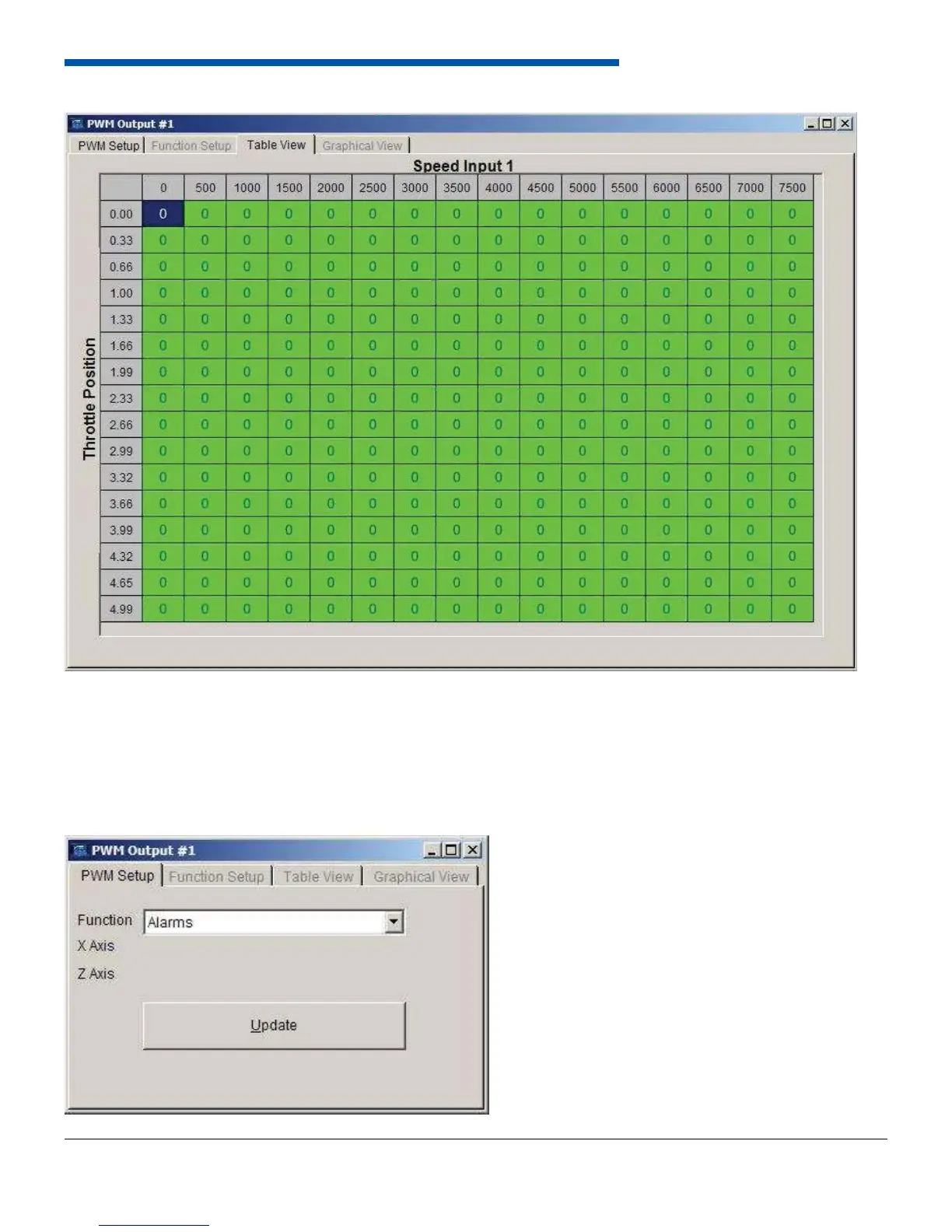
The generic 16x16 table function turns on the output at a specifi c duty cycle based on two inputs. The inputs can be any
input to the dash. Select 16x16 Table Lookup from the function list. Select the variables for the X-axis and the Z-axis and
click Update. To edit the breakpoints and the desired duty cycle, select the Table View tab. The X-axis breakpoints are
across the top and the Z-axis breakpoints are on the left hand side from top to bottom. The output duty cycle is entered
in the table from 0% to 100%.
6.7.5 Alarms


 To Next Page