SGM700 Digitizer
First use of indicator -continue-
First use by using PI Mach II software -continue-
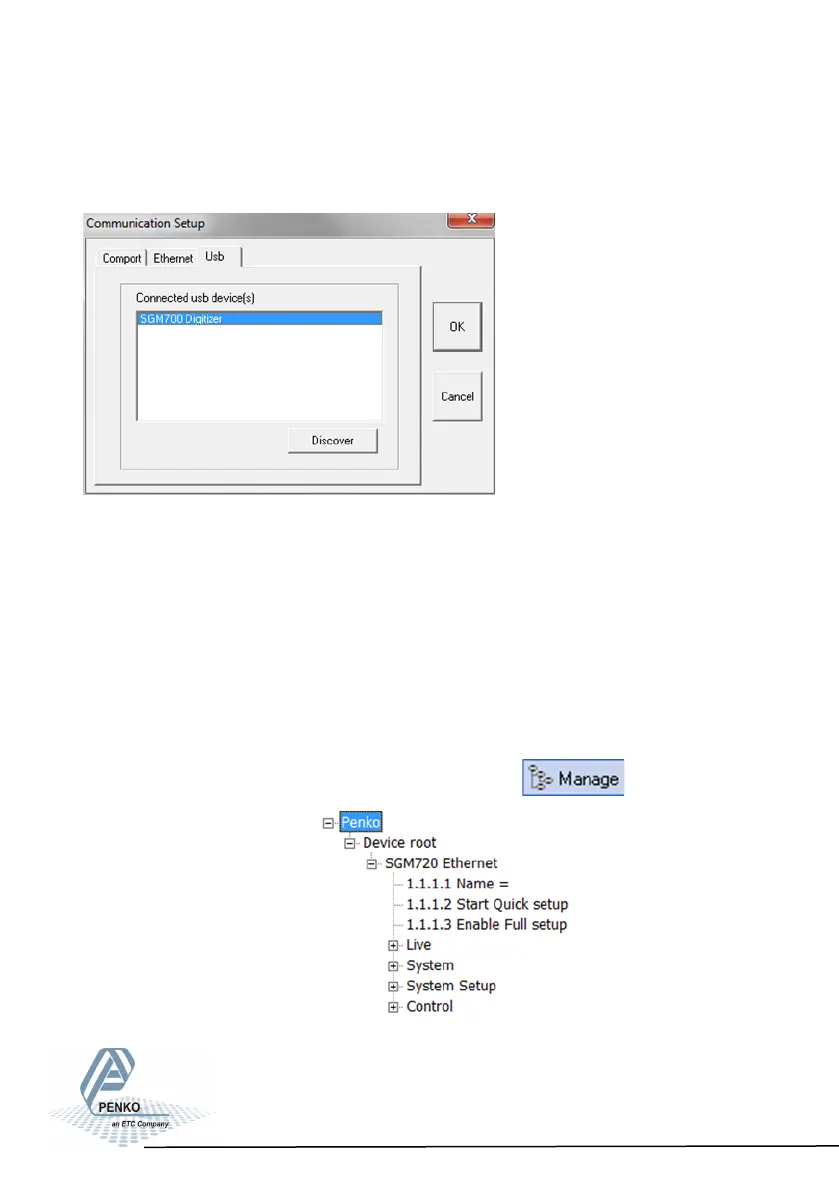
The following screen appears:
In the Usb tab sheet click Discover, select the SGM700 Digitizer and click OK.
If this doesn’t work, make sure other USB devices like mobile phones are
disconnected from the PC.
In case of Windows 8, a USB driver manual is available in the Penko Suite.
In the communication setup it’s also possible to connect the SGM720 through
Ethernet. Set the IP-address of the SGM720 in range with the PC (see chapter
6.5 of this manual) and fill in the IP-address in tab “Ethernet”.
When communication is established go to Manage.
The following tree is shown:
22



 To Next Page