SGM700 Digitizer
First use of indicator -continue-
First use by using PI Mach II software -continue-
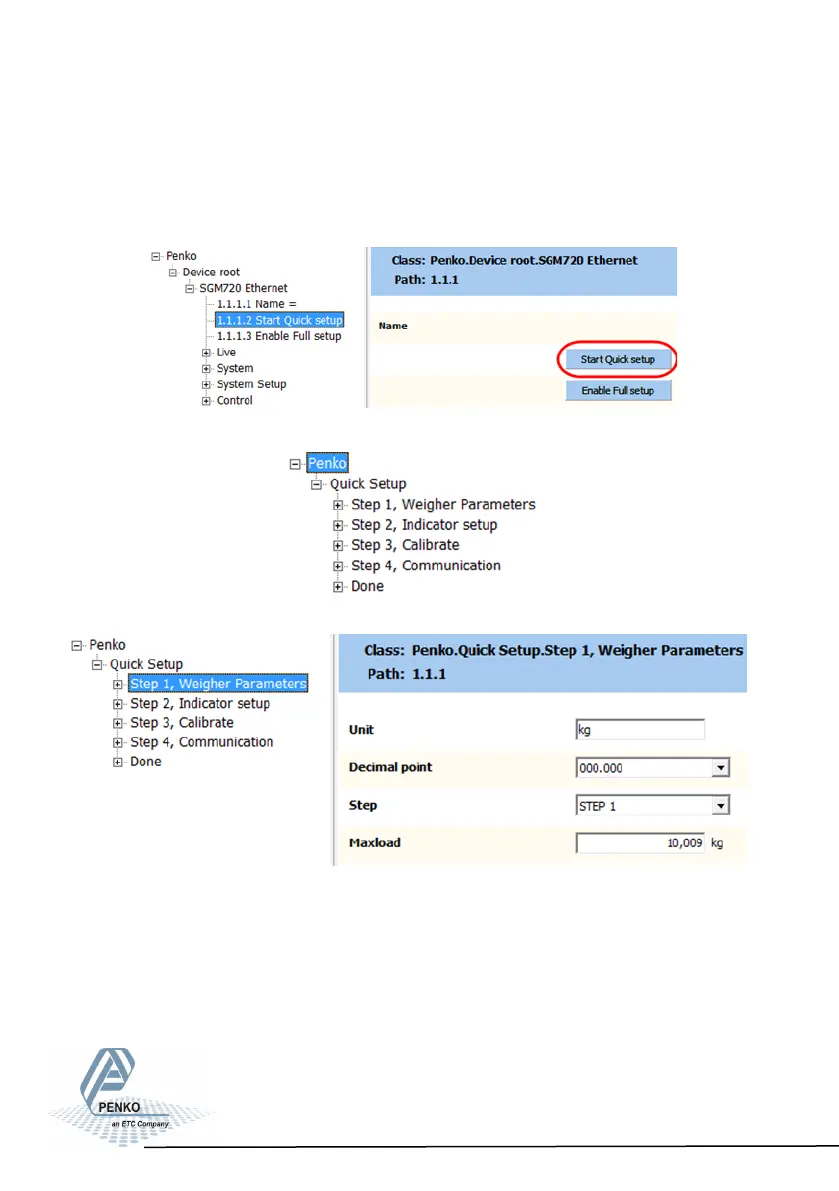
Go to Start Quick setup and click the button:
The follo- wing tree
is shown:
Use step 1 to set the Weigher Parameters:
The settings you can make are:
Unit: set the weigher unit (kg, lbs, T, etc.) this will be shown in PI.
Decimal point: Set the decimal point to show the correct weigher value.
Step: Choose between 1, 2, 5, 10, 20, 50, 100, 200, 500
Maxload: Set maximum load to prevent overload by the user. The indicator
will not show any weight above the filled in value. Range: 0 – 999999.
23



 To Next Page