SGM700 Digitizer
First use of indicator -continue-
First use by using PI Mach II software -continue-
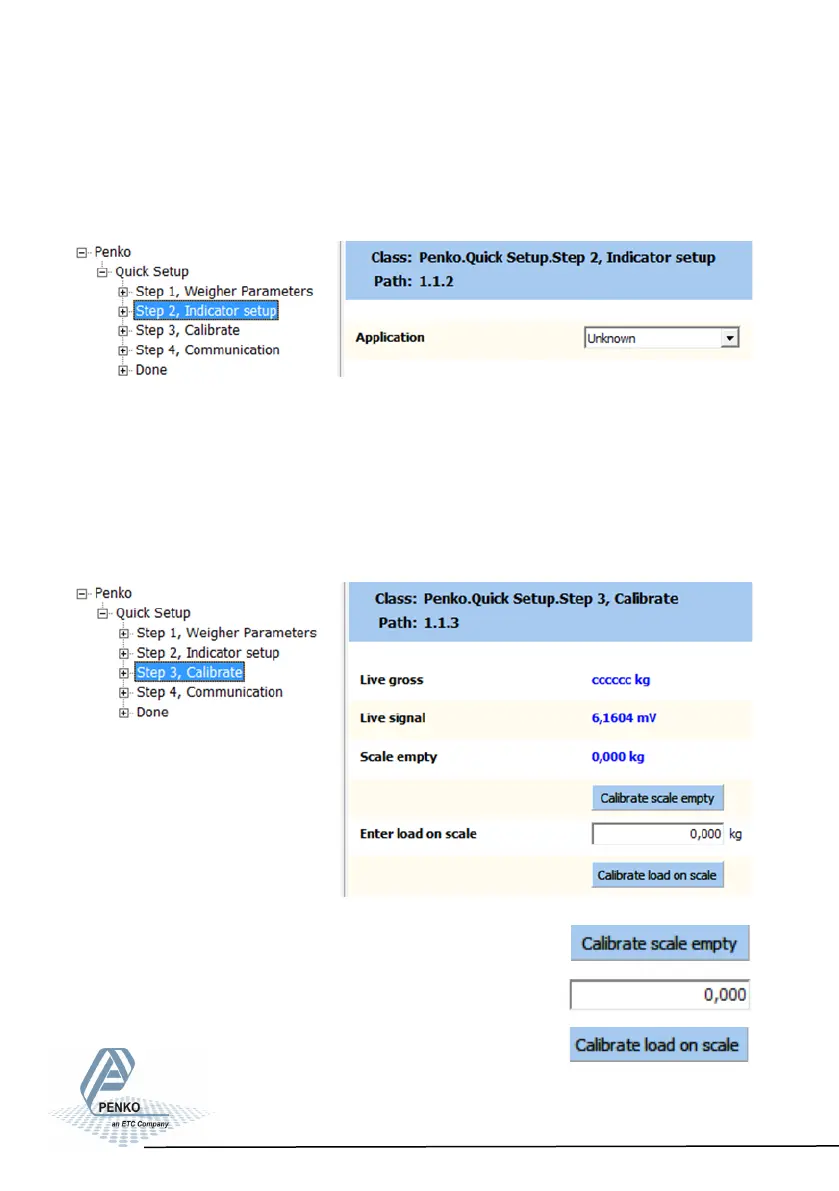
Use step 2 to select the type of indicator:
Set the type of weighing the SGM will be used for.
This will automaticly set the most common filter settings to get a stable weigher
signal. The options are: Unknown, Standard indicator, Fast indicator, Silo,
Platform, Belt slow, Belt fast, Filling slow, Filling fast, Checkweigher slow or
Checkweigher fast.
Use step 3 to calibrate the indicator:
First make sure the weigher is empty and press :
Put a refrence weight on the weigher and fill in the weight:
And confirm by pressing:
24



 To Next Page