SGM700 Digitizer
First use of indicator -continue-
First use by using PI Mach II software -continue-
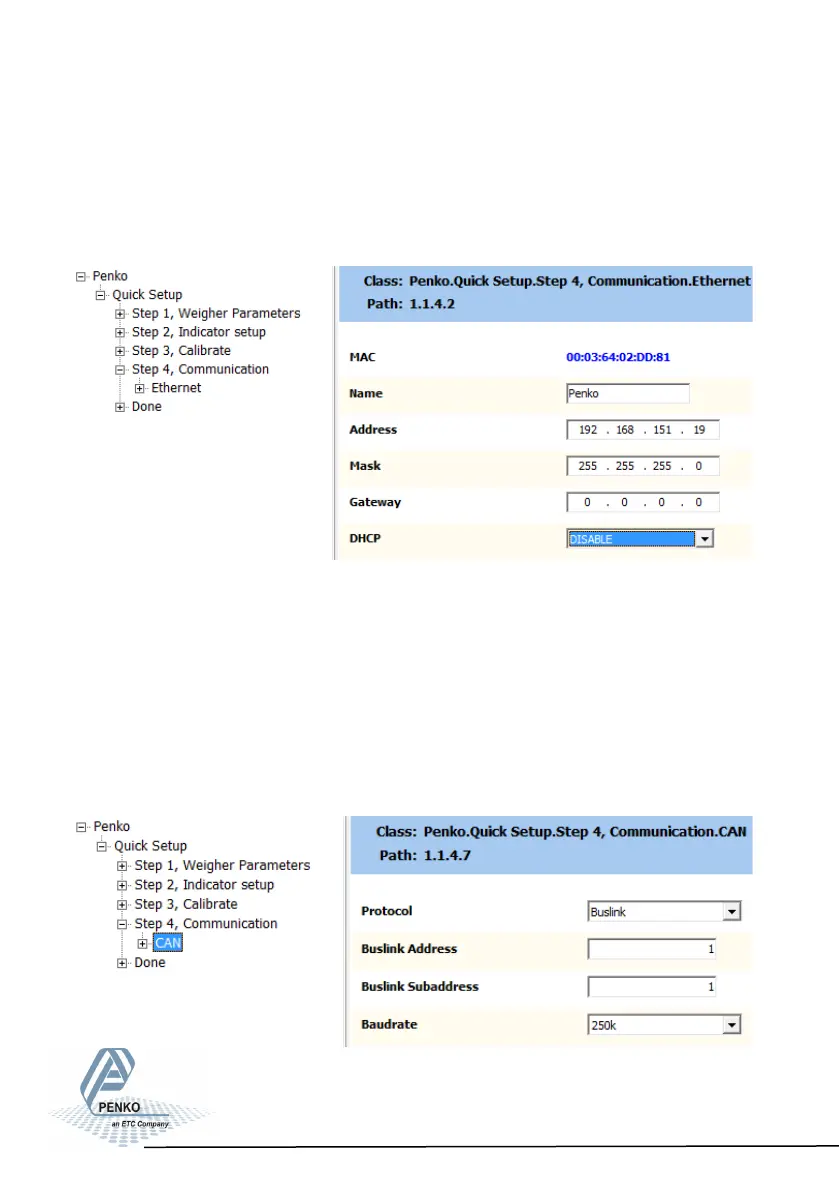
Use step 4 to set the communication (different for every type):
SGM720 (Ethernet):
Here you can set:
Name: here you can give the SGM720a name. Example “platform 1”.
Address: set the IP-address for the SGM720.
Mask: set the subnetmask for the SGM720.
Gateway: set the Gateway for the SGM720.
DHCP: Disable/enable DHCP. When enabled the SGM720 will genarate an
IP-address for itself.
25



 To Next Page