SGM700 Digitizer
Configuration Menu -FIL- -continue-
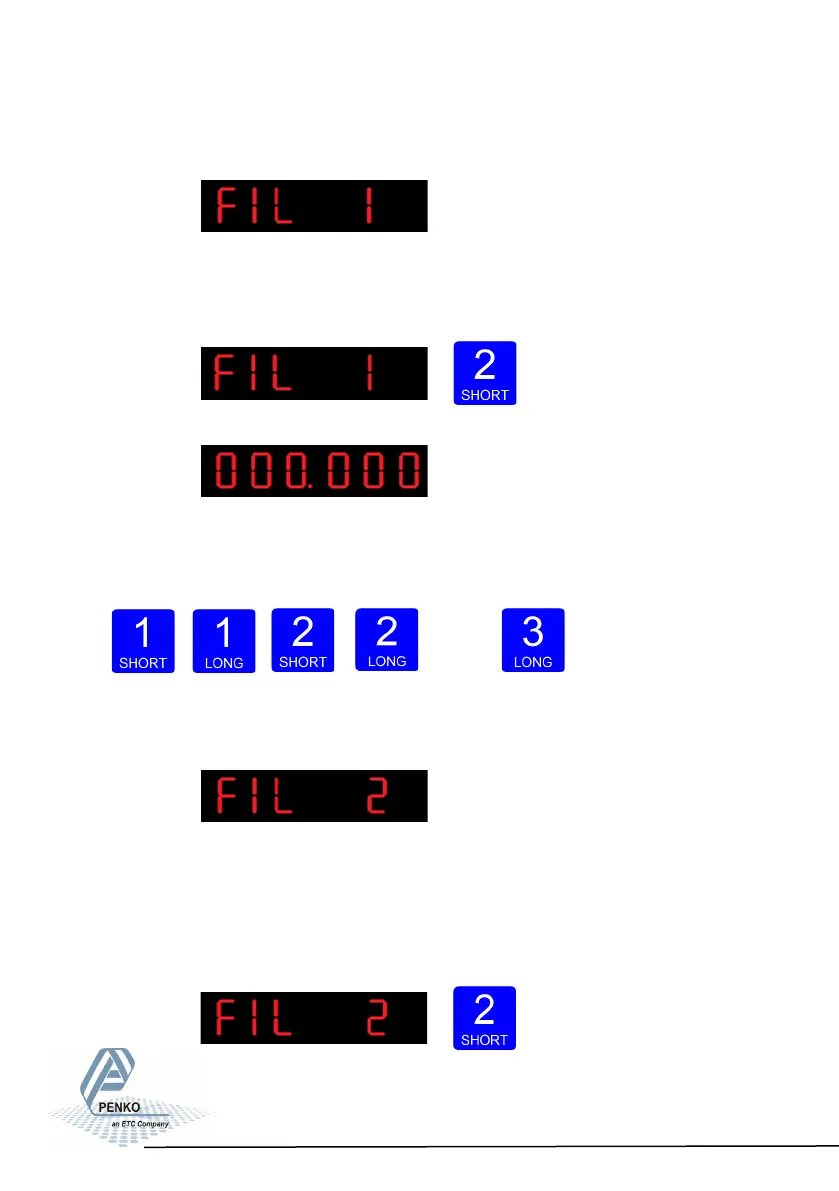
The following screen is visible:
In FIL 1 you can set the display filter band. Set the band where the filter is
active. This parameter works together wit FIL 2. Choose a value between –99999
kg and 999999 kg. Press key 2 <2 sec. to change the filter band.
The following screen is visible:
Use key 1 and 2 to change the value. Key 1 is for
changing the number
(1-9), key 2 is for changing the position of the cursor. Confirm by pressing
key 3 for >2 sec.
Up Down Left Right Con-
firm
The following screen is visible:
In FIL 2 you can set the display filter factor. Set the strength of the filter.
0dB means no effect and –50 is the strongest damping. This parameter works
together wit FIL 1. Choose between -: 0dB, 1: -6dB, 2: -12dB, 3: -18dB, 4: -24dB,
5: -30dB, 6: -36dB, 7: -42dB and 8: -50dB.
Press key 2 <2 sec. to change the filter factor.
71



 To Next Page