SGM700 Digitizer
Configuration Menu -PCL- -continue-
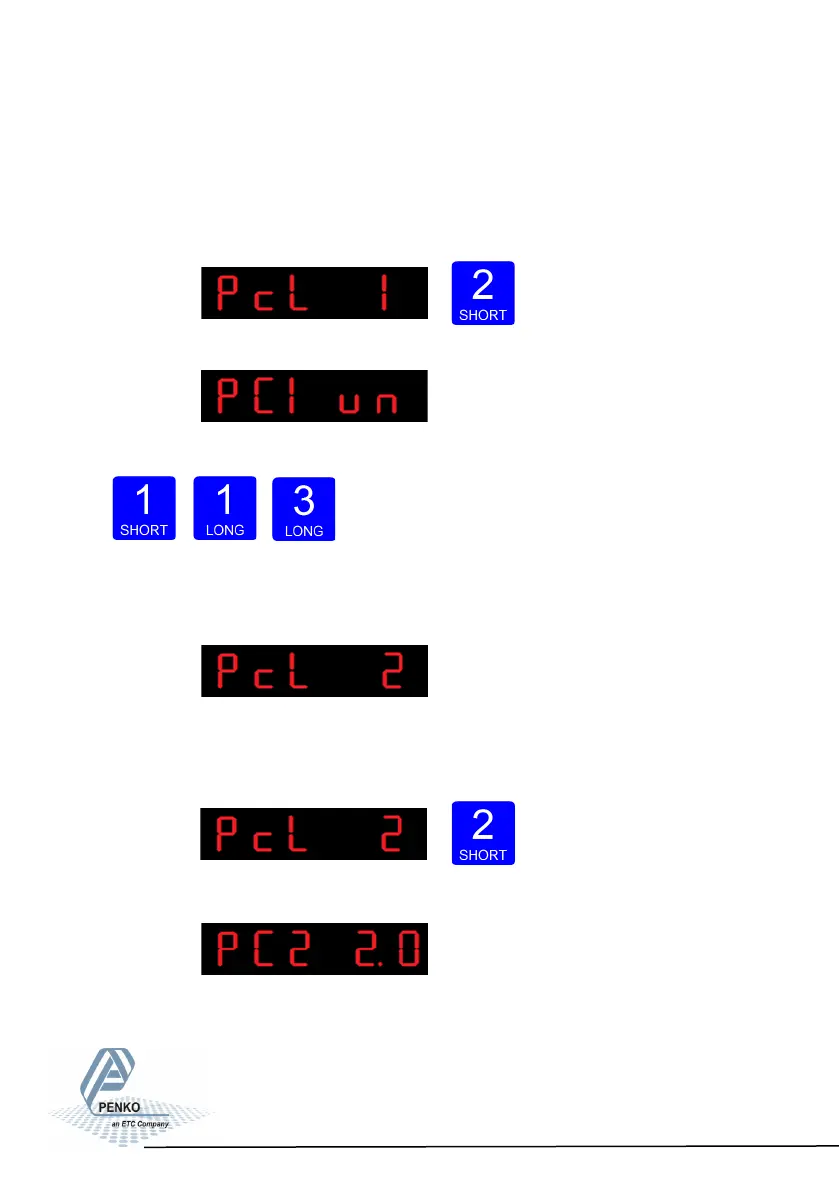
In PcL 1 you can set the polaritiy of the input range. Un=Unipolar mode the input
range for load cells is –0.2 mV/V to + value set at Range. Bi=Bipolar mode the
input range for load cells is –value set at Range to + value set at Range.Press
key 2 <2 sec. To change the polaritity og the input range.
The following screen is visible:
Use key 1 change the polarity. Confirm by pressing key 3 for >2 sec.
Up Down Confirm
The following screen is visible:
In PcL 2 you can set the Amplifier sensitivity.
Choose between 1.0mV/V, 1.5mV/V, 2.0mV/V, 2.5mV/V and 3.0mV/V. Press key
2 <2 sec. to change the amplifier sensitivity.
The following screen is visible:
77



 To Next Page