SGM700 Digitizer
Configuration Menu -PCL- -continue-
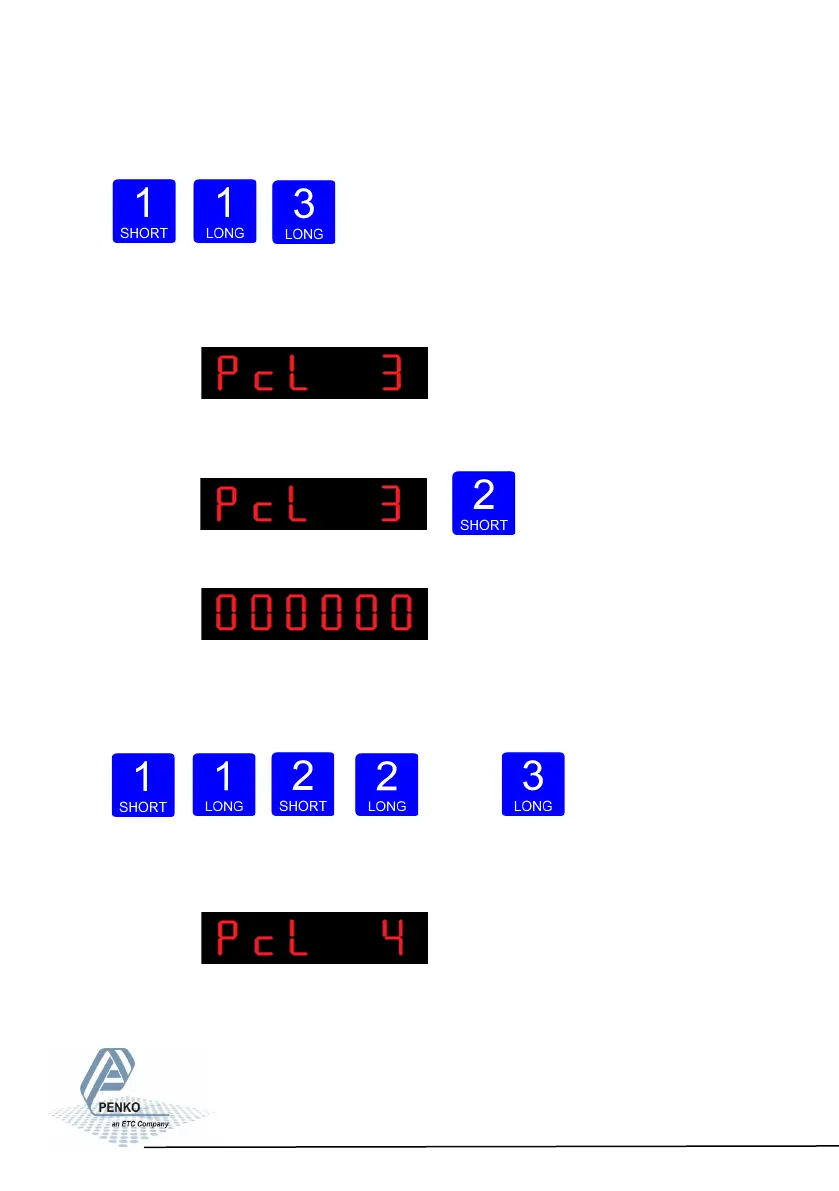
Use key 1 change the sensitiviy. Confirm by pressing key 3 for >2 sec.
Up Down Confirm
The following screen is visible:
In PcL 3 you can set the Input offset. Choose bet-
ween choose a sample value between –50000 and 50000. Press key 2 <2 sec. to
change the in- put offset
The following screen is visible:
Use key 1 and 2 to change the value. Key 1 is for changing the number
(1-9), key 2 is for changing the position of the cursor. Confirm by pressing
key 3 for >2 sec.
Up Down
Left Right Confirm
The following screen is visible:
In PcL you can Recall the Pcl parameters.The PcL parameters will be reset to its
factory settings. Press key 2 <2 sec. to recall to factory settings
78



 To Next Page