65
2
Taking Pictures
*1 Can also be set using the control panel.
*2 When ! is selected with the mode dial, [Scene Mode] is displayed.
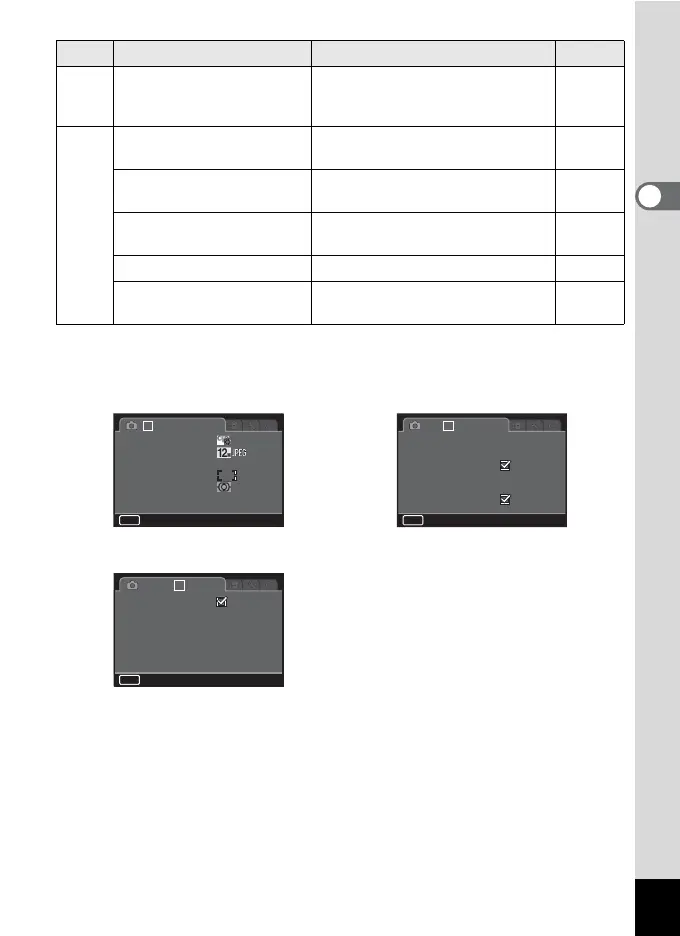
A2 Blink Detection
Determines whether to activate
Blink Detection in combination with
Face Detection.
p.108
A3
Digital Zoom
Determines whether to use the
Digital Zoom function.
p.62
Instant Review
Sets the Instant Review display
settings.
p.109
Memory
Determines which settings to save
when the power is turned off.
p.121
LCD View Options Sets the display in capture mode. p.188
Date Imprint
Determines whether to imprint the
date/time when taking still pictures.
p.112
Menu Item Function Page
1 23
AWB
MENU
Exit
Custom Image
Capture Settings
White Balance
AF Setting
AE Metering
ND Filter
Auto
1 2 3
MENU
Exit
Sensor Shift
On
D-Range Setting
Distortion Corr.
Shake Reduction
Face Detection
Blink Detection
HDR Capture
Standard
123
MENU
Exit
Instant Review
1 sec.
Off
Memory
LCD View Options
Date Imprint
Digital Zoom
[A Rec. Mode 1] menu [A Rec. Mode 2] menu
[A Rec. Mode 3] menu


 To Next Page