Controls
17
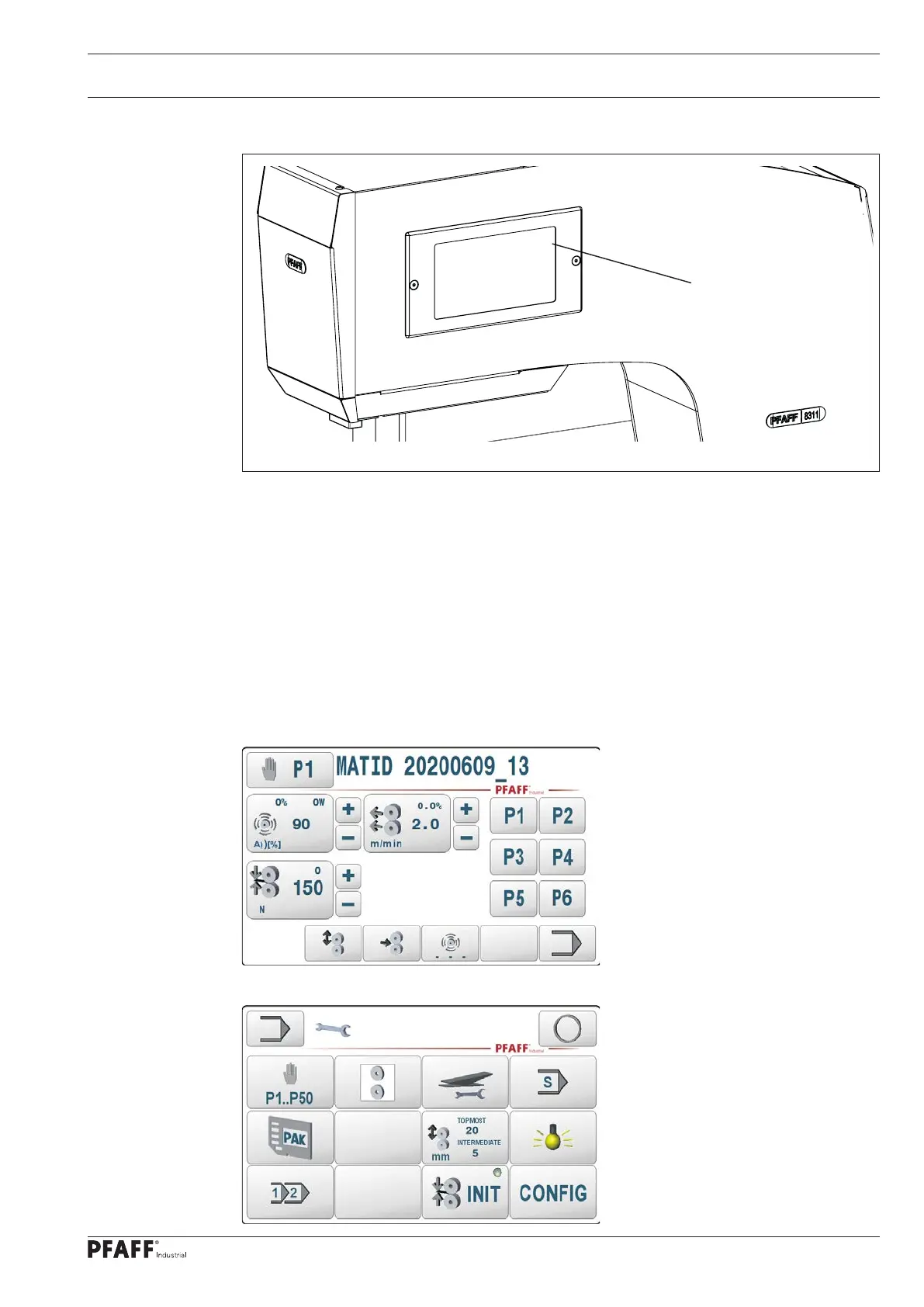
The current operating statuses are indicated on the control panel 1. The machine is operated
with constant dialogue between the control unit and the operator; different pictograms and /
or texts are displayed for this purpose according to the operating status of the machine.
Pictograms or texts with a border represent functions that can be called up by pressing on
the respective points on the monitor. Pressing the respective function causes its immediate
actuation or activation/deactivation or another menu will appear (e.g. for entering a value).
Switched-on functions are indicated by an integrated LED.
Pictograms or texts without a border are only used for display purposes and cannot be called
up by pressing them.
Presentation of functions (e.g. manual sealing 8311 Standard)
7.04 Control panel
Presentation of functions (e.g. input / settings)
Fig. 7 - 04
1



 To Next Page