Sealing
45
10.07 Programmed sealing
Programs can be created with up to 12 sections by linking multiple data sets P1..P50 into
one unit. It is possible to switch to the next linked data set (section) via a welding distance
(length specification), via programmable inputs (switches), via a change in material thickness
or by the operator pressing the pedal.
The welding parameters of the individual sections remain constant during processing.
The / keys can also be used to adjust parameters during the welding process.
After executing the program (warp) or after cancelling the process with the pedal -1 function,
the process returns to the first section of the program chain (or switches to another program
chain – see sequences). An editor is available to create a welding program, which creates
the links between the necessary data sets.
10.07.01 Program
By linking several data records P1..P50 to one unit, programs with up to 12 areas can
be created. The program number is the number of the first area. Switching to the next
linked data record (area) can take place via a welding section (length specification), via
programmable inputs (switches), by changing the material thickness or by pressing the
operator's pedal.After the program (chain) has been processed or after it has been canceled
with the pedal -1 function, processing returns to the first area (start area) of the program
chain (or it switches to another program chain - see Sequences). An editor is available for
creating a welding program, which links the required data records.
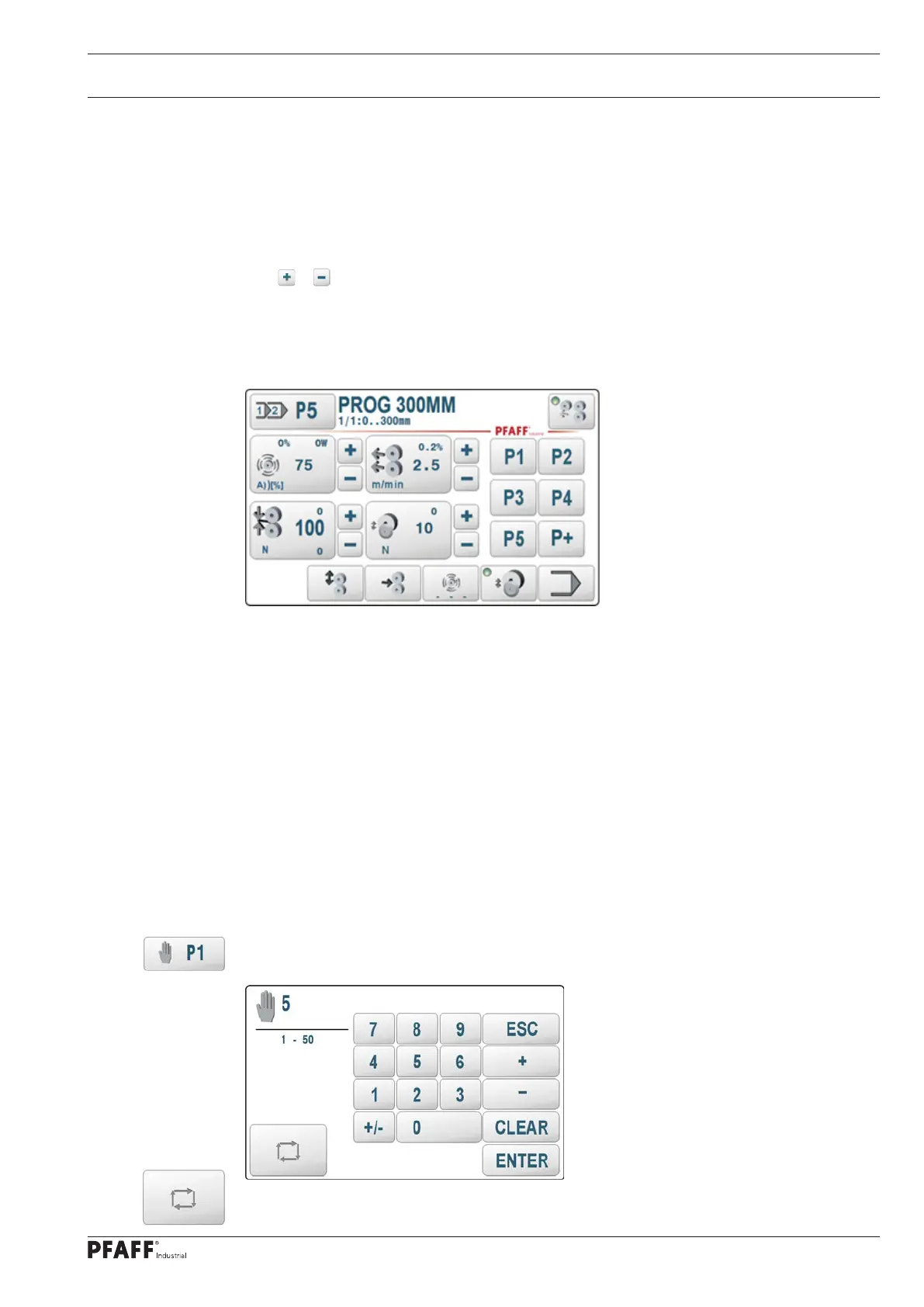
The parameter sets P1..P5 are always visible as quick selection buttons. We therefore
recommend that you choose this as the start area of a new program. The other areas are
allocated from the remaining free data records P1..P50 by the editor.
Selection of a start area
Pressing the program number selection touch field opens a new screen for selecting a
welding parameter number P1..P50. We choose any free area (here P5)
Set P5 as the start area of program P5 with the selection key.



 To Next Page