Adjustment
92
13.06 Software update
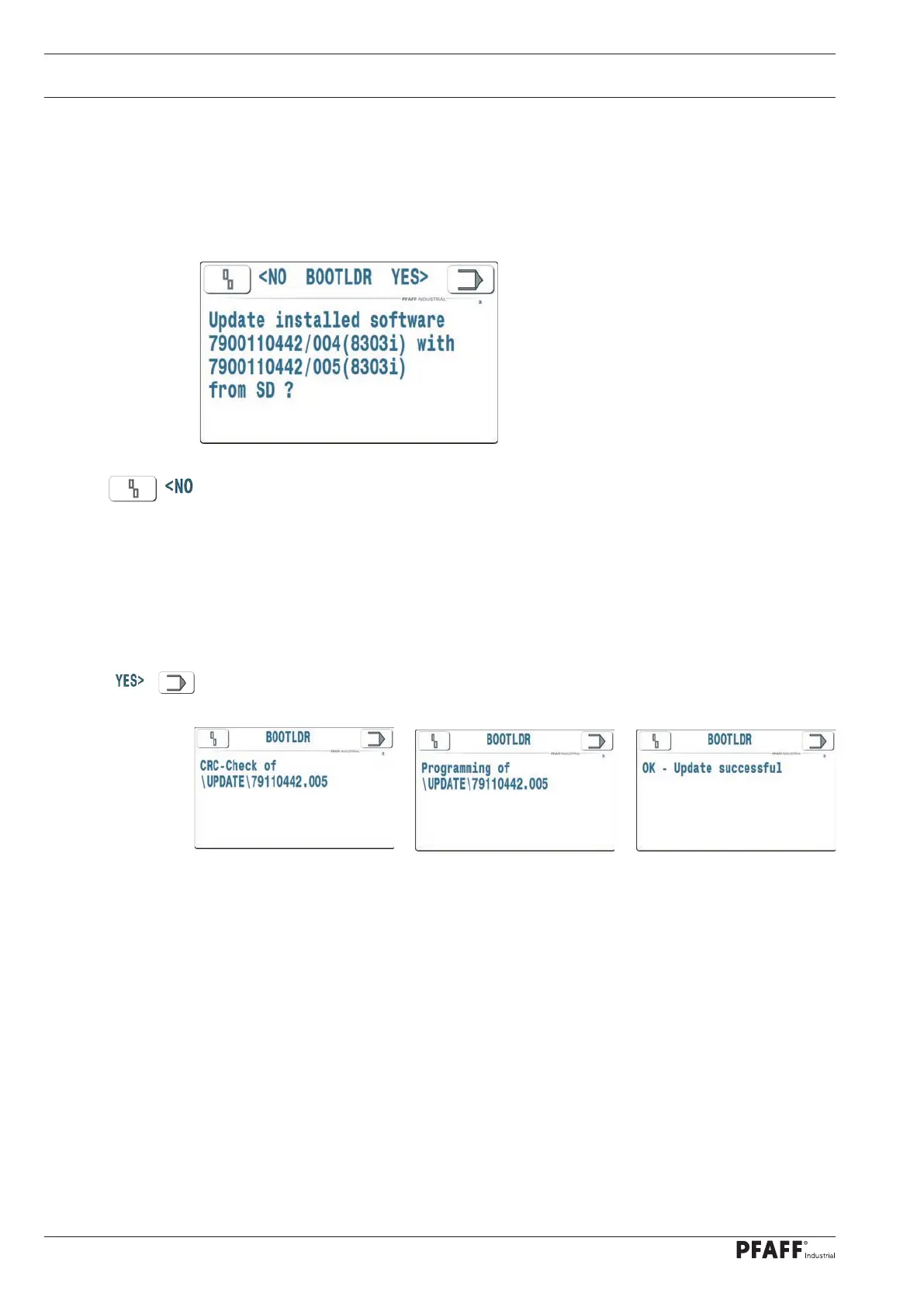
The software of the PFAFF 8303i tape sealing machine can be updated with an SD card.
If an SD card with a software update is inserted in the SD card reader (next to the main switch) be-
fore turning on the machine, a special program (boot loader) is activated that performs the software
update.
The update is rejected with this function and the existing version is retained. The boot load-
er starts the previously installed machine software. No settings and sealing parameters are
changed.
Note:
The process is repeated when the machine is next switched on if the SD card remains in the
reader.
The software update is activated with this function. The boot loader checks the update on
the SD card and then programs the new machine software.
The machine then performs a factory reset and then reads back the stored configurations
and settings from the OTE security dongle. The sealing parameter sets P1..P50 are reset, but
can be read back again from an SD card at a later stage.
Note:
If the SD card remains in the reader, the boot loader detects that the versions of the in-
stalled machine software and the software on the SD are the same when the machine is
next switched on. In this case, the update is not offered. The machine is then started up
again.



 To Next Page