Sealing
30
10.02.04 Roller gap
The rollers move to a fixed position for gap welding. Since the Sonotrode is spring-loaded
through the load cell on the 8311, this position can take on positive and negative values. A
negative position defines a point below the zero force position of the Sonotrode and thus
effects the resulting welding force depending on the material thickness.
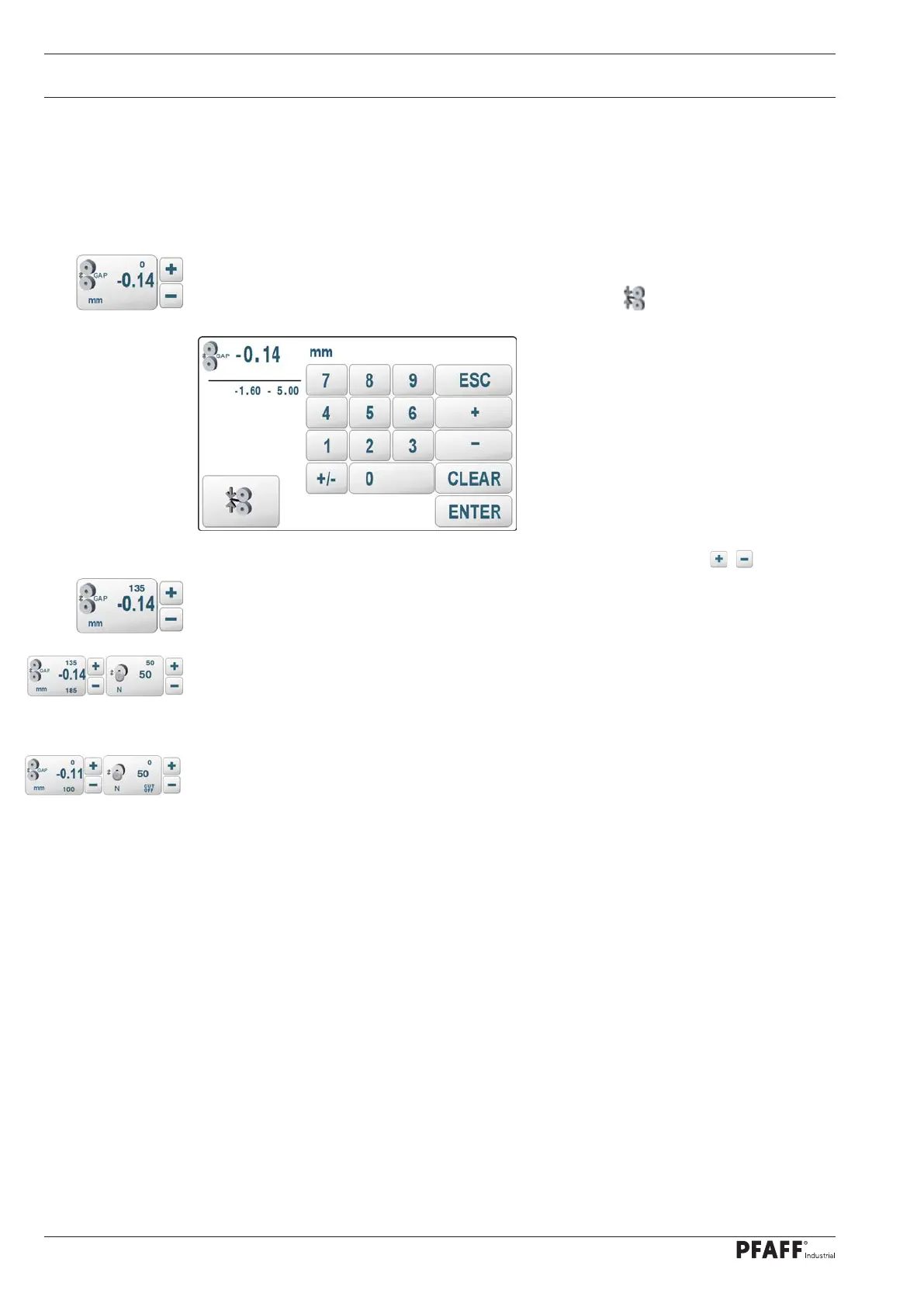
A gap position relative to the zero force position of the Sonotrode can be entered by
pressing the gap touch field on the manual welding screen.
A new input screen will open for this purpose. The special key can be used switch to
force welding.
The displayed parameter can also be changed directly by scrolling with the / keys.
When the rollers are closed, the resulting welding force is displayed above the setpoint
value
With the DUAL Cut&Seal version, the cutting force is added to the welding force resulting
from the gap when the cutting wheel is switched on. In this case, the resulting total force
is displayed below the setpoint value. The calculated partial forces are displayed above the
setpoint values
When the cutting wheel is switched off, the welding force is the total force and the partial
forces are displayed as 0.
If the resulting total force exceeds the maximum permissible value by 50 N, the rollers open
to prevent damage and the error message “14019 ERR GAP OVERDRIVE” is displayed.
Note:
The maximum permissible force could be exceeded on closing the rollers when using
relatively thick mate-rial. In this case, the control will cancel the roller closing process when
approaching the limit value. After starting the welding (after the start inhibitor has elapsed),
the prevailing ultrasound has melted the material and thus reduced the resulting welding
force. The control will then continue the interrupted roller closing process and ad-just the
required roller gap for welding.
The stated maximum value of the welding force can be adjusted with an input function.



 To Next Page