Sealing
37
10.04 Selecting sealing parameters and program numbers
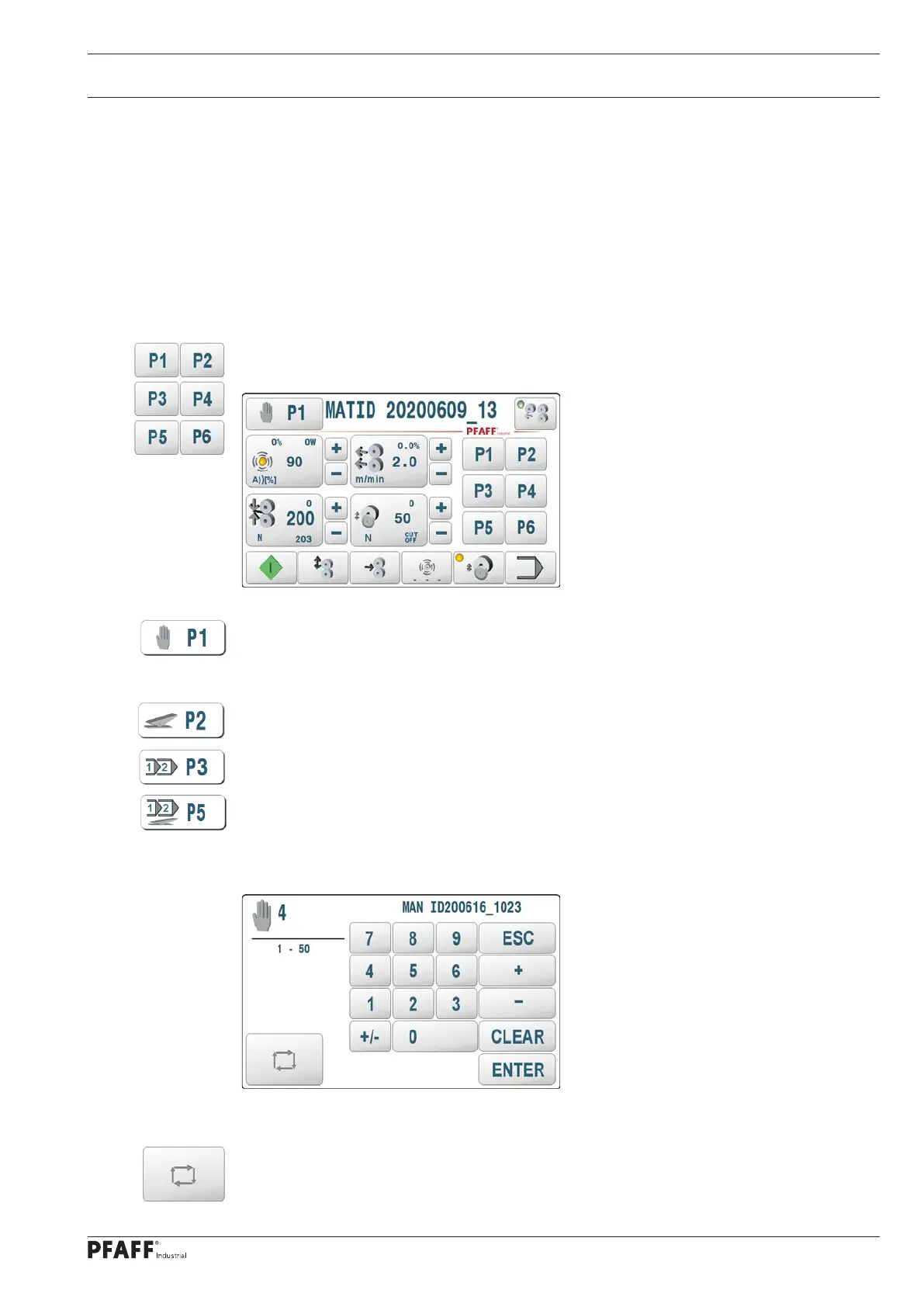
The sealing parameters are saved in the machine in 50 data sets P1..P50. P1..P6 can be
selected directly with the corresponding keys.
The other data sets (P7..P50) can be selected individually with the program number
selection function.
The sealing parameters of the individual data sets are saved in a battery-backed memory and
remain saved when the machine is switched off
10.04.01 Selecting sealing parameters P1..P50
In the initial state (with open rollers), the keys can be used to select the corresponding
welding pa-rameter data sets directly.
A new screen is opened to select a sealing parameter number P1..P50 by pressing the
– program selection – key in manual sealing production mode. The current number and
comment is displayed. A new data set can be selected using the numeric keys or scroll keys.
Dynamic sealing production mode.
Programmed sealing production mode.
Programmed dynamic sealing production mode.
The current operating mode to which this data set is assigned is shown on the top left.
Operating mode P4 is manual sealing
The operating mode of the selected data set can be reassigned cyclically with the scroll key
operating modes. It is only active if one of the above options is available.



 To Next Page