Sealing
29
10.02.03 Welding force
Other important welding parameters are the roller force for force welding or the roller gap
for gap welding. Your parameters are alternatively entered under the ultrasound parameters.
During force welding, the welding force is measured by a load cell on the Sonotrode and
adjusted via the lifting mechanism of the anvil wheel.
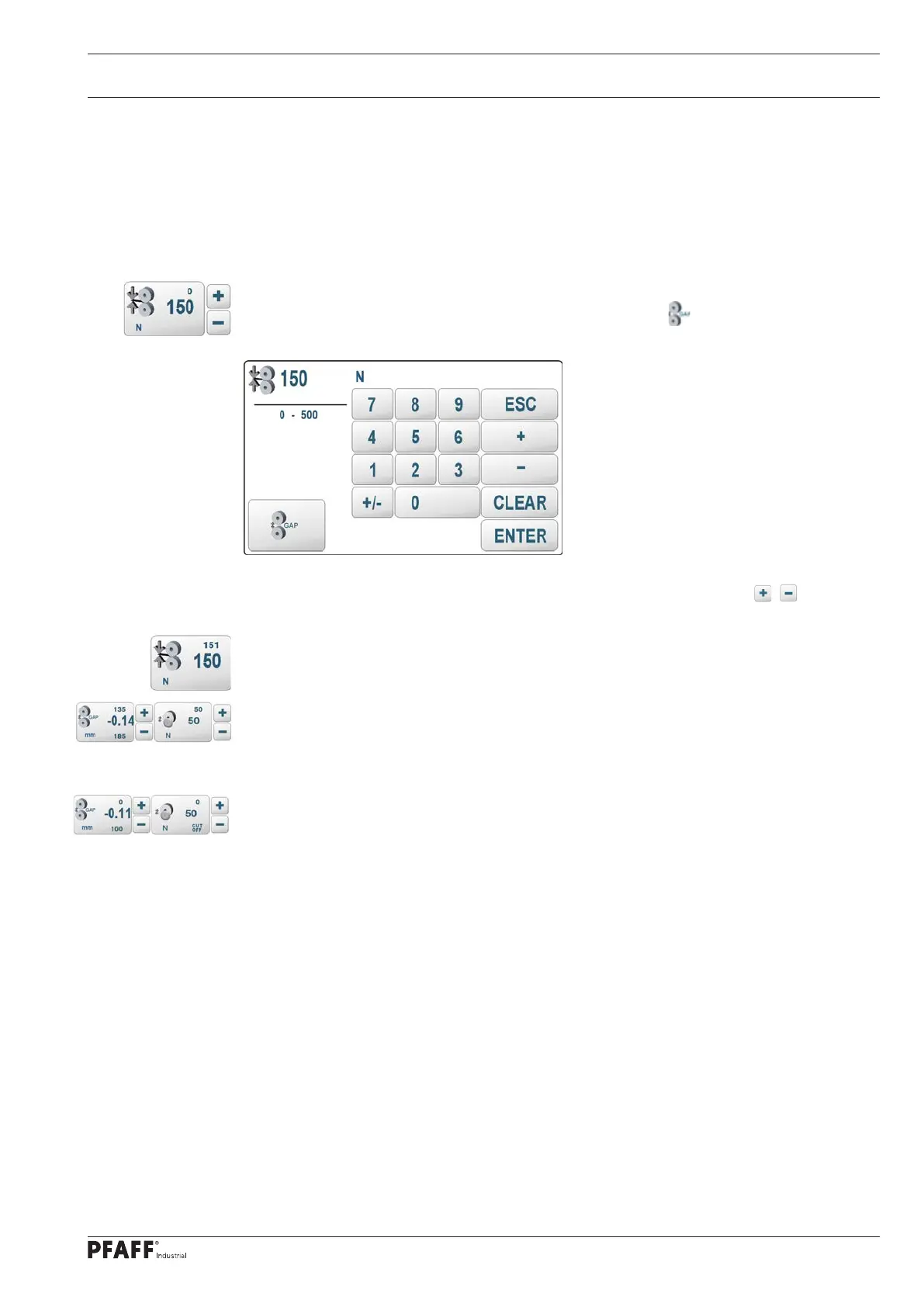
The welding force can be entered by pressing the welding force touch field on the screen.
A new input screen will open for this purpose. The special key can be used to switch to
gap welding.
The displayed parameter can also be changed directly by scrolling with the / keys.
The maximum permissible value of the welding force can be limited with an input function.
When the rollers are closed, the measured welding force is displayed above the setpoint value.
With the DUAL Cut&Seal version, the cutting force is added to the set welding force when
the cutting wheel is switched on. In this case, the resulting total force is displayed below the
setpoint value. The calculated partial forces are displayed above the setpoint values.
When the cutting wheel is switched off, the welding force is the total force and the partial
forces are displayed as 0



 To Next Page