Sealing
39
10.05 Manual sealing
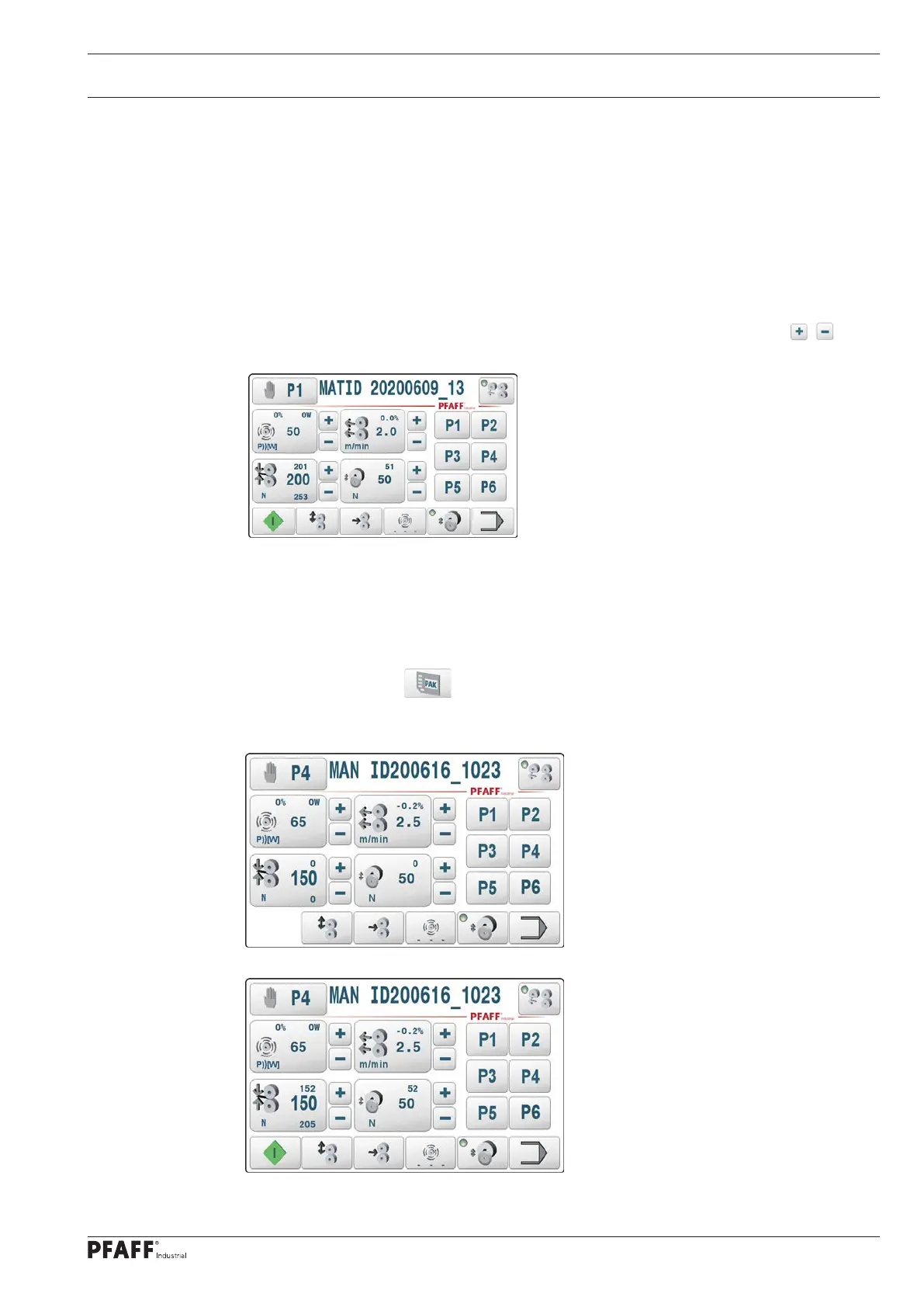
All relevant parameters for the sealing process can be entered or altered directly in the
manual sealing mode, see chapter 10.02 Description of the function keys.
The manual sealing mode is selected with the program number selection function, see
chapter 10.04 Selecting sealing parameters and program numbers.
The welding process is started with the pedal (or start key) and ended with the pedal (or
stop key). The welding parameters remain constant during the welding process.
Direct input can only be made before or after the process (in STOP mode). The / keys
can also be used to adjust the parameters during the welding process.
The welding parameters are saved in the machine in 50 data sets (P1..P50). P1..P6 can be
selected directly with the corresponding keys. The other data sets (P7..P50) can be selected
individually with the program number selection function.
The welding parameters of the individual data sets are saved in a battery-buffered memory
and remain saved when the machine is switched off. They can also be saved and read back
as a complete package (PAK) on an SD card.
10.05.01 Process in manual sealing production mode
Figure 1: Production, basic manual sealing mode, feed rollers open
Figure 2: Production, manual sealing mode, feed rollers closed.



 To Next Page