Sealing
41
10.06 Dynamic sealing
All the parameters needed for the welding process can be changed directly or indirectly in
dynamic welding mode.
Ultrasonic amplitude/power and welding speed are continuously adjusted within the
defined limits using the pedal function. Dynamic welding is selected via the program
number selection function,see chapter 10.04 Selecting sealing parameters and program
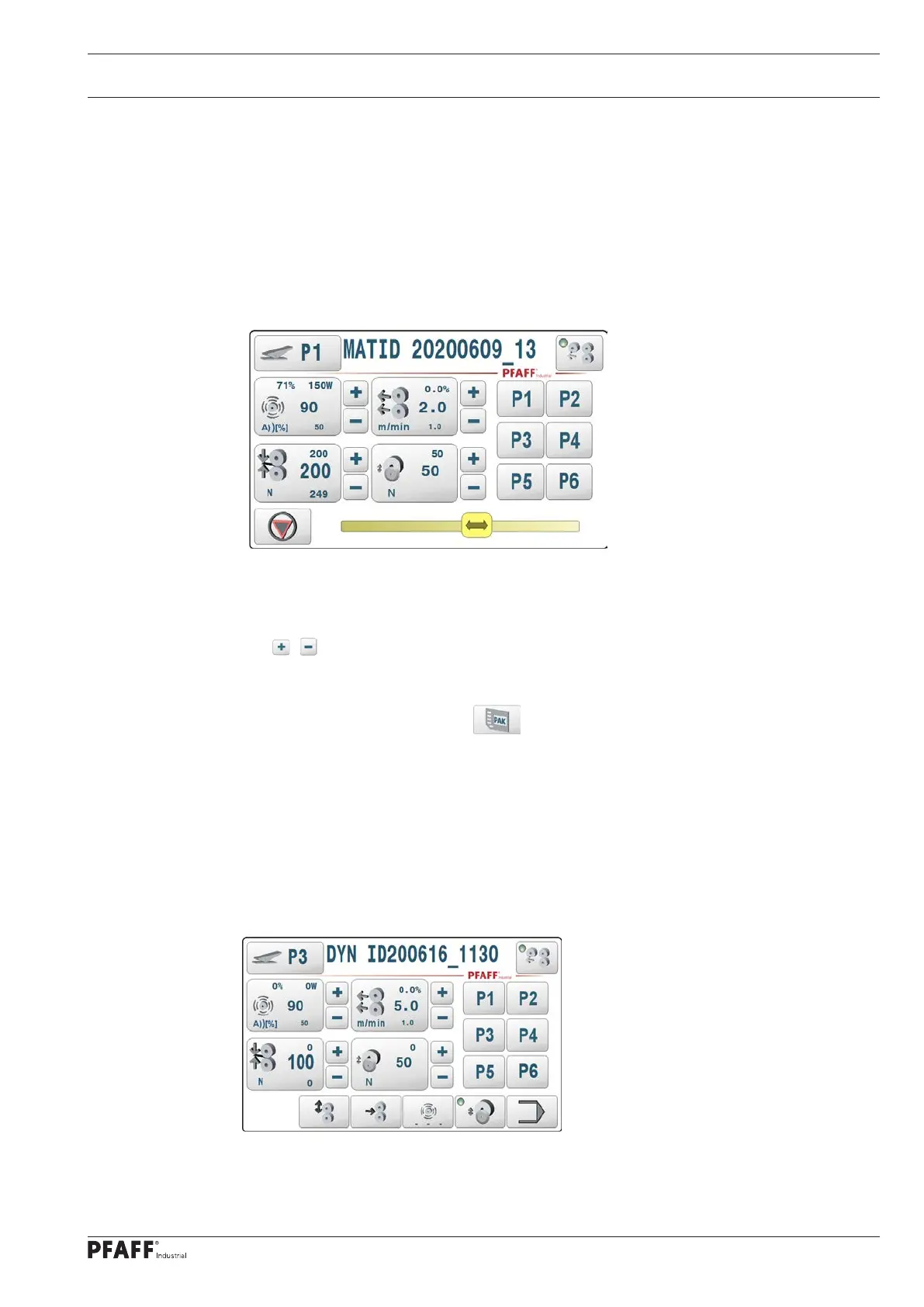
numbers.The pedal symbol next to data set number P1 shows that dynamic welding mode
has been selected.
The welding process is controlled with the main pedal. The amplitude/power and welding
speed are calculated and issued based on the pedal position and limit values during the
welding process. Direct input can only be made before or after the process (in STOP mode).
The / keys can also be used to adjust parameters dur-ing the welding process.
The dynamic welding function is assigned to the data set P1..P50 just like in manual welding
mode and this remains saved even after the 8311 is switched off. They can also be saved and
read back as a complete pack-age (PAK) on an SD card.
Note:
Manual welding parameter sets (welding programs) and dynamic welding parameter sets
share the same P1..P50 data sets in the machine. Manual welding parameter sets can be
converted into dynamic welding parameter sets (or vice versa) with the program number
selection function.
10.06.01 Process in dynamic sealing production mode
Figure 1: Production, basic dynamic sealing mode, rollers open



 To Next Page