Sealing
46
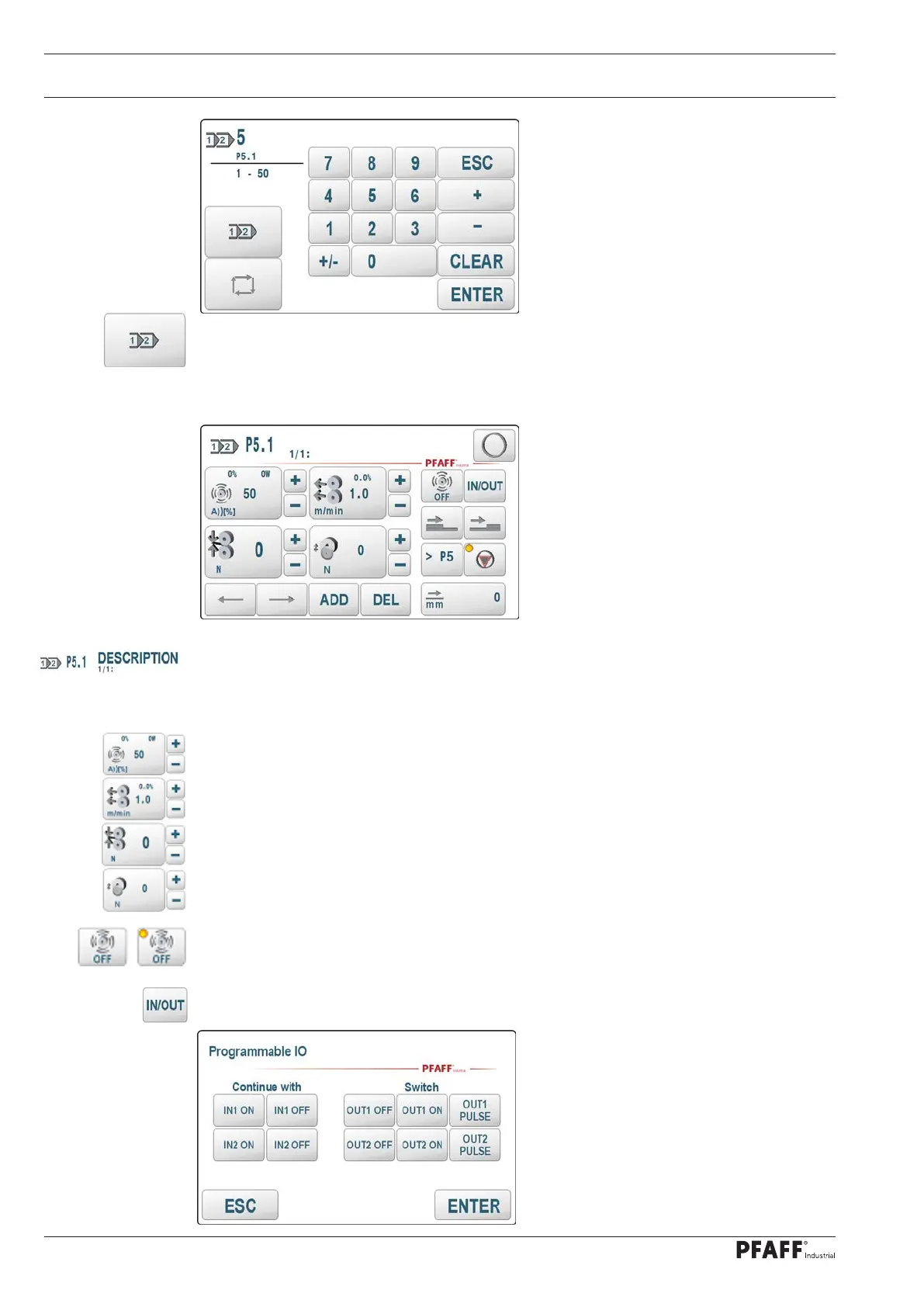
Call up the program editor with the program editor key
Program editor
Functions of the program editor
P5.1 = program 5 - 1st area
DESCRIPTION = Comment text, is displayed when the program number is selected.
1/1: = Currently 1 area is defined and the 1st area is currently processed.
Enter ultrasonic amplitude or ultrasonic power for this area.
Enter the welding speed, the start / stop delay, the differential and turn back after stop
Enter the welding force for force welding or the GAP for gap welding
Only with DUAL Cut & Seal version:
Enter the cutting force (CUTOFF or CUTONLY)
Welding OFF in this area. The ultrasonic generator is not switched on or
switched off.
Manage digital inputs and outputs:
Define inputs as step enabling conditions and / or switch outputs directly.



 To Next Page