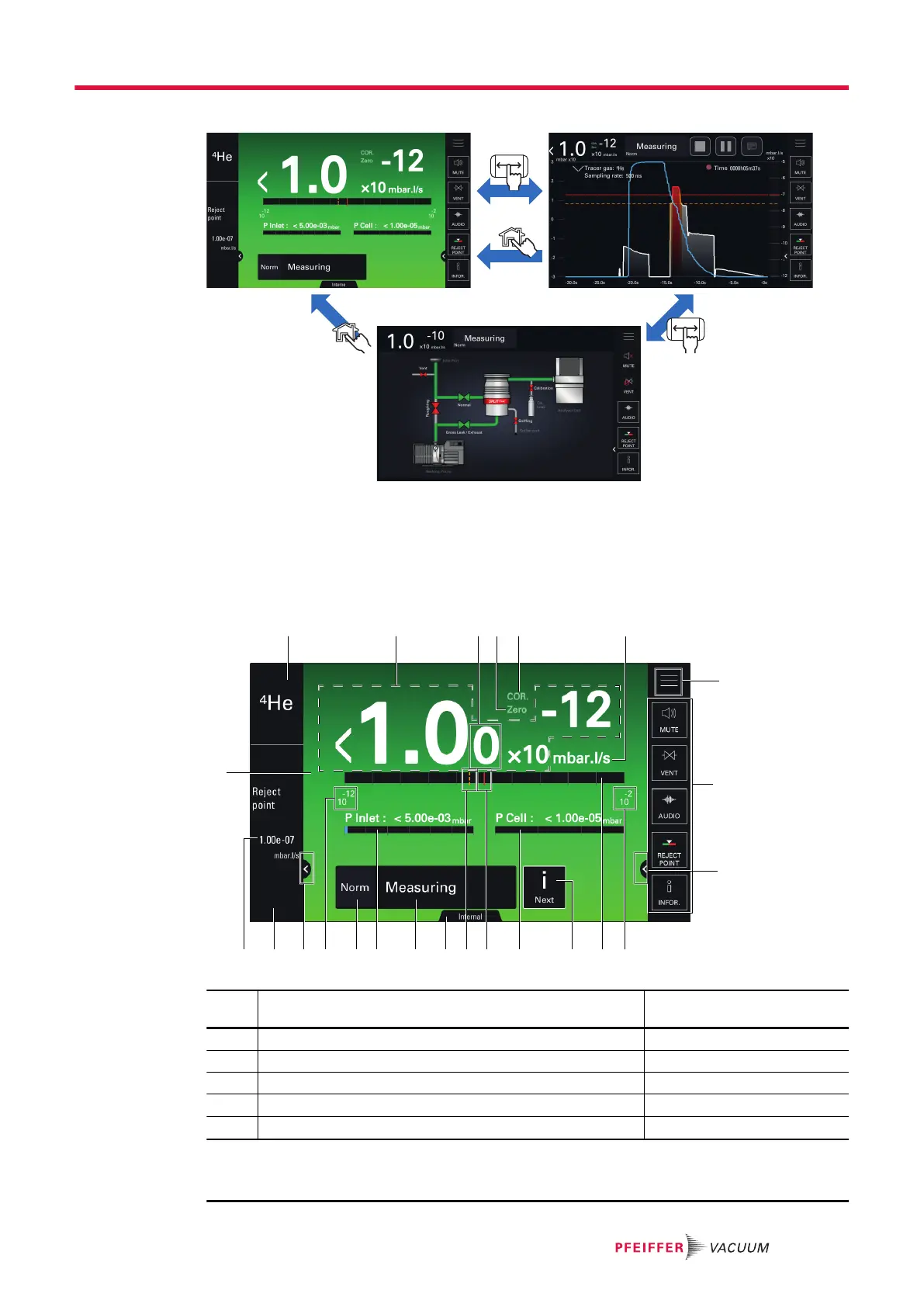
Access to the main/graph/synoptic screen
The synoptic can be hidden or shown (see chapter “Screen setting”).
Access to the synoptic and function keys
►
The synoptic can be hidden or shown (see chapter “Screen setting”).
►
The function keys can be displayed (enabled) or hidden (disabled) (see chapter "Function keys").
7.7.2 Main screen (Home)
7
8
9
53 4 621
22 21 209
1719 18
12131516 14 11 10
23
Item Function Name of the pictogram in
the operating instructions
1 Tracer gas selected -
2 Leak rate digital display -
3
1)
Display 2
nd
digit
-
4
1)
Zero indicator: zero function applied ZERO
5
1)
COR indicator: correction factor applied COR
1) Display according to detector settings
2) Display only
3) Display if test in progress
Operation
33/98



 To Next Page