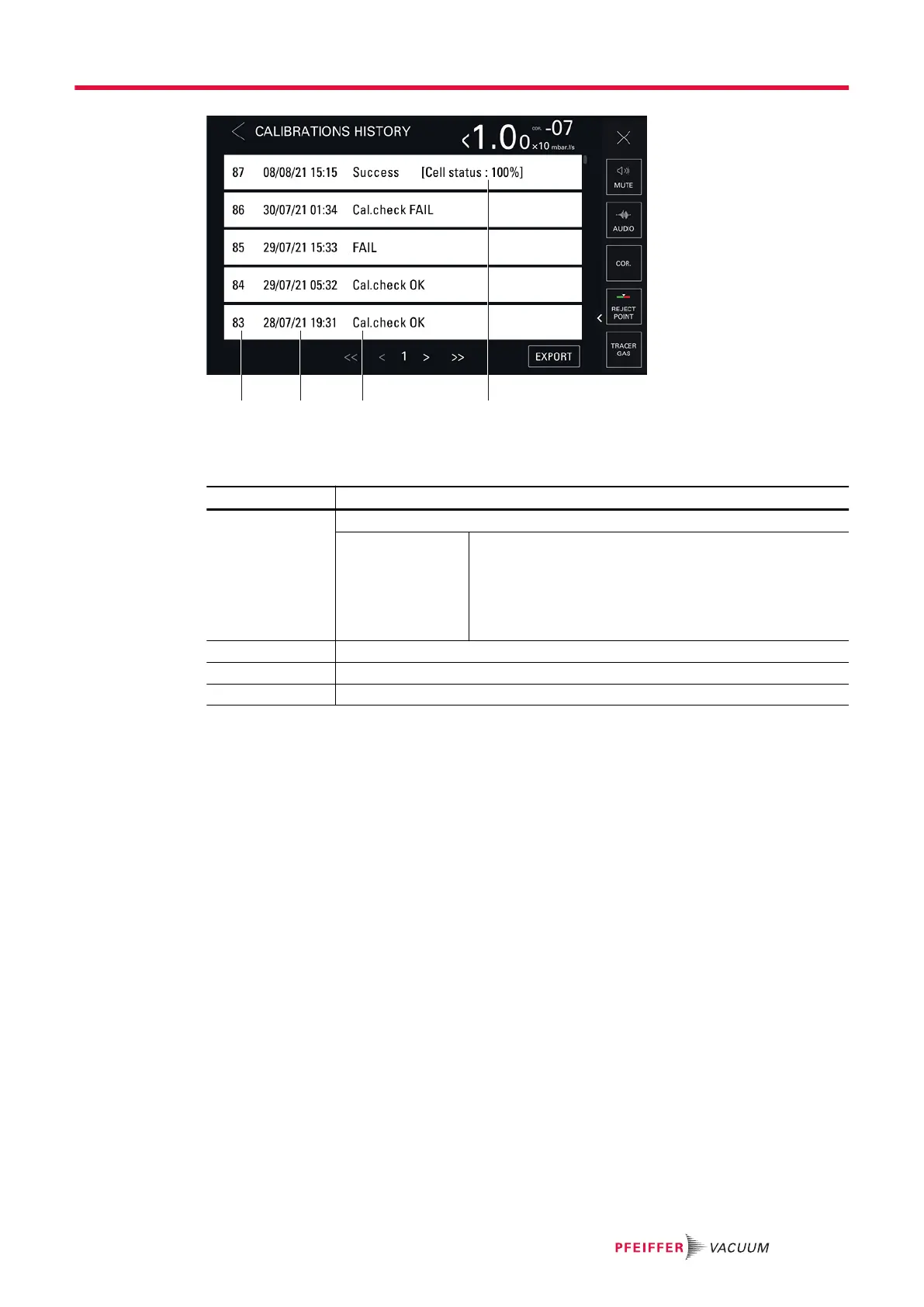
1 Chronological calibration number 3 Calibration result (see below)
2 Date and time of the calibration 4 Indicator of analyzer cell performance (see below)
Result Description
Success [Cell sta-
tus: xxx %]
Calibration success
[Cell status: xxx %] Indicator of analyzer cell performance.
Default settings: between 90% and 100%
Normal operation: between 10% and 100%
Normal wear on some cell components will reduce this val-
ue over time but will not reduce the accuracy of the detec-
tor's measurements.
FAIL Calibration failure
Cal. check OK Calibration check successful
Cal. check FAIL Calibration check failure
History export
An export can be generated containing the event and calibration history.
2 possible modes of access:
●
[Maintenance] [History] [Events history]
●
[Maintenance] [History] [Calibrations history]
1. Insert a USB stick into the control panel.
2. Press [Export].
The message “Events and calibrations exported” is displayed to confirm the export.
8.4.2 Information
This function is used to view information on the leak detector.
Settings menu
67/98



 To Next Page