Temporary access to a locked menu
Temporary access: after returning to the main screen, the menu is once again locked.
►
See chapter “Access - Password”.
Permanent display on the setting menus
The leak rate can be viewed at any time by the user.
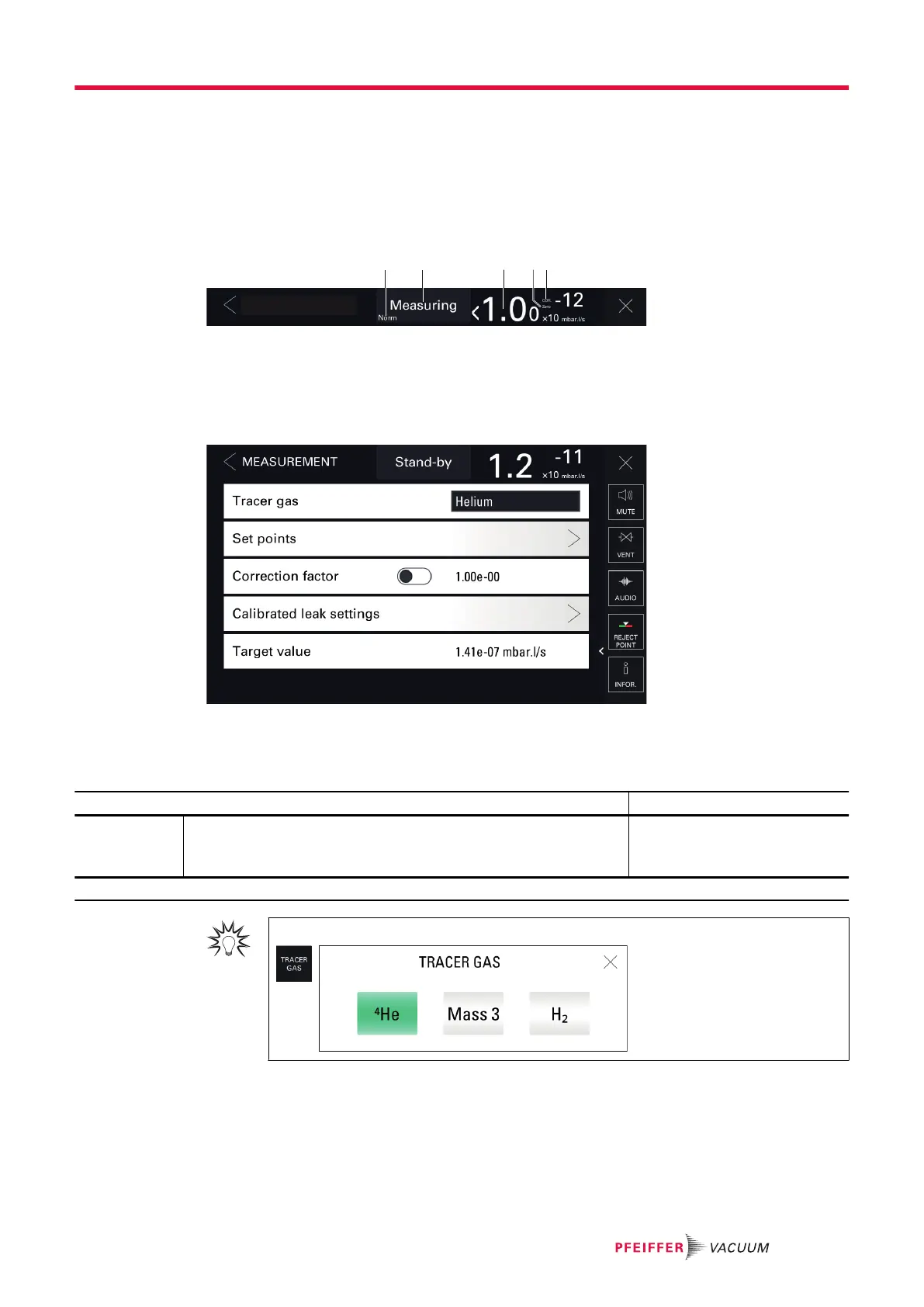
The leak rate is permanently displayed on the settings menus (except on the 'File manager' menu).
1 Current status of the detector 4 Zero indicator: zero function applied
2 Test mode set 5 COR indicator: correction factor applied
3 Digital display of leak rate and its unit
8.1 Measurement menu
8.1.1 Tracer gas
This menu is used to select the tracer gas.
Access: Menu [Measurement] [Tracer Gas]
Choice - Setting limit
1)
Tracer gas To be selected
The tracer gas is the gas searched for during a test.
Helium 4
Mass 3
Hydrogen
1) Initial setting: see chapter “Tree diagram to the Settings menu”
For quick access from the main screen, use the [TRACER GAS] function key.
8.1.2 Set points
This menu is used to define the different set points (pollution, test, pressure).
Settings menu
47/98



 To Next Page