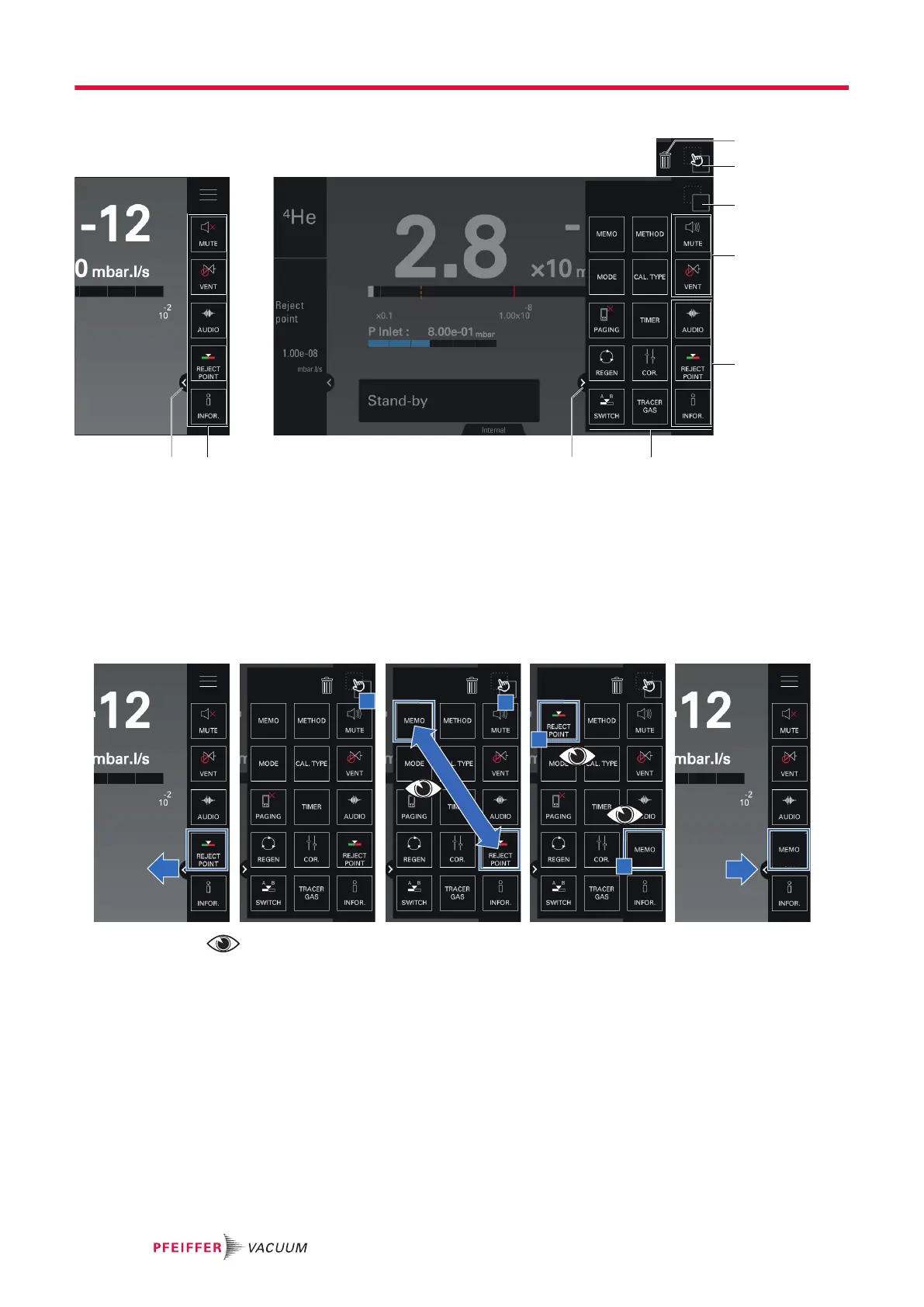
Description of the function key bar
1 Bin 5 Additional function keys available (see chapter “Function keys”)
2a Setting access button 6 Close the function key bar
2b Setting validation button 7 5 function keys permanently displayed
3 2 permanent function keys 8 Open the function key bar
4 3 adjustable function keys
Function key permanently displayed in the bar
●
Only the 5 function keys on the right side of the bar are displayed permanently.
●
The other function keys available can be accessed by opening the bar.
Example: Switching the [REJECT POINT] and [MEMO] function keys
The user switches a function key by dragging one function key to replace another.
Removing a function key from the bar
●
It is also possible to delete a function key from the bar by disabling it (see chapter "Function
keys)).
●
To display a deleted/disabled function key in the bar, it must be enabled again (see chapter
"Function keys").
Example: Remove the [MEMO] function key
Operation
44/98



 To Next Page