Type of USB stick
All commercial USB sticks with a FAT 32 format can be used (32 GB max.).
Promotional USB sticks are prohibited: they are not reliable.
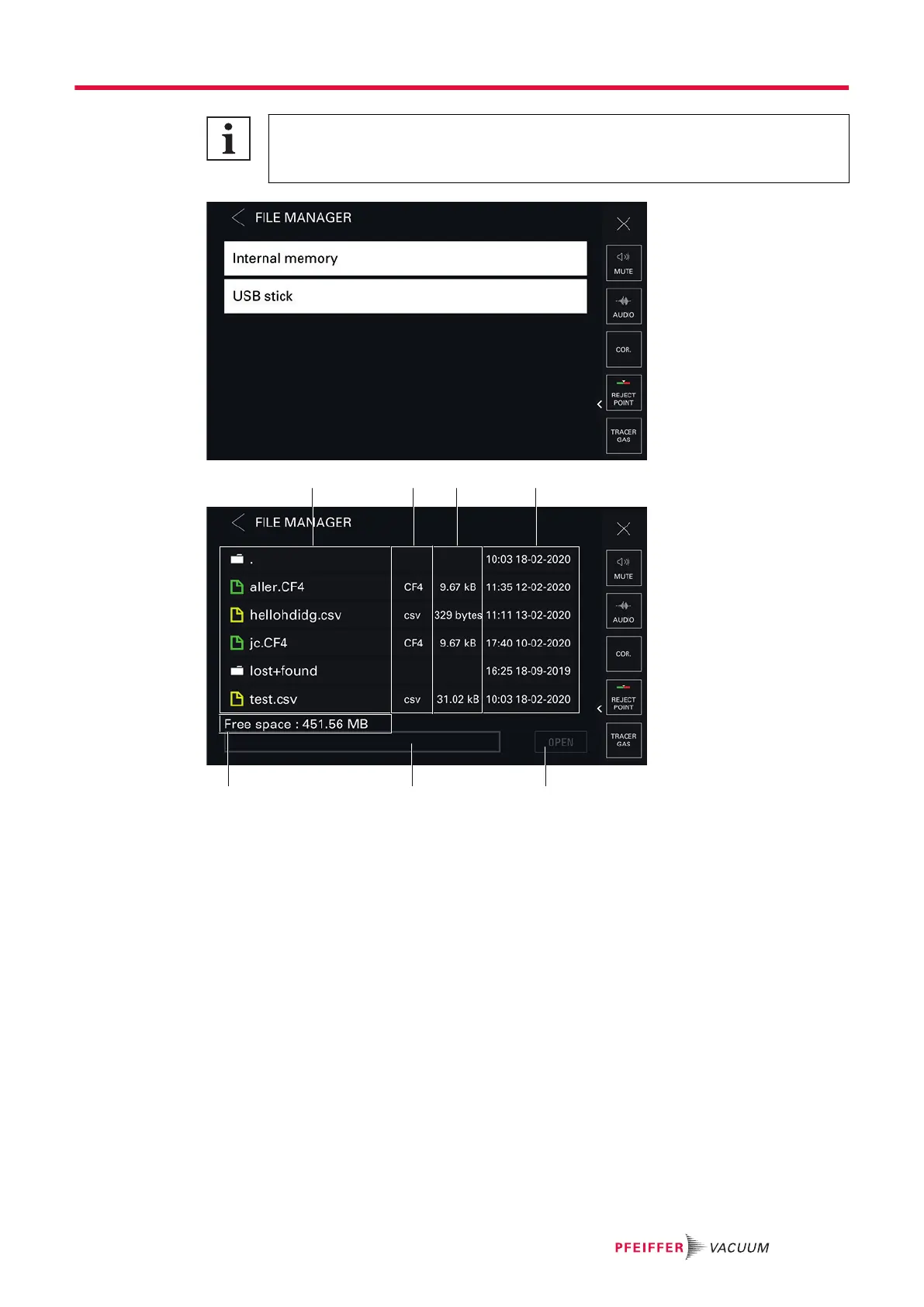
1 Folder and/or file saved 4 Navigation tools
2 Date and time saved 5 Memory size available in the selected medium
(USB stick or internal memory)
3 Button for opening the selected file [OPEN]
Access to data
1. Insert the USB stick if necessary.
2. Press [Internal Memory] or [USB Stick] to select the desired medium.
The list of available folders and/or files is displayed.
a
Double click on a folder to access its contents.
b
Select the file to view.
c
Press [OPEN] to display it.
Settings menu
73/98



 To Next Page