13
S
creens
Screens
selection bar
Image screen
IMAGE – selects Image screen.
ARCHIVE – selects Archive screen.
SETTINGS – selects Settings screen.
ADVANCED – selects Advanced settings screen. Refer to 5. ‘Phenom settings’.
? – when ’?’ is pressed, the Help function is enabled and a balloon with
information appears when any other button is touched. The balloon
gives information about the function of the button.
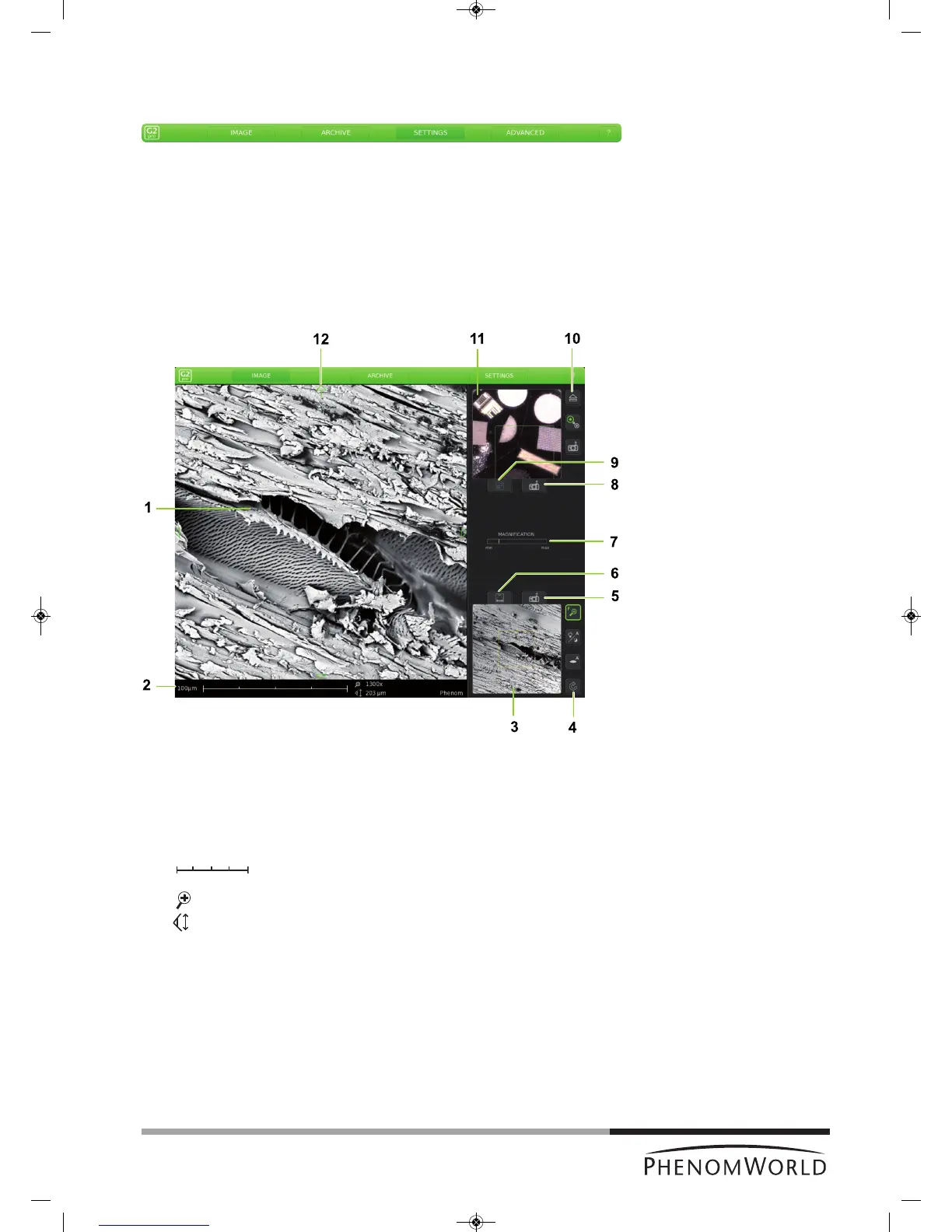
The Image screen is used to view samples, take pictures, and operate the Phenom.
1 Main viewing window
Displays magnified part of the sample.
2 Data bar
10 µm – current ruler size.
– dynamic representation of ruler size
(depending on magnification factor)
. . . . x – magnification factor.
. . . . µm – Field Of View (total picture size).
FEB 092006 12 : 15 PM – Date and time.
IMG S121206_0012 – Sample / file name.
Items to be shown can be selected on the Settings screen.
Fig. 3



 To Next Page