42
Note!
Notes
!
Hibernate (Power saving mode)
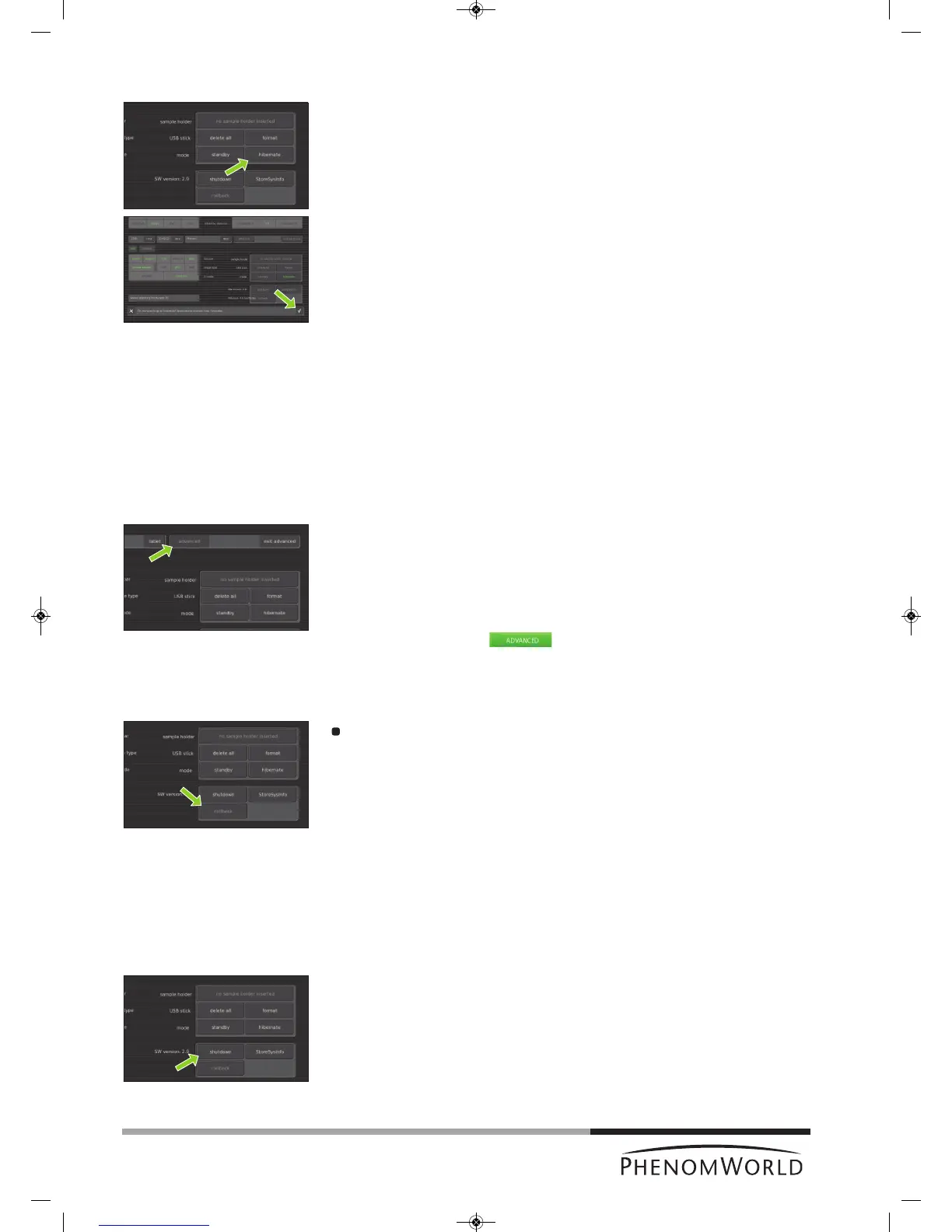
1 Touch hibernate.
> ‘Do you want to go to hibernate? Approximate recovery time: 6 minutes.’ appears
on the screen.
2 Touch ‘4’ to confirm or ‘8’ to cancel.
> The POWERLED (fig. 1,1) lights up orange. The Phenom is now in power saving
(hibernate) mode.
If the Phenom is not used for 72 hours, it automatically enters hibernate mode.
5.7 Advanced settings
P
roperly adjusted advanced settings highly determine the overall viewing quality of the
Phenom and are therefore to be done by experienced users only. To avoid improper
adjustment of the settings as well as accidental shutdown of the Phenom, these settings are
password protected. Contact the tool owner for the password.
To access the advanced settings:
1 Touch the advanced button
> A keyboard appears on the screen.
2 Enter the log-in PASSWORD (tool owner has received this password from Phenom-
World), confirm with OK.
> The SWversion/Previous/Rollback/Shutdown / StoreSysInfo frame appears
on the screen and the button appears in the screen selection bar.
5.7.1 SW (software) version
SW version shows the current Phenom software version. If you wish to revert to the
previous software version:
Touch rollback.
> The Phenom now reboots with the previous software version.
– Only use the rollback option in case you encounter problems while upgrading the
Phenom software or if you are unable to operate the Phenom when new software is
uploaded.
– Information regarding software upgrades will be provided by Customer Support.
5.7.2 Shutdown
Only use this option if you have to transport or move the Phenom.
1 Touch Shutdown to prepare the Phenom for complete switch off.
> The Phenom now starts preparing for complete switch off. This will take
approximately 35 minutes when the Phenom is in operation mode and
approximately 5 minutes when the Phenom is in hybernate mode. A countdown
timer shows the remaining time until shutdown.
> After approximately 5 / 35 minutes the message ‘It’s now safe to turn off your
system’ appears.
2 Set the 0 / I switch (fig. 1,14) on the power supply to 0.



 To Next Page