8
Preparation
Unpacking
Caution!
1. Introduction
Congratulations on your purchase of the Phenom
TM
microscope. The Phenom
TM
is a high
resolution desktop imaging tool that combines an optical camera for never-lost navigation
and a high quality scanning electron microscope (SEM) for detailed imaging to bring a
completely new approach to microscopy.
The Phenom’s innovative user interface utilizes intuitive touch screen controls which allows
users to observe superb quality images with minimal operator training.
The Phenom can handle a wide range of samples with minimal preparation.
We are sure that if used properly, the Phenom will bring you years of enjoyment.
You will want to keep this user manual handy, as it is a convenient source of information
about the Phenom.
1.1 Unpacking the Phenom components
Make sure the room where the Phenom components are to be placed is clean and dry
and that room temperature is between 15 °C and 30°C (59 °F and 86°F).
Room humidity should not exceed 80% RH.
Avoid direct sunlight, vibrations and strong magnetic fields.
Also refer to chapter 3.1 ‘Requirements for positioning the Phenom components’.
1 First inspect the packaging before opening it. If the packaging is damaged or if the
locks are open, we recommend that you report this to Phenom-World’s Customer
Support:
- address: Dillenburgstraat 9E
5652 AM Eindhoven
The Netherlands
- e-mail: service@phenom-world.com
- phone: +31 (0)40 259 73 72
- fax: +31 (0)40 259 73 71
- opening hours: Monday - Friday, 09:00 - 17:00 (CET, GMT +1)
It is however very likely that, despite slight damage to the packaging, the Phenom
components are still in good condition.
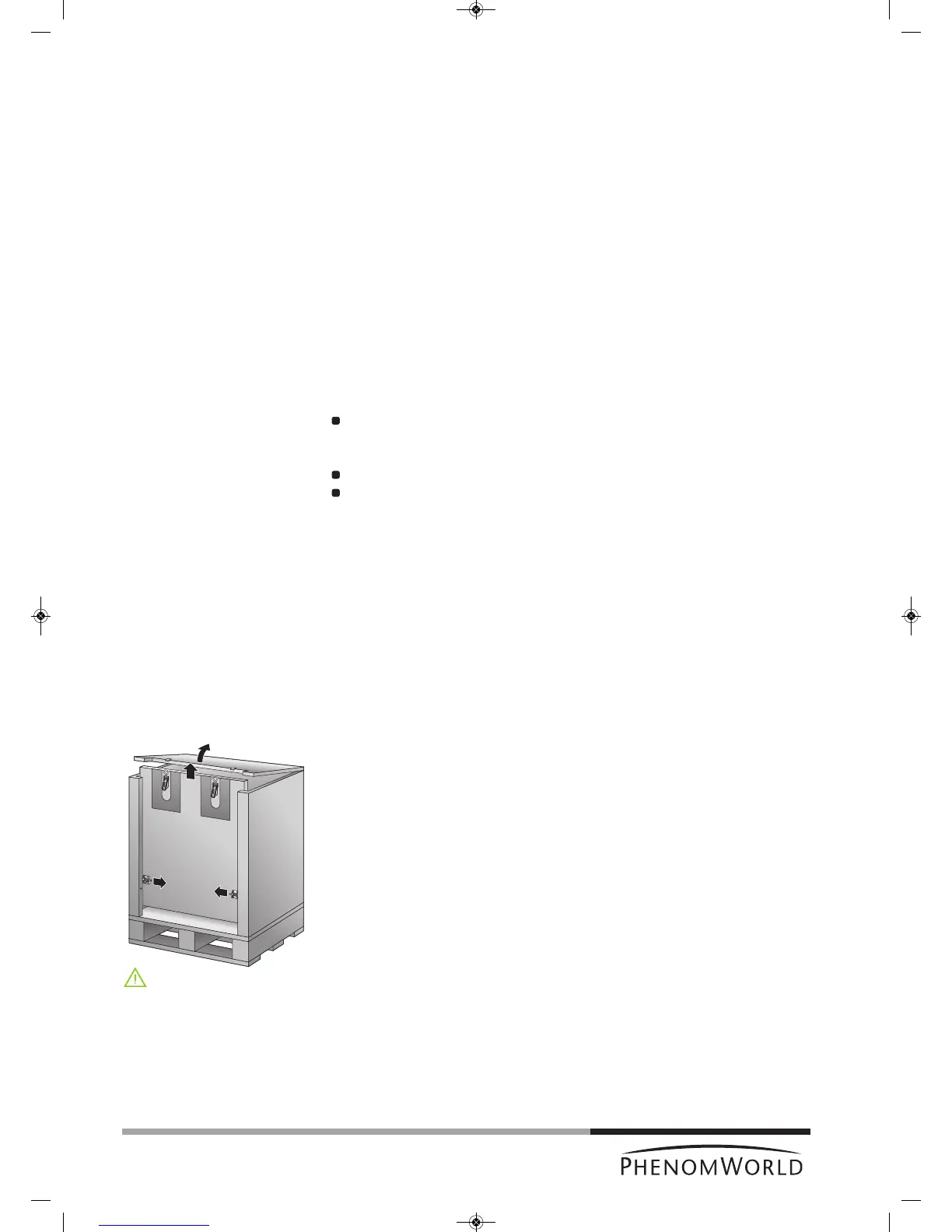
2 Open all 4 locks and open the top cover completely.
3 Remove the front panel by lifting it upwards.
4 Remove all loose foam parts.
5 Lower the plastic bag and remove the Phenom microscope.
Due to the weight, it is recommended that two people, one on each side, lift the
Phenom out of the box. Donot lift from the front as the door could easily be
damaged. Donot lift by the plexiglass frontcap or by the door handle.
6 Confirm that all Phenom components are present. For a complete list of components,
refer to chapter 1.2 ‘Packaging contents’.
7 Take the boxes out of the other compartment.
8 Unpack all accessories prior to installation.



 To Next Page