21
3.4 Activating the system
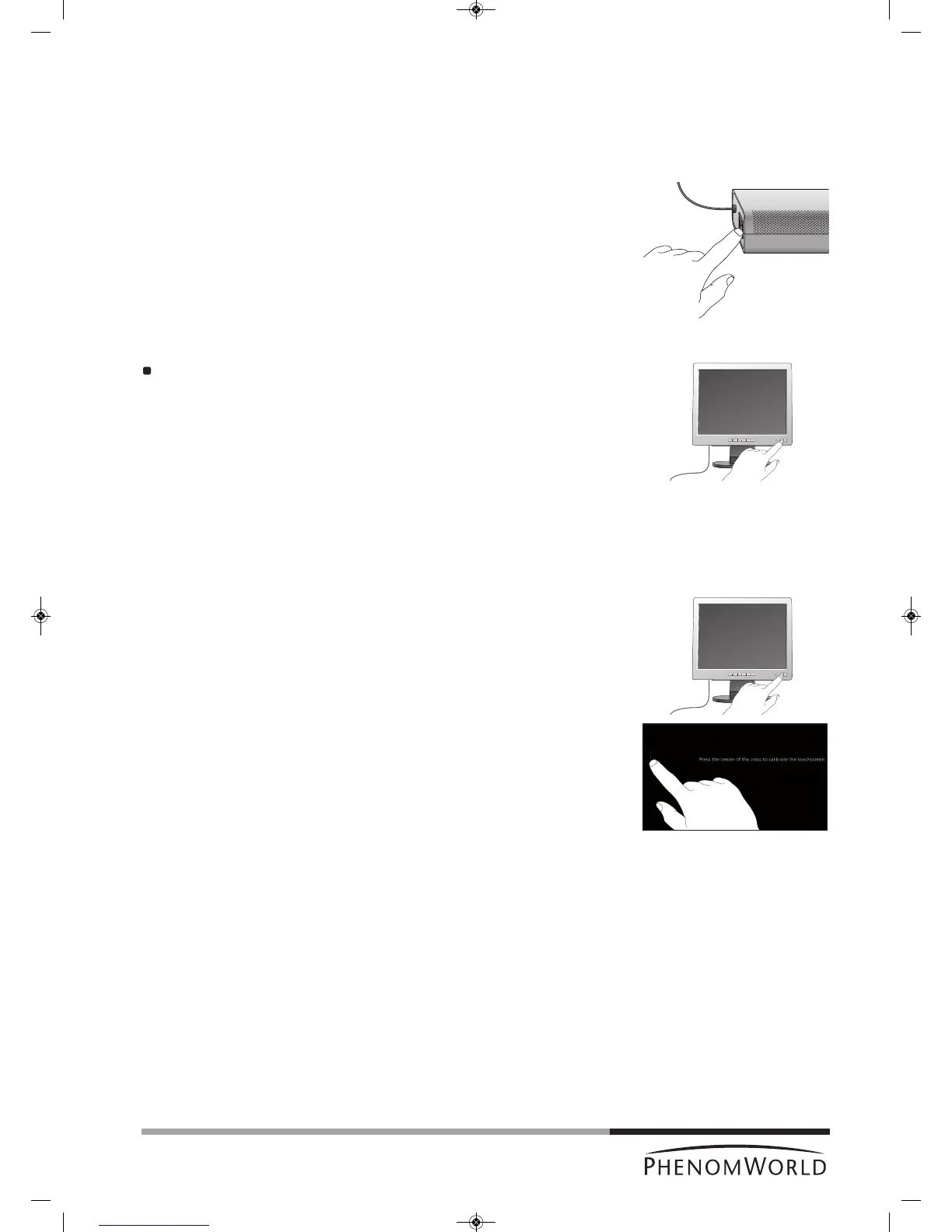
3.4.1 Switching ‘on’ the Phenom
1 Make sure all connections are properly made.
2 Set the 0 / I switch (fig. 1,14) on the power supply to I.
> The system starts up automatically.
The pre-vacuum pump noise fades away after approximately 1 minute. Refer to
7. ‘Troubleshooting’ if this is not the case.
> The POWER LED (fig. 1,1) blinks green.
> It takes between 30 minutes and 14 hours before the system is fully operational.
The start-up time depends on the time the system has been switched off.
Refer to 7.2 ‘Power down’.
3.4.2 Switching ‘on’ the flat panel touch screen monitor
Press y (12) on the monitor.
> The power LED (fig. 1,11) lights up green.
> The Phenom splash screen appears, followed by the Image screen or the
C
alibration screen.
3.4.3 Calibrating the flat panel touch screen monitor
Calibrating the monitor optimizes the performance of the touch screen and has to be done
only once. When the monitor is connected and switched on for the first time the calibration
screen appears automatically.
1 Press
y (12) on the monitor to switch on the monitor.
2 Press the center of the cross that is displayed on the screen.
> The cross disappears and then appears again on a different location on the screen.
The cross will appear on four different locations.
3 Press the center of the cross on all four locations it appears.
> After pressing the cross for the fourth time the monitor is calibrated and ready to
operate the Phenom.
> After the calibration procedure, the normal Phenom UI (User Interface) is shown
again.
– If you wish to redo the calibration process you can call up the calibration screen again
by pressing the rotary knob (fig. 1,9) for 15 seconds.



 To Next Page