20
Note!
4 Connect the monitor USB cable (4) to the USB port at the rear of the Phenom.
5 Connect the power cable (5) of the power supply to the Phenom power connector.
6 Connect the power cable (6) of the power supply to a wall outlet.
7
Connect the monitor power cable (7) to a wall outlet.
8 Connect the USB connector of the rotary knob (8) to one of the twin USB ports at the
rear of the Phenom. If necessary, use the rotary knob extension cable.
9 Connect the USB connector of the mouse (9 - ProX / Pro) to the other twin USB port.
10 Connect the USB Flash drive (10) to one of the USB ports at the Phenom front.
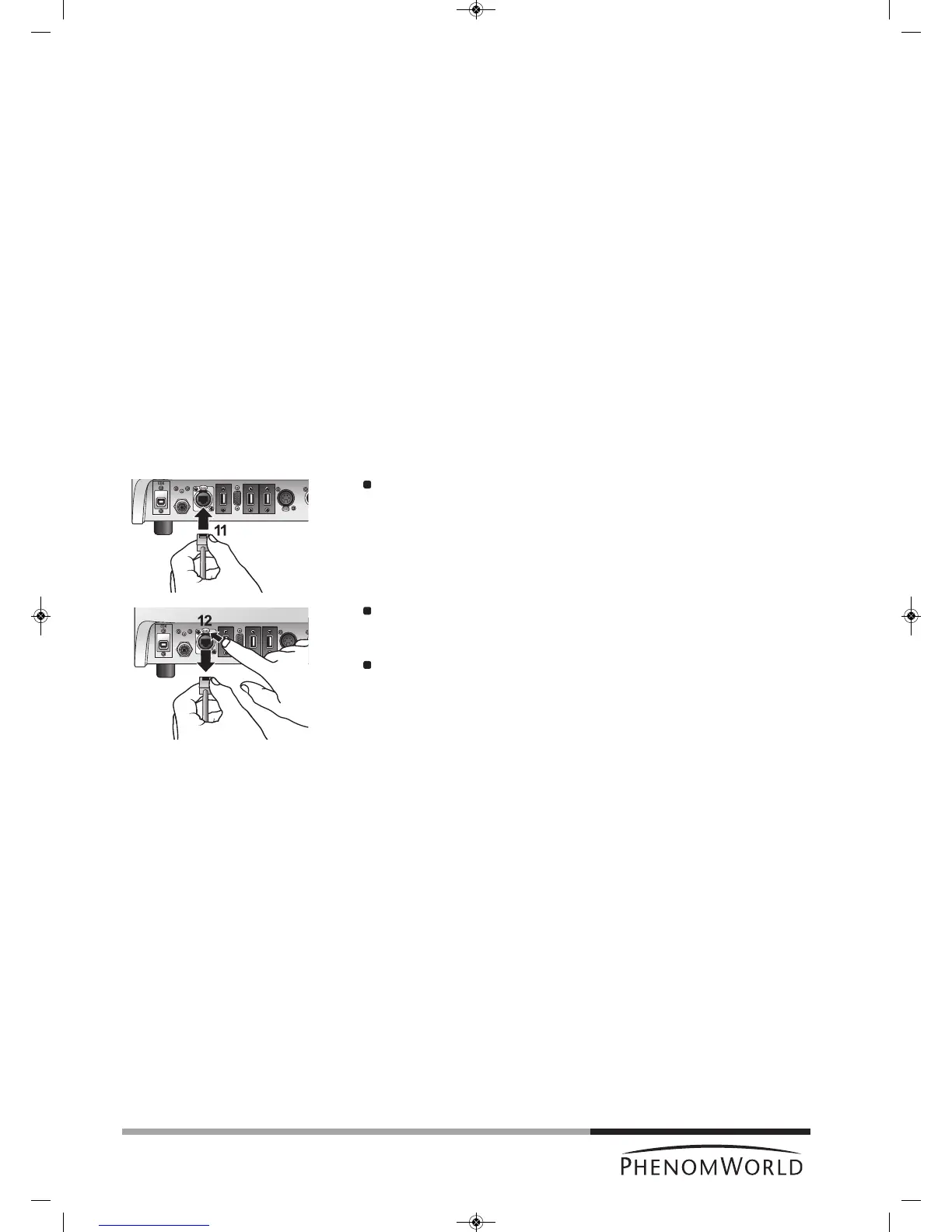
11 Optionally you can connect an ethernet cable (not supplied) between the Phenom
Ethernet connector and your router / gateway or cable modem.
If the Phenom is connected to the Internet, the technical performance of the Phenom
will be monitored by Phenom-World’s Customer Support.
This increases the predictability of maintenance requirements and ensures greater
uptime (the time the Phenom is ‘up’ and running) for your Phenom.
Connect an ethernet cable (11) between the Phenom Ethernet connector and
your router / gateway or cable modem.
> The Phenom will now try to acquire an IP (Internet Protocol) address via DHCP
(Dynamic Host Configuration Protocol).
To remove the ethernet cable, first press the PUSH button (12) to open the
Ethernet connector.
To activate this function, refer to chapter 5.7.4 ‘Routine Pages - Remote
Assistant’.
Sometimes assignment of IP addresses is MAC address based. A Media Access Control
(MAC) address is a unique identifier, attached to most network adapters. It is a number that
acts like a name for a particular network adapter.
Some companies assign IP addresses to known MAC addresses only, in order to avoid any
non-company computer accessing the network or infecting the network with viruses.
When a MAC address is required, please contact Phenom-World’s Customer Support:
- address: Dillenburgstraat 9E
5652 AM Eindhoven
The Netherlands
- e-mail: support@phenom-world.com
- phone: +31 (0)40 259 73 72
- fax: +31 (0)40 259 73 71
- opening hours: Monday - Friday, 09:00 - 17:00 (CET)



 To Next Page