17 Trends Screen Trends
200
Horizon View
The horizon view presents trend information
superimposed over a defined baseline or base
range. This helps you visualize changes in
your patient’s condition since the baseline
was set.
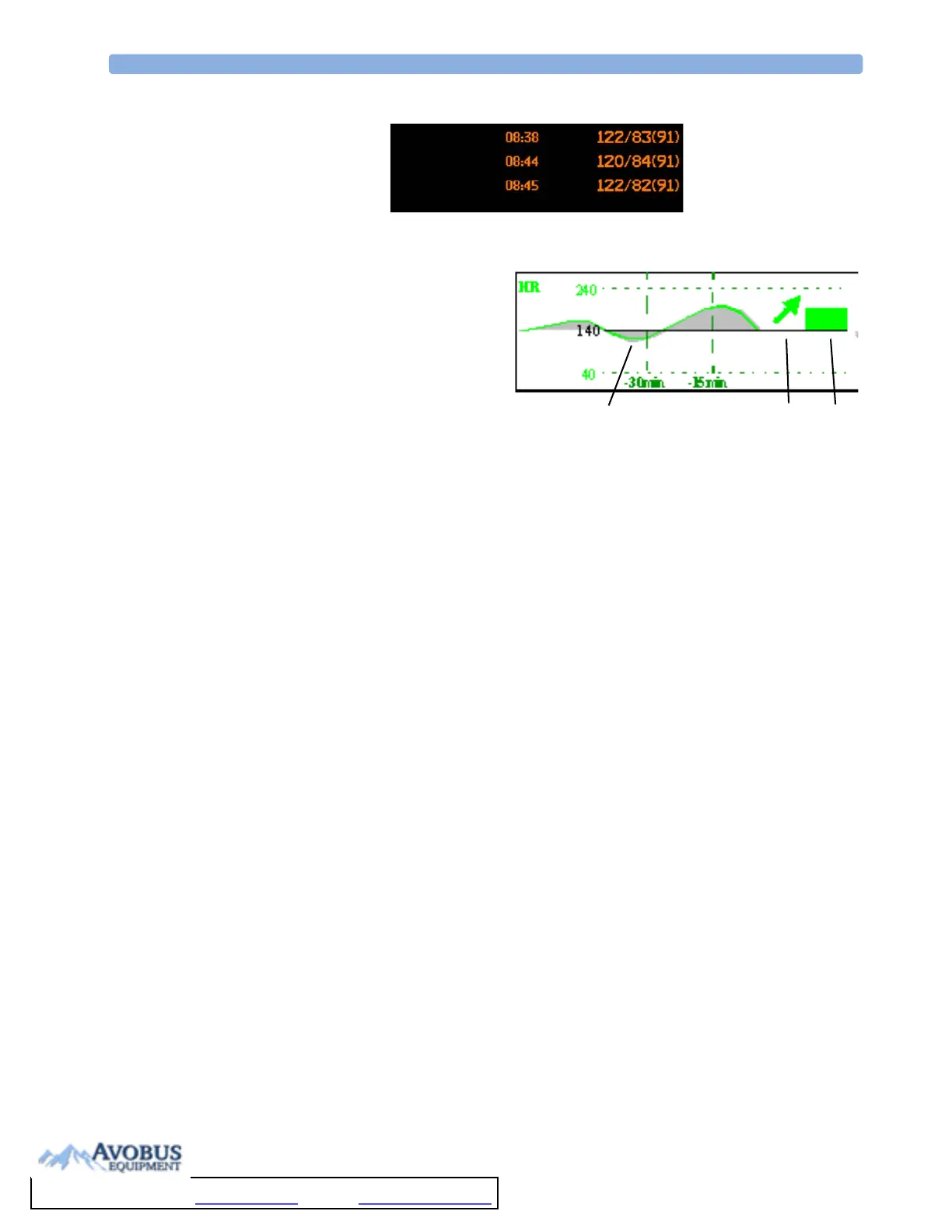
The horizon view is made up of:
•a horizon, drawn in white, as a reference
point or baseline to help you visualize
changes in your patient’s condition. The horizon can be set to represent your patient’s current
condition, or a target condition and can be a single value or a range.
•a graphical trend, displaying patient data for the set TrendTime (1).
•a trend indicator arrow, indicating how the patient trend has developed in the set time period
(10 minutes, 5 minutes or 2 minutes) (2).
• a deviation bar, showing how the currently measured value deviates from the set horizon (3). The
height of the deviation bar is an indication of the extent of the change in your patient’s condition
relative to the (horizon) baseline.
Your monitor may not be configured to show all elements of the screen trend horizon view.
Setting the Horizon
The horizon is the reference value to which deviations in the measurements are compared.
1 To set the horizon, select the horizon trend
2 Select
– Set High Horizon to select the upper horizon value. If the high and low horizon values are
the same, the horizon is a baseline - if the values are different the horizon is a range.
– Set Low Horizon to select the lower horizon value.
– Auto Horizon to set the horizon for the selected horizon trend to the currently-measured
value
– Auto All to reset the horizon for all horizon screen trends to the currently-measured values
– Set Horizon to set the horizon to a specific value from a pop-up list.
Setting the Horizon Trend Scale
The horizon trend scale is defined with respect to the horizon. If your horizon is set to 100 and you
select 20 as the horizon scale delta, the upper limit of the horizon scale will be 120 and lower limit 80.
To set the horizon trend scale delta,
1 Select the horizon trend.
NBP
Sys.
123
To Purchase, Visit Avobus.com or call 1-800-674-3655



 To Next Page
 Loading...



