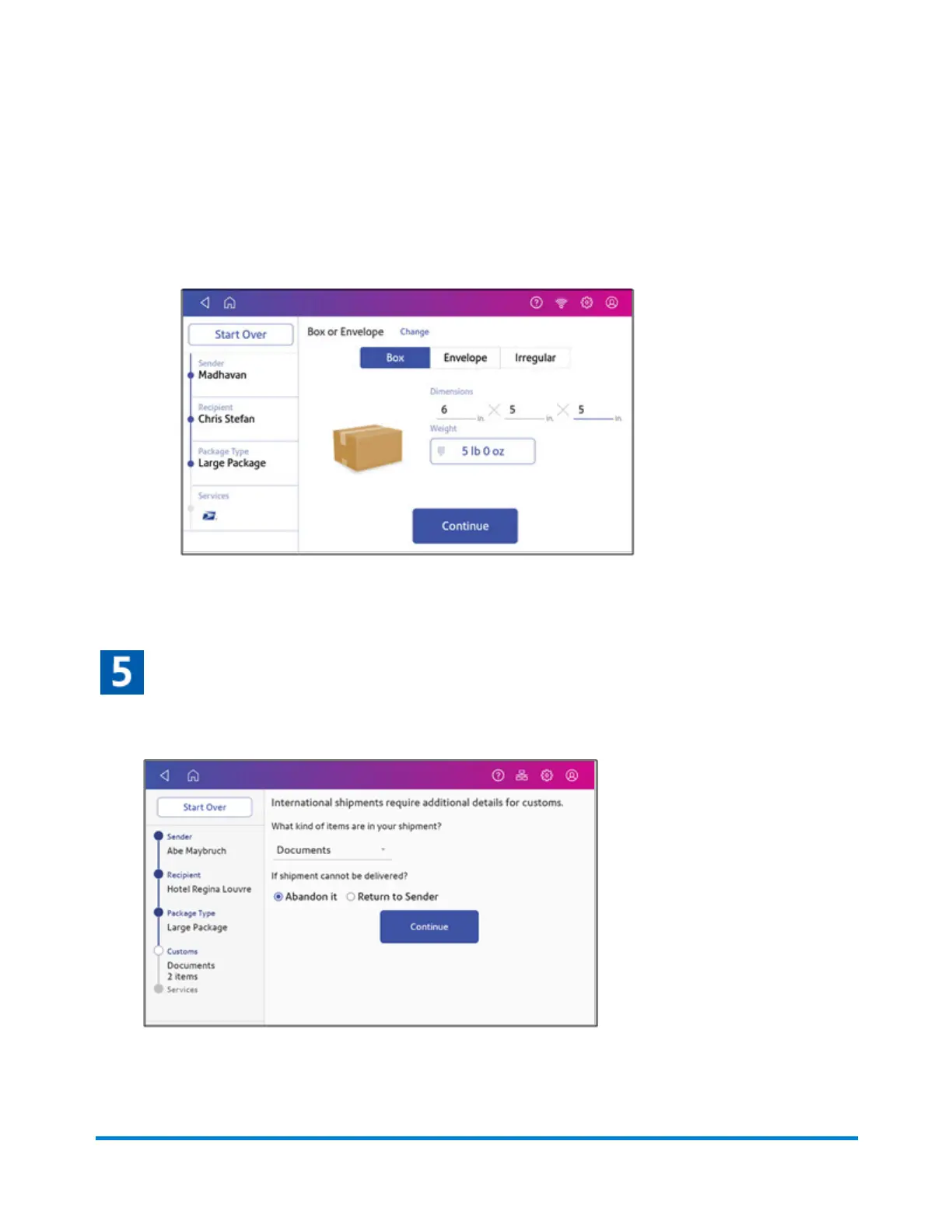
2. Enter the dimensions and weight of the package:
l
Tap each dimension and enter a value. Tap the green check mark when done.
l
If you have an attached scale, place the package on the scale and tap Weight. Tap Scale
and the weight appears. Tap Apply.
l
If you do not have a scale, tap Weight and enter the weight, then tap Apply.
3. Tap Continue.
Enter the type of items in the shipment
1. Enter the type of items included in your shipment, in this example Documents.
2. Select either Abandon it or Return to Sender if the item cannot be delivered.
Printing Shipping Labels
Pitney Bowes Operator Guide April 2022 91












 To Next Page