0.00.18 PMDG 737
INTRODUCTION
NOVEMBER 2022 DO NOT DUPLICATE For Simulator Use Only
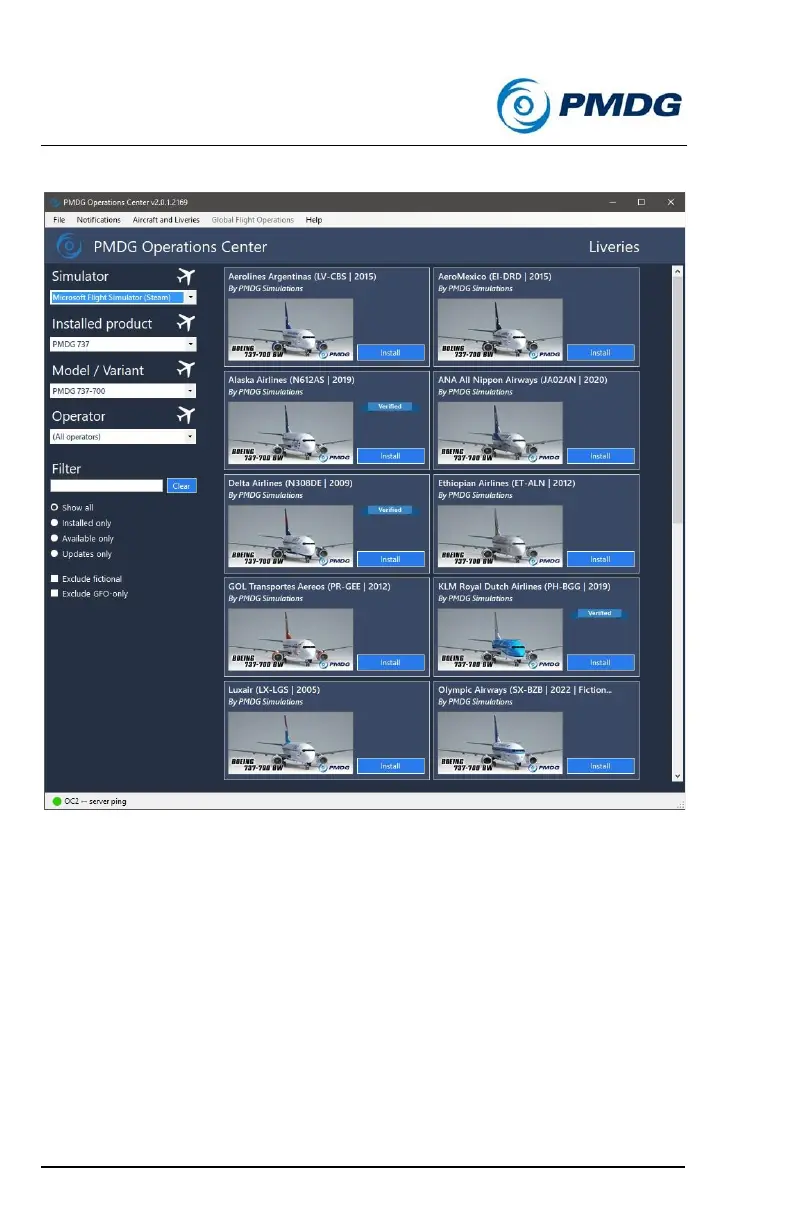
The ‘Liveries’ screen will open:
In the menu to the left, choose, from top to bottom:
1. Simulator — which Simulator you want the new liveries installed
to. In this case, select Microsoft Flight Simulator.
2. Installed product — Make sure the PMDG 737 is selected.
3. Model/Variant — Select the -700, -700BBJ or -700BDSF
4. Operator — If you want to select a livery used by a specific
operator, you can select the operator here and all liveries
available from that operator will be displayed.



 To Next Page